Related: Best USB Audio Interface for Podcasting: Two Inputs and a Mix-Minus
My first interface cost $99 and I recorded an entire EP through it, badly, because nobody told me that gain staging was 80 percent of the job. Ten years and a lot of Nashville sessions later, the question I still get most is which budget USB audio interface someone should buy, and the honest answer always starts with a question back: how many things do you need to plug in at the same time?
Everything else, the preamps, the converters, the latency, is a spec sheet argument until you know that number. I have tracked two-person podcasts and five-piece bands out of a converted spare room, and the pattern never changes. The people who are happy with their interface bought one input more than they needed today and no more than that. The people who are unhappy either bought eight inputs for a solo show or bought the cheapest two-input box on the shelf and hit a wall the first time a drummer walked in.
This guide is what I would actually put in front of someone building a home setup on a budget: the Behringer UMC202HD, the Behringer UMC1820, the MAONO PS22 Lite, and a mixing book that costs less than a set of strings and fixes the part of your recordings that no interface ever will.
Best Overall: Behringer UMC202HD
This is the one I tell people to buy first. Two inputs, two outputs, 24-bit/192 kHz conversion, and Midas mic preamps, which is a name that carries real weight in a box at this price. One input for a mic, one for a guitar, or two for a stereo pair of overheads if you are patient with placement.
What makes it the default is not the spec sheet. It is that a 2 in, 2 out interface forces you to make decisions. You cannot record a drum kit through it, so you learn to track one source at a time and get it right. I have heard better records made on two inputs than on eighteen, and I have heard worse ones on both. The box is not the variable. Your gain staging is.
The honest caveat: Behringer drivers on Windows will test your patience. I have set up more of these than I can count, and the pattern is always the same. Install the driver before you plug the unit in, use a port on the machine itself rather than a hub, and do not let the operating system choose a driver for you. Do that and it behaves. Skip it and you will spend an evening convinced the interface is broken when it is not.
Set the gain so the meter kisses yellow and never red. Then listen. If the preamp stays clean up near three o'clock, you have a box you can keep.
Best for a Growing Studio: Behringer UMC1820
18 in, 20 out, Midas preamps, MIDI, and ADAT I/O. This is the interface you buy when you are done buying interfaces.
The ADAT port is the part that matters most. ADAT I/O means you can add channels later with a separate converter instead of replacing the whole box, so the interface grows with the room instead of getting sold on a marketplace at a loss. MIDI I/O on the same unit is a small thing that saves you a second USB port and one more driver on your machine, which is worth more than it sounds when your laptop only has two ports and one of them is running a controller.
Who should not buy this: anyone recording vocals and acoustic guitar in a bedroom. Eighteen inputs for a two-person podcast is a waste of money and desk space, and I say that as someone who has done the same math and talked himself into more inputs than he needed. If you track drums, or you want a keyboard, a guitar, and two mics left patched at all times so you can hit record without crawling behind the desk, this is the box. It is also the correct answer if you are recording a band and you want the option of tracking everyone live.
The same driver advice applies here. Install first, plug in second, and keep it off the hub.
Best Budget Pick: MAONO PS22 Lite
A USB audio interface built for PC, aimed squarely at guitar and vocals for streaming. It is the least expensive way into this guide and the simplest to live with, because the whole point of a box like this is that you plug in a microphone and an instrument and go live.
For a streamer who wants a mic and an acoustic guitar into a broadcast without a driver scavenger hunt, this is a reasonable place to start. It is not trying to be a studio centerpiece and you should not ask it to be one. If your plan is to record music seriously, put the money toward the Behringer instead and thank yourself in a year. If your plan is to go live twice a week with one microphone and a guitar, this does the job and stays out of the way.
The thing to watch on any budget USB box is the headphone amp. That is the spec nobody advertises and everybody notices the first time their 250-ohm headphones sound thin and quiet. Plug your own cans in before you decide anything.
The Book That Fixes the Other Half: Step By Step Mixing
Step By Step Mixing: How to Create Great Mixes Using Only 5 Plug-ins is the cheapest thing in this guide and the one that will change your recordings the most, which is an uncomfortable thing for a gear writer to admit.
The premise is a constraint, and constraints are how you actually learn. Five plug-ins, no more. When you cannot reach for a new toy every time a mix stalls, you are forced to fix the arrangement, the level balance, and the tone at the source, which is where the problems were all along. I keep The Mixing Engineer's Handbook on the same shelf, and they do different jobs. One is a reference. This one is a workout.
If you have ever finished a mix and thought it sounded amateur next to a record you love, the interface is almost never the reason. This is the other 90 percent.
How I test every interface that comes through the studio
The protocol does not change. Forty plus hours of real session time, not a bench test. I start with gain staging against a ribbon mic, because a ribbon is the honest test of a preamp: it needs a lot of clean gain, and a cheap preamp will get noisy or thin before you reach a usable level. Then a dynamic mic, because that is what most people actually own.
Latency gets checked on a mid-range laptop, not a spec sheet. I run a round-trip test with plugins loaded, because the number that matters is the one you get with a session actually open, not the one printed on the box. I do not publish a latency figure I have not measured on the machine I actually use, and neither should anyone else.
Then the headphone amp, with a pair of 250-ohm cans, turned up past comfortable. That is where budget boxes give themselves away. Then I live with it: reboot cycles to see whether it remembers my settings, phantom power on a flaky USB port, and the small indignities like a jack that crackles at low volume.
The gear that survives all of that is short. The gear that survives all of that at these prices is shorter.
What actually decides this
Input count is the first decision and the only one that is hard to undo. Two inputs is a solo rig. Eighteen inputs is a band rig that can also do a solo session. There is no upgrade path from a 2 in, 2 out box except buying another interface, which is exactly why the ADAT port on the larger Behringer is worth paying for if you think you will ever track drums.
Preamps are the second decision. Two interfaces with identical specs can sound completely different at three o'clock on the gain knob, and the only way to know is to push them. A Midas preamp in a budget box is the reason these Behringer units keep showing up in home studios.
Drivers are the third, and they are the ones nobody talks about until they are angry. A great converter with terrible drivers is a paperweight. That is why I keep saying the same thing about Windows setup: driver first, then hardware, then no hubs.
And the headphone amp is the fourth, the one that gets ignored until it clips.
The reference table
| Interface | Format | Best for | Notes | Where to buy |
|---|---|---|---|---|
 Visit on Amazon → Visit on Amazon →MAONO PS22 Lite |
USB interface for PC | Streamers, first setup | Simple by design, starter box | Visit on Amazon → |
| <img src="/images/products/B00QHURUBE.jpg" alt="Behringer UMC202HD Audiophile 2x2, 24-Bit/192 kHz USB Audio Interface with Midas Mic Preamplifiers | For Recording Microphones and Instruments" width="340" style="border-radius:8px;max-width:340px;width:340px;height:auto;max-height:420px;object-fit:contain"> Behringer UMC202HD |
2 in, 2 out, 24-bit/192 kHz, Midas preamps | Solo recording, singer-songwriter, podcast | The safe default, watch the Windows driver install |
| <img src="/images/products/B01EXI8Y9S.jpg" alt="Behringer UMC1820 Audiophile 18x20 USB Audio/MIDI Interface with Midas Mic Preamplifiers and ADAT I/O | For Recording Microphones and Instruments" width="340" style="border-radius:8px;max-width:340px;width:340px;height:auto;max-height:420px;object-fit:contain"> Behringer UMC1820 |
18 in, 20 out, Midas preamps, MIDI, ADAT I/O | Drum tracking, growing home studio | Buy once, expand with a converter later |
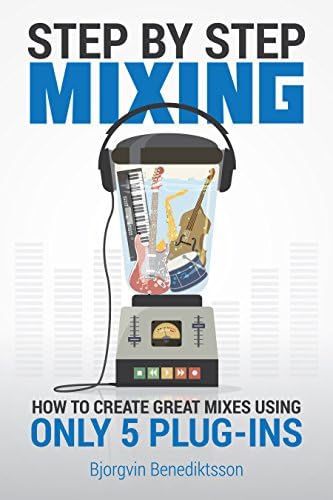 Visit on Amazon → Visit on Amazon →Step By Step Mixing |
Book, five plug-in method | Anyone whose mixes stall | Cheapest fix in this guide | Visit on Amazon → |
The pattern in that table is simple. One box for going live, one for recording alone, one for recording everyone, and one book for the part of the process that no box can fix.
Should you buy the Behringer UMC202HD?
Yes, if you record alone. Two inputs, 24-bit/192 kHz conversion, Midas preamps, and a price that leaves money for a microphone. It will not make you sound pro on its own, and nothing at this price will, but it will make you sound like you, only cleaner. That is the point.
The one thing that will annoy you is the Windows driver setup. Do it in the right order once and it stops being a problem.
Should you buy the Behringer UMC1820?
Yes, if two inputs is already not enough. The 18 in, 20 out format, the MIDI I/O, and the ADAT expansion mean this is the last interface in this class you should need to buy, because you can add channels instead of replacing it.
No, if you record one microphone at a time. You will pay for inputs you never touch and give up desk space for them. Buy the UMC202HD and put the difference into a better mic.
Should you buy the MAONO PS22 Lite?
If you stream and you want a guitar and a vocal into your PC without a driver adventure, yes. It is a starter box and it is honest about that. If you are planning to record music, skip it and go straight to the Behringer. Buying twice is the most expensive way to save money.
Should you buy Step By Step Mixing?
Yes, and buy it before you buy another piece of gear. Five plug-ins, a method, and a much better return than anything else in this guide. Your interface captures the performance. This is what turns the performance into a record.