Related: Best Audio Interface for Podcasting: Two Good Inputs and a Mix-Minus That Works
I keep a drawer in my studio full of dead USB audio interfaces under $300. Fried headphone jacks, mostly, plus two that never survived a Windows update. My first interface cost me $99 and crackled at low volume from the day I unplugged it, and I recorded three EPs on it anyway because I did not know any better.
Ten years of tracking later, I can tell you the budget tier has changed. The preamps in the four interfaces below are genuinely close to gear that cost three times as much a decade ago. What still separates them is everything the spec sheet leaves out: how the preamp behaves when you push it, whether the headphone amp can drive a pair of 250-ohm cans without folding, whether the drivers remember your settings after a reboot, and what the round-trip latency looks like on a mid-range laptop with plugins running.
I test interfaces the way sessions demand, not the way marketing departments write. Forty-plus hours of recording each, a ribbon mic that eats gain for breakfast, a dynamic mic that needs the opposite treatment, DI guitar, and a full podcast workflow with a guest on the other end. Here is where each of these four lands.
Best Overall: Audient EVO 8 USB Audio Interface
The EVO 8 is the one I would hand a client and not think twice about. Audient builds console preamps for a living, and it shows: at three o'clock on the gain knob, where the cheap boxes start to get glassy and hard, this one stays clean and open. That is the whole game for me. Two interfaces with identical spec sheets can sound completely different at gain 3 o'clock, and this is the one that keeps its composure when the ribbon mic asks for everything.
The headphone amp is the other reason it wins this group. It drove my 250-ohm headphones with room left on the dial, no clipping, no thin, scratchy sound at low volume. I have thrown away interfaces for exactly that problem, and it is the spec nobody lists on the box.
What it costs you is money and desk space. It is the priciest interface here, and if you record one microphone at a time you are paying for inputs that will sit unused. But if you ever track a drum kit, a two-mic acoustic, or a client who brings a friend, this is the interface that will still be on your desk in five years. 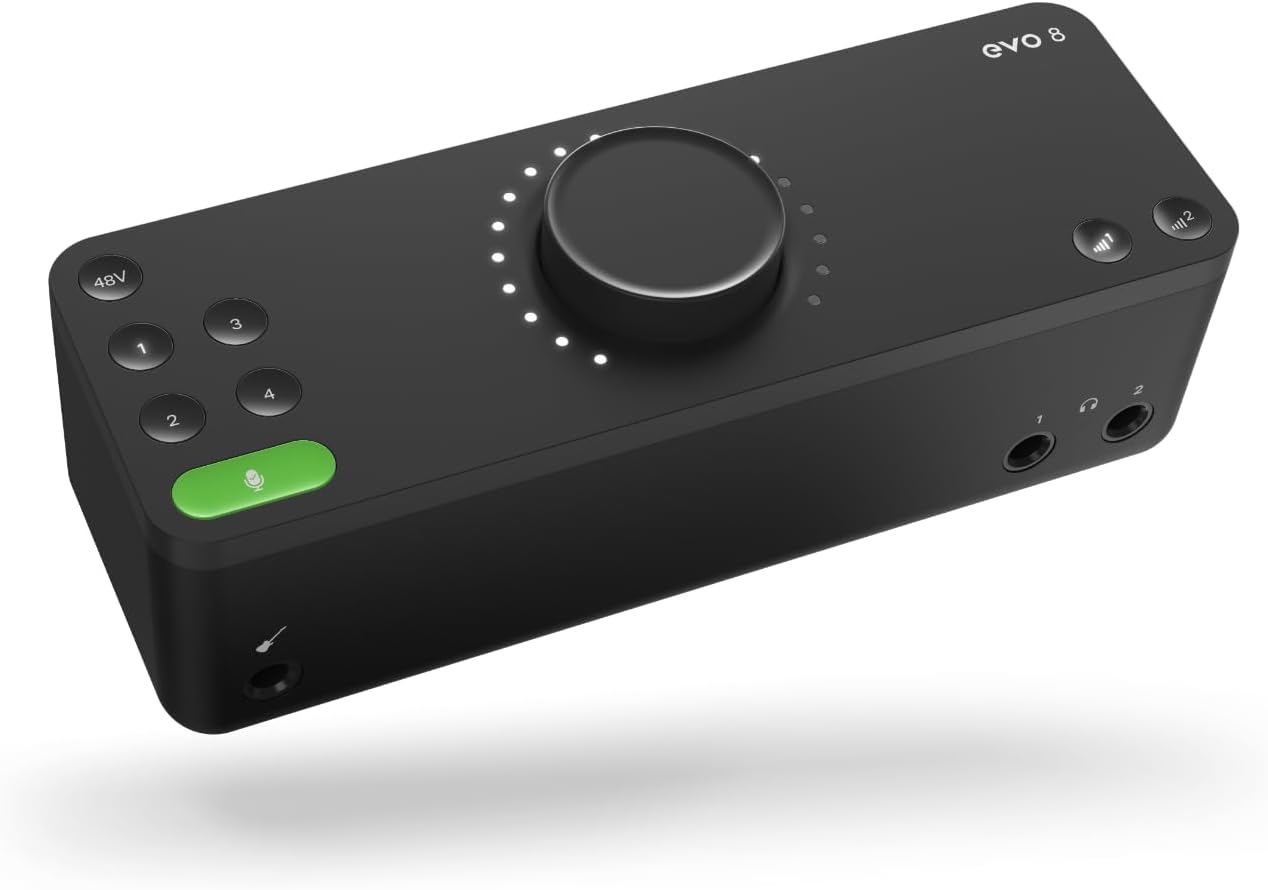 Visit on Amazon →
Best Value: Arturia MiniFuse 1
The MiniFuse 1 does one input and does it well. This is the best combination of preamp quality and price in the group, and it is not particularly close. The preamp is not an Audient, but it is far closer to one than the price tag has any right to suggest, and it holds its character instead of turning brittle when you lean on it.
The MIDI ports are the quiet win. If you keep a small keyboard or a controller in your rig, this interface becomes the hub for it, which almost nothing else in this bracket does. The chassis is metal, it sits flat, and the knobs feel like they were chosen by someone who has actually turned a knob.
Here is the part the box wants you to care about: the software bundle. Ignore it. You are not buying a DAW license, you are buying a preamp and a set of drivers, and the drivers here are boring in the best way. They install, they remember your settings, and they do not reset your sample rate every time the laptop sleeps.
The catch is obvious. One input means one microphone. If your show has two hosts, this is not your interface, no matter how good it sounds. 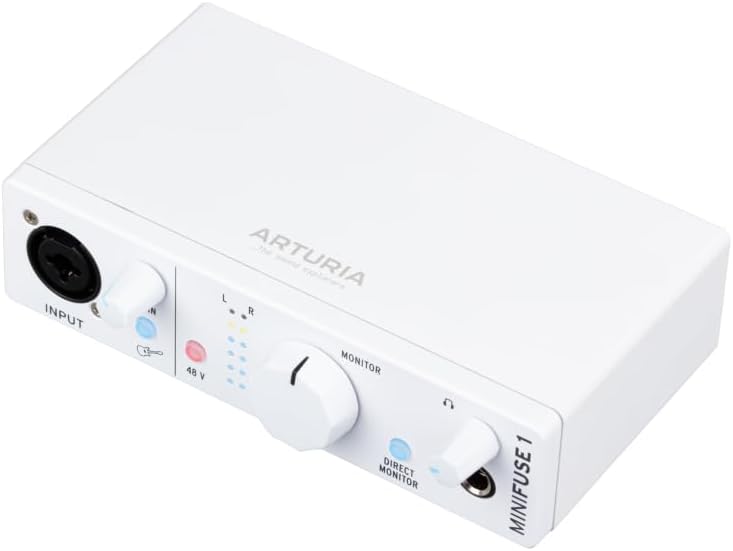 Visit on Amazon →
Best Budget: Mackie Onyx Artist 1-2 USB Audio Interface
The Onyx Artist 1-2 is the cheapest way into a real preamp in this group, and the Onyx preamp is the reason to buy it. It has a little color, a touch of weight in the low mids that the cleaner interfaces do not give you, and for a singer with a bright condenser that color is a gift rather than a flaw.
It also refuses to die. This is the interface I would take on the road, drop in a gig bag, and plug into whatever outlet is available. It is simple, it is sturdy, and it does not ask anything of you.
Where it shows its price is the headphone amp. It is the weak link, and on a pair of hard-to-drive headphones you will hear the difference immediately. The gain range also runs out before my ribbon mic is fully happy, which means the loudest sources need the mic closer than you would like. The drivers are fine, nothing memorable, which is a compliment in this price bracket. If you are on the tightest budget and you record one thing at a time, this is the one. 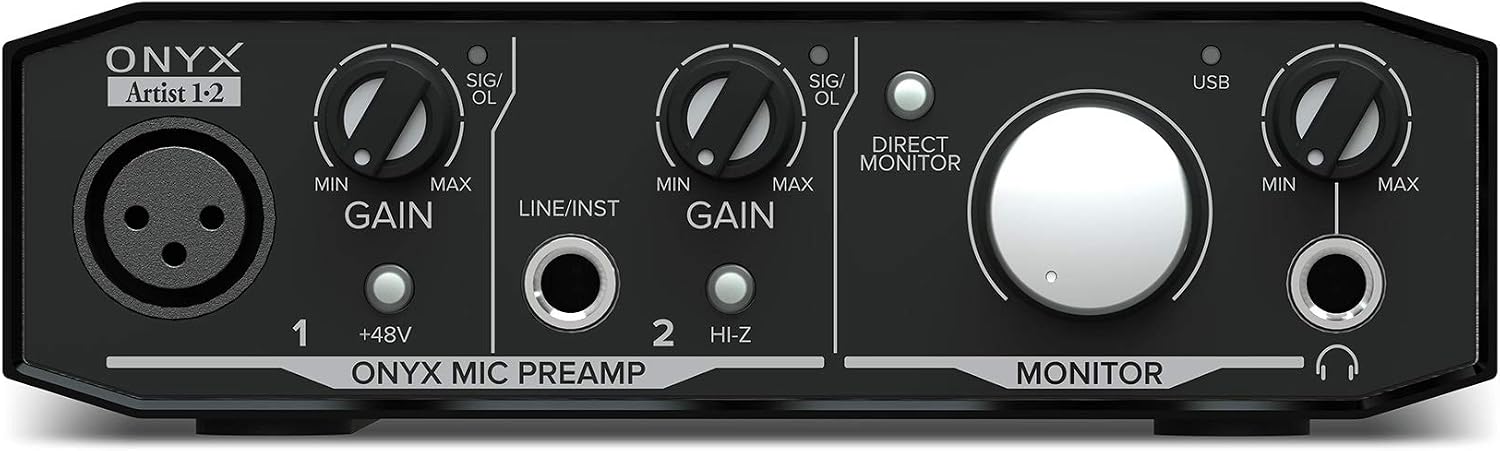 Visit on Amazon →
Best for Streaming: Zoom AMS-22 USB Audio Interface for Recording & Streaming
The AMS-22 was built for recording and streaming, and the routing is the point. It gives you the paths you need to send your guest everything except themselves, which is the mix-minus problem that kills more podcasts than bad microphones do. A two-person show lives and dies on that routing, and this box handles it without a separate mixer or a software workaround.
The form factor is the other strength. It is small, it is light, it travels in a laptop bag, and it does not demand a wall wart in most situations, which matters when you are recording in a hotel room or a borrowed office.
The tradeoff is that it is a one-input interface. That is fine for a solo streamer or a host who records their own track and drops the guest in over a call. It is not fine for two people in the same room with two microphones. And the usual bus power caveat applies: phantom power for a hungry condenser on a flaky laptop port is a gamble, so if your mic needs real current, bring a powered hub and stop guessing. 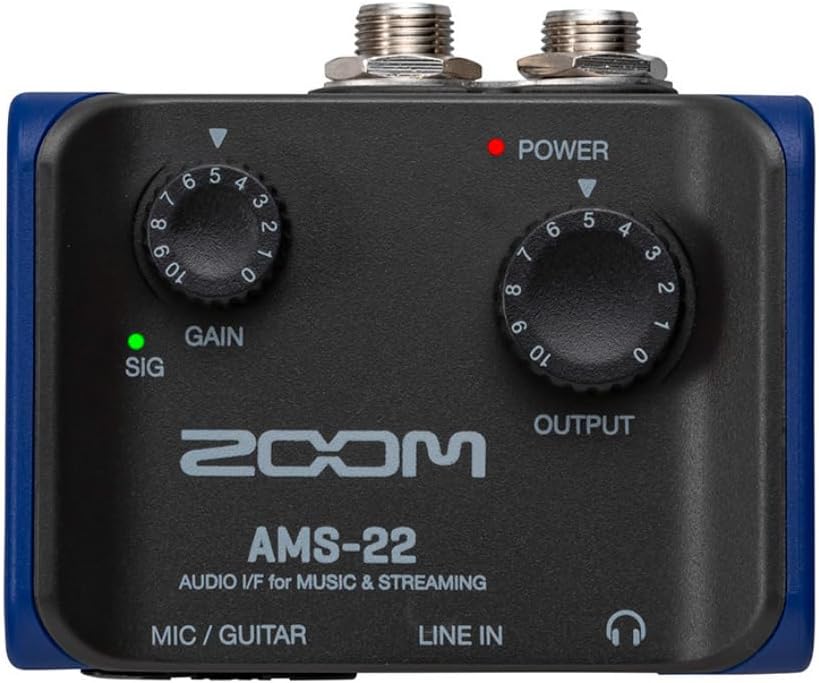 Visit on Amazon →
How I tested
Every interface here got the same treatment. Forty-plus hours of recording across multiple mic types, starting with a ribbon mic that demands maximum usable gain and a dynamic mic that demands the opposite. Then DI guitar, because a bad instrument input is the fastest way to make a guitarist reach for a different box.
From there, the session work: tracking vocals for real songs, recording a podcast episode with a remote guest, and running a full mix with plugins open while I played in a part. That last one is the round-trip test everyone forgets to check. A great converter chip with lazy drivers is a paperweight, and the only way to find that out is to load a session the way you actually work and play until it falls apart.
I checked whether each interface remembered its settings after a reboot, because drivers that reset your sample rate on every startup will cost you an hour a week. I listened to the headphone amp at low volume with 250-ohm cans, which is where the cheap ones crackle. And I left each one plugged into the same 2019 laptop for a week of ordinary work, because stability under boredom is a feature.
Analysis and test results
The preamp is the interface. That is not a slogan, it is the result of this whole round. Push each of these four to high gain with the ribbon mic and the group splits in two. The Audient EVO 8 and the Arturia MiniFuse 1 stay open and honest. The Mackie Onyx Artist 1-2 adds color that suits some voices and not others. The Zoom AMS-22 sits somewhere in the middle and makes up for it with routing that none of the others offer.
Drivers separated them more than I expected. The boring ones win. An interface that installs, holds your settings, and never surprises you is worth more than a slightly better spec sheet, because you will actually finish recordings with it. If a manufacturer's driver page has not been touched in years, that tells you something about how the next Windows update is going to go.
Headphone amps are where the budget shows up first. Only the EVO 8 drove my hardest-to-drive cans without complaint, and the difference is not subtle at low listening volume. If you mix on headphones, budget for this spec above almost everything else on the box.
One last thing about the marketing. You will see "studio quality" printed on boxes at every price point, and it means nothing. The interface is maybe ten percent of how your recording turns out. The room, the mic, and where you set the gain do the rest. Set the gain so the meter kisses yellow, then listen. That is the whole trick.
The USB audio interface reference table
| Interface | Best for | What stands out | Price |
|---|---|---|---|
| Visit on Amazon → Audient EVO 8 USB Audio Interface |
Tracking a real session | Console-family preamps that stay clean at high gain, strongest headphone amp here | $248.14 |
| Visit on Amazon → Arturia MiniFuse USB Audio & MIDI Interface, MiniFuse 1 |
One source at a time | Preamp punches above its class, MIDI ports, dependable drivers | $119.00 |
| Visit on Amazon → Mackie Audio Interface, Onyx Artist 1X2 USB Audio Interface (Onyx Artist 1-2) |
Tight budgets and road use | Onyx preamp color, built to survive a gig bag, modest headphone amp | $64.95 |
| Visit on Amazon → Zoom AMS-22 USB Audio Interface for Recording & Streaming, 1 In / 2 Out |
Solo streaming and podcast hosting | Routing that handles a mix-minus without extra gear, travel-friendly | $99.99 |
Read the table by asking what your week actually looks like. If you track other people, the top row is the answer. If you record your own songs one part at a time, the second row saves you money without costing you tone. If you stream solo and your guest is always remote, the bottom row solves a problem the others do not. If you need to spend as little as possible and still sound like yourself, the third row is the one.
Should you buy the Audient EVO 8?
Yes, if you track real sessions. The preamps stay clean where the others start to strain, the headphone amp is the only one here that drove my hardest cans without complaint, and the drivers are the kind you forget about, which is the highest compliment I can pay a driver.
It is the most expensive interface in this group and the largest on the desk. If you only ever plug in one microphone, you are buying headroom you will not use. But if you want the one box you will not outgrow in three years, this is it. Would I track a client session on it? I already would.
Should you buy the Arturia MiniFuse 1?
Yes, if you record one thing at a time. The preamp is closer to the Audient than the price suggests, the MIDI ports make it the center of a small keyboard rig, and the drivers hold your settings instead of resetting them every reboot. Skip the software bundle talk on the box and buy it for the hardware.
The limitation is real, though. One input means one microphone, so two-host podcasts and stereo acoustic guitar are out. If that is your world, spend up for the EVO 8. If it is not, this is the best value in the group and the one I would recommend to most people starting a home setup.