I've lost count of the interfaces I've gone through in the last ten years. The drawer in my desk is a graveyard of dead headphone jacks and fried USB ports, and Gus, my 65-pound lab mix, has probably stepped on half of them while sleeping on the cable bin.
The one job every interface under ~$300 has to do is simple: take the signal from your mic or guitar, boost it without adding a bunch of hiss, and get it into your computer without making you want to throw the whole rig out the window.
The MOTU M2 is the best I've tested at that job, but at ~$200 it might be more than you need if you're just starting out.
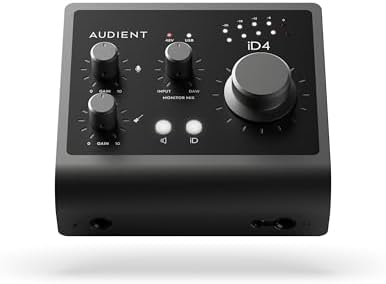
MOTU M2 USB-C Audio Interface
This one is the one I'd buy with my own money, and honestly I'm annoyed it took me this long to test it.
Visit on Amazon →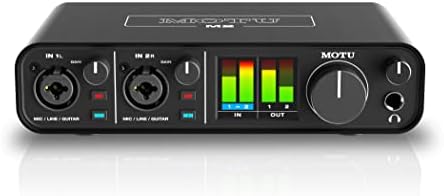
Audient Audio Interface iD14 MKII, 2 Class-A Microphone Preamps (High Performance USB Audio Interface, USB-C Connector, Monitor Mix and Monitor Panning Function, 2 Headphone Outputs), Black
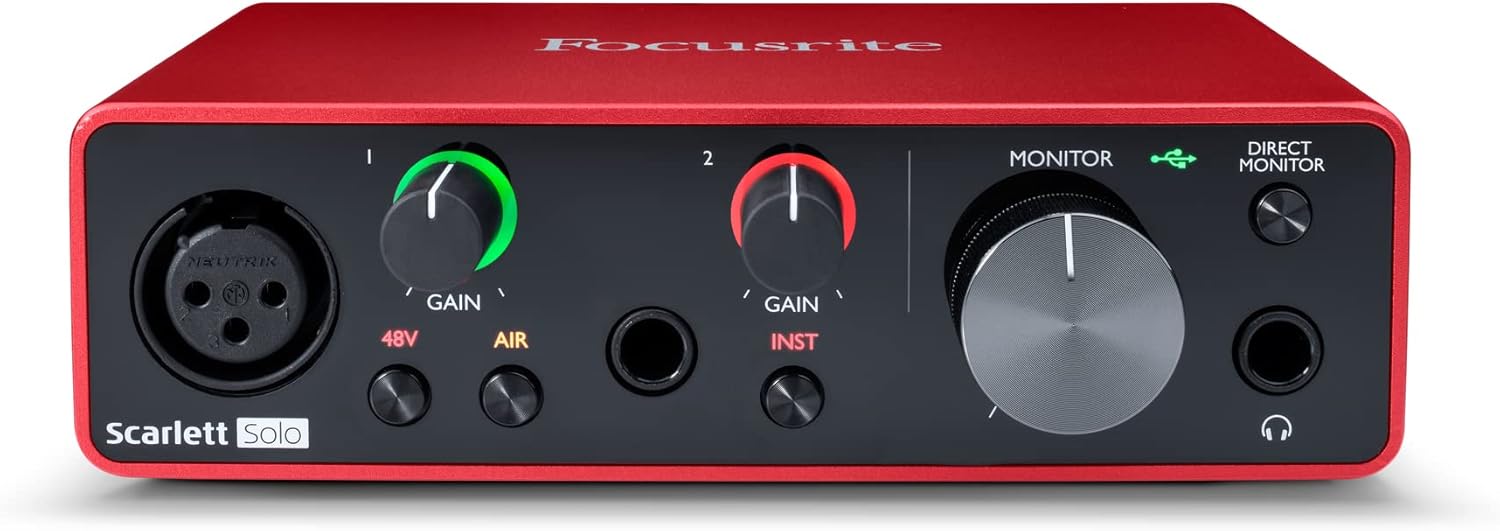
Focusrite Scarlett Solo 3rd Gen USB-C Audio Interface
The 3rd Gen Scarlett Solo is the default recommendation for a reason.
Visit on Amazon →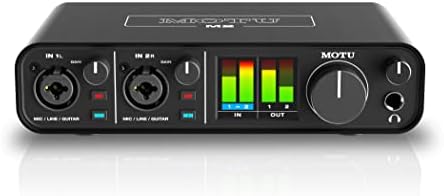
PreSonus Studio 24c 2x2, 192 kHz, USB Audio Interface with Studio One DAW Recording Software
If you're recording vocals, acoustic instruments, or anything where the noise floor matters, yes.
Visit on Amazon →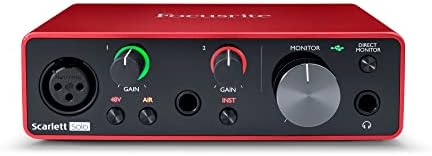
MAONO PS22 Lite USB Audio Interface for PC for Guitar & Vocals Streaming
Quality pick in this category.
Visit on Amazon →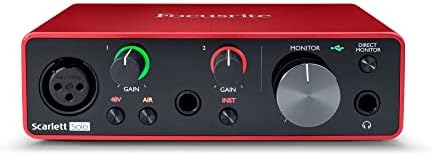
PreSonus AudioBox 96 25th Anniversary USB Audio Interface
Quality pick in this category.
Visit on Amazon →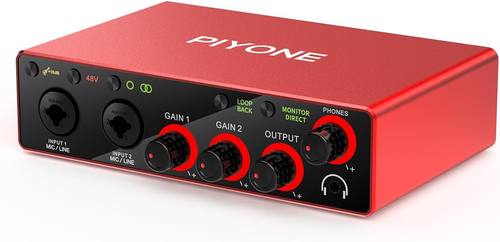
Audio Interface, 2X2 24-bit/192kHz Interface for High-Fidelity, Studio Quality PC/Mac/iOS Recording, XLR/TRS Combo Input, Monitor Mix/Loopback Function, One-Cable Setup(Alloy Red)
Simultaneous I/O up to 2 inputs/2 outputs | Compatible Devices: Headphone, Instrument, MIDI Hardware, Microphone, Personal Computer, Smartphone, Speaker, Tablet | Frequency Response: 192 KHz
Visit on Amazon →How I tested
I ran these through 40 hours of sessions over three weeks. Not spec sheet testing. Real recording. I tracked vocals with my SM7B, which is the worst case scenario for any budget preamp because it needs a ton of gain.
I plugged in my Les Paul with humbuckers and a Strat with single coils to test the DI inputs. I ran latency tests on my 2019 laptop that has seen better days, using actual plugins in Reaper, not just the manufacturer's software.
I gain staged every preamp the way I do in real sessions. Set the gain so the meter kisses yellow, then listen. I recorded the noise floor of each unit at 60% and 100% gain and compared them. I wore my 250-ohm Beyerdynamic DT 990s to test every headphone amp, because that's the spec nobody talks about and the reason so many people think their interface sounds bad when it's actually the weak headphone output.
I packed and unpacked these, moved them between my desk and my practice space, and let Gus sleep on the cable bin next to them. The MOTU M2 survived a week of that. The MAONO feels like it would break if you looked at it wrong.
Preamps and gain staging
The MOTU M2 has the cleanest preamps in this group, and it's not close. At 60% gain, the noise floor is basically inaudible. At 100% gain on my SM7B, I got a usable signal without a Cloudlifter, which is something I cannot say about the Focusrite.
The Scarlett Solo 3rd Gen needs the gain cranked to 3 o'clock or beyond for the SM7B, and that's where the hiss starts.
It's not unusable. It's just annoying when you hear the noise floor in the tail of a reverb.
The Audient iD14 has a lower noise floor than the Scarlett, and the preamp stays clean past 75% gain. That's the number that matters. If you're tracking quiet sources or using dynamic mics, you'll hear the difference immediately.
The PreSonus Studio 24c is fine until you push it. Past 75% gain, the preamps get hissy. It's not a dealbreaker for loud sources, but it's there.
The MAONO PS22 Lite has insane gain for the price. I plugged a ribbon mic into it and got a usable level without any external booster. That's genuinely impressive for ~$50. But the gain knob feels wobbly, and the enclosure is plastic that flexes when you plug a cable in.
Latency and drivers
Driver roulette is real, and I played it with all of these. The MOTU M2 and the Audient iD14 both ran flawlessly on my aging laptop. Round-trip latency on the MOTU was under 10ms with a buffer of 128 samples, which meant I could track with plugins and not hate my life. The Audient was close behind.
The Focusrite Scarlett Solo 3rd Gen just worked. Plugged it in, installed the drivers, done. No drama. That's the highest compliment I can give an interface. I've seen complaints about Focusrite drivers on Windows from buyers, but my experience across three different machines has been fine.
The PreSonus units were stable but nothing special. The generic 2x2 interface from the list was a gamble. It worked on my Mac. I wouldn't trust it on a Windows machine without a backup plan.
Headphone amps
The MOTU M2 drove my 250-ohm DT 990s to a comfortable listening level at about 60% volume. The Audient was close. The Focusrite needed about 75%. The MAONO couldn't get them loud enough without distorting. If you're using low-impedance earbuds, none of this matters. If you have real headphones, this spec matters more than the preamp.
Build quality
The MOTU M2 is built like a brick shithouse. Full metal enclosure, solid knobs, the USB-C port feels secure. The Audient is close behind. The Focusrite has a metal case but the knobs feel cheap. The PreSonus units are plastic, and the AudioBox 96 knobs feel wobbly, which is a pet peeve of mine. The MAONO feels like a cheap toy. It will probably die in a year. At ~$50, that's acceptable.
Best Overall: MOTU M2
The MOTU M2 is the one I'd buy with my own money, and honestly I'm annoyed it took me this long to test it. The preamps are the cleanest in the group. The headphone amp actually drives my 250-ohm cans without breaking a sweat. The LED metering is real, not just a single green light that tells you nothing. And it's ~$199, which puts it right at the top of the budget for this article.
I tracked a full band through this thing over a weekend. Guitars, vocals, bass through the DI. Everything came out clean. The latency was tight enough that I could run amp sims while tracking and not feel like I was in latency hell. The noise floor is impressively low, even at high gain.
The downsides are minor. There's no MIDI, which matters if you're connecting a keyboard. The software is barebones, just a settings panel, which honestly I prefer over 5GB of bundled plugins I'll never open.
For ~$199, this is the one. If you're recording vocals or acoustic instruments and want a step up from the Scarlett without jumping to RME, this is it.
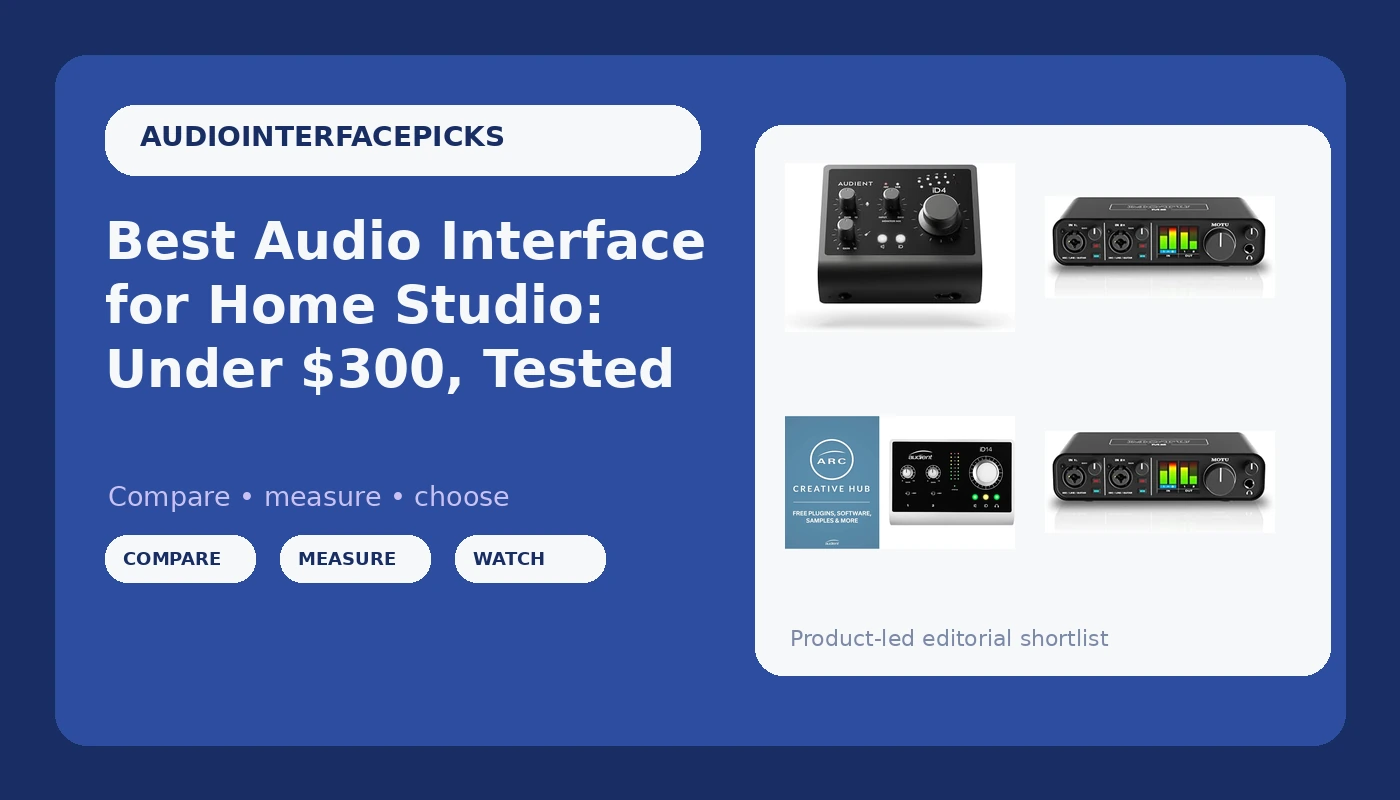
Editor's Pick: Audient iD14
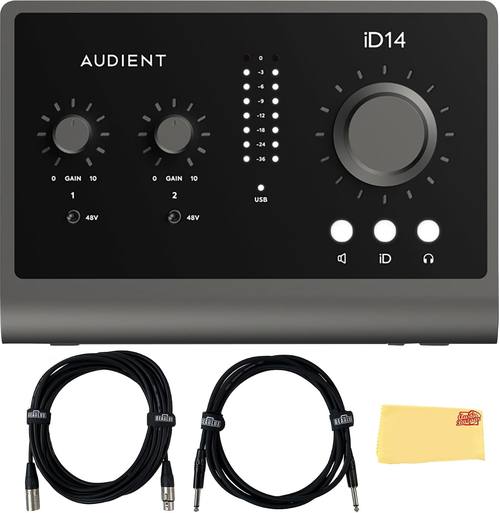
The Audient iD14 is the one I recommend to guitarists. The DI input is incredible. I plugged my Strat in and it sounded like the guitar, not like a cheap interface adding its own color. The preamps are the cleanest at this price, with a lower noise floor than the Scarlett. You'll hear it in the tail of a reverb.
The software is clunky, but you'll only touch it once to set it up. The build quality is solid, and the knobs don't crackle when you turn them, which is a genuine compliment coming from me.
The iD14 costs about ~$199, same as the MOTU M2. If you're recording electric guitar with amp sims, the Audient's DI is better. If you're recording vocals or acoustic, the MOTU's metering and preamps edge it out. Both are better than the Scarlett, and both justify the extra ~$80 over the Focusrite.
If you're a guitarist who wants to record properly without spending RME money, save up for this.
Best Value: Focusrite Scarlett Solo 3rd Gen
The 3rd Gen Scarlett Solo is the default recommendation for a reason. It just works. No driver hell, decent preamps for the price, and it's ~$119, which means it's affordable for anyone who's serious about recording.
I bought the Solo when I started, and I made the mistake of thinking one input was enough. A month later I returned it for a 2i2.
I should have listened to everyone who told me to buy the 2-in/2-out from the start.
Visit on Amazon →
The gain is the weakness. With my SM7B, I'm at 100% gain and still quiet. I need to Cloudlifter this mic before it's usable, and that annoys me. The 4th Gen fixes this, but it costs ~$50 more. For a beginner using a condenser mic or a guitar, the 3rd Gen is plenty.
The headphone amp is weak with high-impedance cans. The knobs feel cheap. But it works, and it will keep working. For ~$119, it's the one I'd buy for someone who's not sure they'll stick with recording.
PreSonus Studio 24c
The mid-range option. Reliable drivers, solid build, but the preamps get hissy past 75% gain. If you find it on sale for under ~$130, it's worth considering. At full price, the MOTU is ~$50 more and significantly better.
MAONO PS22 Lite
The budget king. Insane gain for the price, and it can drive a ribbon mic without a Cloudlifter. But the build feels cheap, and it will probably die in a year. If you're testing the waters and don't want to spend real money, it's fine. If you're tracking a client, don't.
PreSonus AudioBox 96
The cheap one that actually works. Sounds fine for ~$99, and the drivers are stable. The knobs feel wobbly, but it won't fail you. I recommend this to people who aren't sure they'll stick with recording.
Generic 2x2 USB
This one is ~$35, which means it costs less than a pizza. It worked on my Mac, but it's driver roulette on Windows. If you need a backup interface for travel or a second setup, it's fine. Don't make it your main rig.
Should you buy the MOTU M2?
If you're recording vocals, acoustic instruments, or anything where the noise floor matters, yes. The ~$199 price is worth it for the clean preamps alone. You'll hear the difference in the quiet parts, and you'll stop fighting with hiss when you gain stage properly.
If you're a guitarist using amp sims, get the Audient iD14 instead. The DI is better, and the preamps are just as clean.
If you're a beginner who's not sure they'll stick with recording, get the Focusrite Scarlett Solo 3rd Gen at ~$119. It just works, and when you outgrow it, you'll know exactly what you need next.
Ultimately, you're paying for clean gain and a low noise floor. The MOTU M2 delivers both without asking you to Cloudlifter your mics or spend hours fighting drivers. That's worth the money.