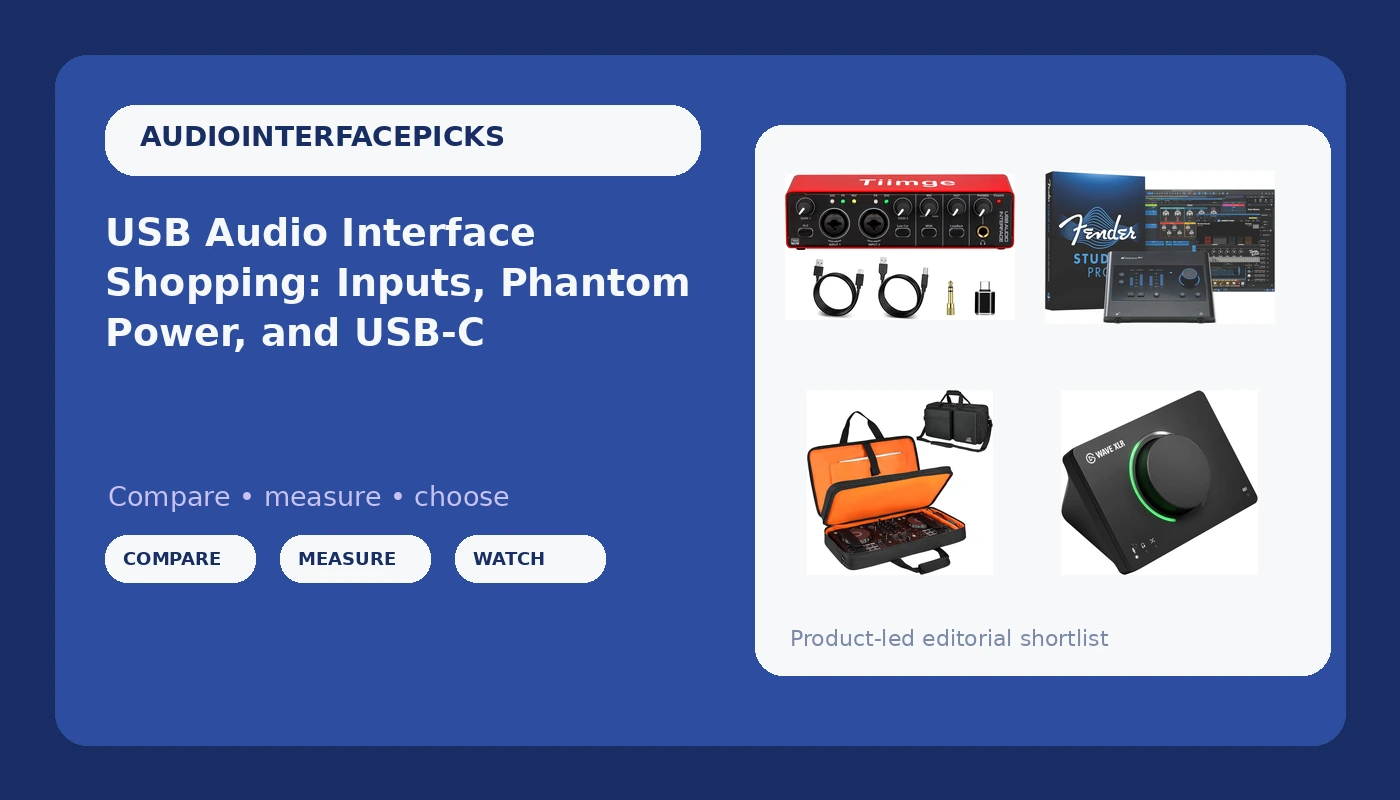
A USB audio interface is the box between your microphone and your computer, and it decides how clean everything you record actually sounds. It handles analog-to-digital conversion, supplies phantom power to condenser microphones, and gives you a gain knob that does not require a mouse. The problem for a first buyer is that "audio interface" now describes at least three different products: a plain two-channel box for singer-songwriters, a software-bundled interface for producers working inside a DAW, and a DSP mixer built around a single streaming microphone.
Picking the wrong category is expensive in a quiet way. You pay for inputs you never plug into, or you buy a streaming mixer and then discover you wanted two channels running a guitar and a vocal at the same time. This guide explains what the specs on the box actually mean, then matches four currently available options to the jobs they fit.
Related: How to Set Gain on a Budget Audio Interface →
Quick answer
Decide by input count and by what you plug in, not by the number on the price tag. A 2x2 interface with two combo XLR/TRS inputs and 48V phantom power covers one microphone plus one guitar, or two microphones for a two-person podcast. If you record inside a DAW and want software included with the hardware, a USB-C interface that ships with a DAW license is a reasonable step up. If your work is a single microphone on a live stream, a USB interface with onboard DSP mixing is built for exactly that job. And if you move a DJ controller between venues, a fitted case protects more value than any single spec on an interface.
Four useful options
| Model | Best fit | What stands out |
|---|---|---|
| USB Audio Interface for PC, 2x2 Recording Interface with 48V Phantom Power, 24Bit/192kHz Studio Sound, XLR/TRS Inputs, Low Latency Monitoring for Guitar, Podcast, Music Production & Home Studio | A first interface for a solo recorder | Two inputs, 48V phantom power, XLR/TRS inputs, 24-bit/192kHz conversion, monitoring aimed at low latency |
| PreSonus Quantum ES 2 USB-C Audio Interface with Fender Studio Pro Software | DAW users who want software in the box | USB-C connection paired with a bundled Fender Studio Pro license |
| Elgato Wave XLR MK.2 USB Audio Interface and DSP Mixer | Streamers and solo podcasters | Single-microphone USB interface with onboard DSP mixing |
| DJ Controller Case Fits for Pioneer DDJ-FLX4/Numark Mixtrack Platinum FX | DJs hauling a controller to gigs | Fitted specifically to two named controller models |
The first interface: USB Audio Interface for PC, 2x2
This is the shape most people should start with. Two inputs means one microphone and one instrument, or two microphones, which covers a solo record, a two-person interview, or a guitar-and-vocal scratch take. The combo jacks take an XLR cable or a quarter-inch plug without an adapter, and the 48V switch is what lets a condenser microphone work at all. The trade-off is everything that is not on the box: no onboard DSP, no bundled DAW, no routing software. That is fine if you already have a recording program, and it is a real cost if you do not.
The step-up: PreSonus Quantum ES 2
The reason to look at this one is the bundle. If you are starting from nothing, a USB-C interface that arrives with a recording program removes one decision and one download from your first week. USB-C also matches the port on most laptops built in the last several years, which means one cable instead of a cable plus an adapter. The trade-off is the same one that applies to every software-included interface: part of what you pay covers a license, and that is only good value if you actually open the program. If you already own a DAW you like, the bundle is not doing anything for you.
The streaming pick: Elgato Wave XLR MK.2
DSP mixing means the levels, gain, and routing happen on the interface instead of inside your recording software, which is the right architecture when your software is a streaming app rather than a DAW. You set it once and it stays set, which is the whole point for someone going live three nights a week. The trade-off is channel count. This is a one-microphone device, so if your plan involves a guitar and a vocal tracked at the same time, or two hosts sharing a table, you are looking at the wrong category of box.
The protection piece: DJ Controller Case
This one is not an audio device, and it belongs in the list because of where money actually gets lost in a small rig. A controller that lives in a backpack collects fader damage, bent knobs, and cracked jacks, and repairs cost more than the case. The fit is the specification that matters: it is cut for the Pioneer DDJ-FLX4 and the Numark Mixtrack Platinum FX, so check your model before ordering. A case that is merely close is worse than no case, because a loose controller slides inside it.
Prices and availability may change. Product images, names, and retailer links are matched to verified listings. No current price, rating, stock status, or measured result is stated here without current evidence.
What a 2x2 interface actually gives you
The shorthand "2x2" means two analog inputs and two analog outputs. On most interfaces in this class, the inputs are combo jacks: a hole that accepts an XLR cable from a microphone or a quarter-inch plug from a guitar, a keyboard, or a hardware synth. The two outputs are usually balanced line outputs for studio monitors, plus a separate headphone output with its own level control.
That layout covers more sessions than beginners expect. One microphone and one instrument is the classic singer-songwriter setup. Two microphones covers an interview, a drum overhead pair, or a guitar cab with a close and a room mic. What it does not cover is a full band tracked live, and it never will, which is why buying eight inputs "for later" usually means paying for preamps that sit unused while the two you do use get all the hours.
The conversion spec, 24-bit/192kHz on the budget option here, is worth understanding without being intimidated by it. Bit depth sets your noise floor and headroom. Sample rate sets how high a frequency the converter can capture, and 192kHz captures far more than any microphone or any listener needs. Tracking at 24-bit and 48kHz is standard practice and sounds identical to 192kHz in a blind comparison for almost every source. Buy for input count, preamp quality, and driver stability, not for the largest sample rate printed on the box.
Phantom power, USB-C, and DSP: what changes your setup
Phantom power is the 48 volts a condenser microphone needs to operate, sent up the same XLR cable that carries the audio back. Dynamic microphones and most ribbon microphones do not want it, so the switch matters in both directions: you need it available, and you need it defeatable. A 48V switch on each input, or at least a clearly labeled global switch, is worth more than a slightly better converter.
USB-C versus USB-A is mostly a cable question, but not entirely. USB-C is the port on current laptops, so a USB-C interface means one cable and no dongle. Bus power is the other half of that conversation. Many interfaces run entirely from the computer's USB port, which is convenient until you plug a power-hungry condenser into a laptop running on battery, or into a hub sharing bandwidth with three other devices. If your recordings occasionally develop a hum or a dropout that appears and disappears, bus power is one of the first things to suspect.
DSP mixing is the third fork. In a DAW-based setup, the interface is a pipe: it converts, and the software does the routing. In a DSP setup, the interface itself handles gain, level control, and sometimes effects, which means your settings survive a restart and do not depend on which application is open. The Elgato Wave XLR MK.2 in this list is built around that idea. Neither approach is better in the abstract. It depends entirely on whether the software you open every day is a recording program or a streaming program.
- Count the inputs you will use in a normal week, then buy that number. Not the number you imagine using in a year.
- Check the connector against your computer before anything else, and confirm whether the interface needs its own power supply.
- Decide whether you need 48V phantom power, and confirm it is switchable rather than always on.
- Choose between a DAW pipe and a DSP mixer based on the software you already open, not on the spec sheet.
- Budget for the accessories that prevent repairs: a fitted case for anything that travels, and cables you trust.
Practical guidance for your first setup
- Set input gain so your loudest passages peak around -12 to -6 dBFS. If the meter never moves, you are too low; if the clip light blinks, you are already too late.
- Record at 24-bit and 48kHz unless a specific deliverable demands otherwise, then keep every session at the same rate so files stay interchangeable.
- Leave the master fader alone while tracking. Fix levels at the input, not in the mix, and you will not need to re-record.
- Measure your own round-trip latency once with a real session open, plugins loaded. The number in the manual is not the number you will experience.
- Keep the interface on a direct USB port rather than a hub, and note which port it uses. Half of all mysterious dropouts are a cable or a port, not a driver.
- If you stream, set your levels in the interface once and stop touching them. Consistency is what separates a listenable stream from a frustrating one.
Which option should you choose?
Choose the USB Audio Interface for PC, 2x2 when you are recording one or two sources at a time, you already have recording software, and you want the money to go into the preamps and the inputs. Choose the PreSonus Quantum ES 2 when you are starting from nothing and want the interface and a recording program settled in a single purchase, or when USB-C matches your laptop and you would rather not carry an adapter. Choose the Elgato Wave XLR MK.2 when your work is one microphone, live or recorded, and you want the mixing handled on the hardware instead of inside an application. Choose the DJ Controller Case when you already own a Pioneer DDJ-FLX4 or a Numark Mixtrack Platinum FX and it leaves the house.
One caveat that applies to all four: nothing here is a substitute for checking the current listing. Input counts, included software, and compatibility details can change between revisions of the same product name, and a case fit is only as good as the exact model number it was cut for. Confirm the specifics on the product page before you commit.
The bottom line
Most home studios are built around fewer inputs than their owners expected. A 2x2 interface with switchable phantom power and stable drivers handles a surprising amount of real work, and the money you do not spend on extra channels is money available for a better microphone, which changes your recordings far more than a converter spec does. Buy the channel count you will use this month, pick the connector your computer already has, and decide early whether your workflow lives in a DAW or on the interface itself. Then protect the gear that travels, because a case is cheaper than a repair and much cheaper than replacing a controller.