Audio interface buying guide for music production
I've been recording in spare rooms and basements since 2014. Started on a $99 interface that crackled if I looked at it wrong. The drawer in my desk has the receipts. This guide is the one I wish I'd read before I burned through three cheap boxes.
The Focusrite Scarlett 4th Gen is the best sub-$200 interface I've tested, because it just works on more computers than anything else in the price range. That's the verdict up front. Everything below earns it.
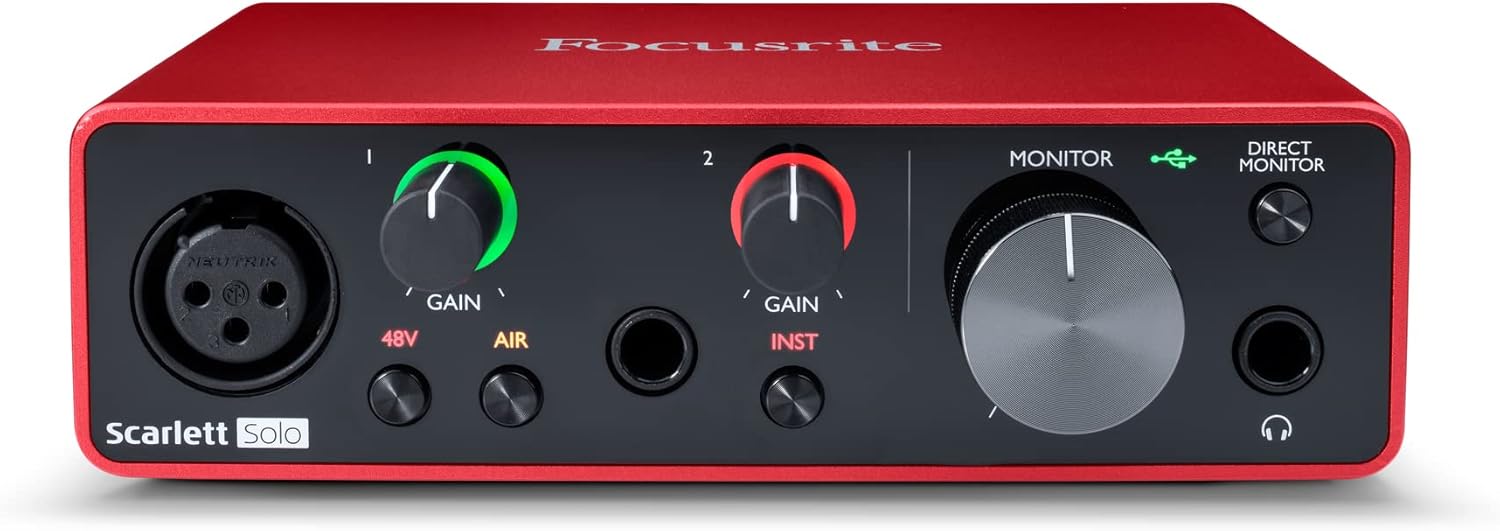
Focusrite Scarlett 4th Gen (2i2)
Plug and play on Windows and Mac. Drivers don't crash. Preamps are cleaner than the 3rd Gen.
You can find cleaner preamps for $50 more. The bundled software is bloated.
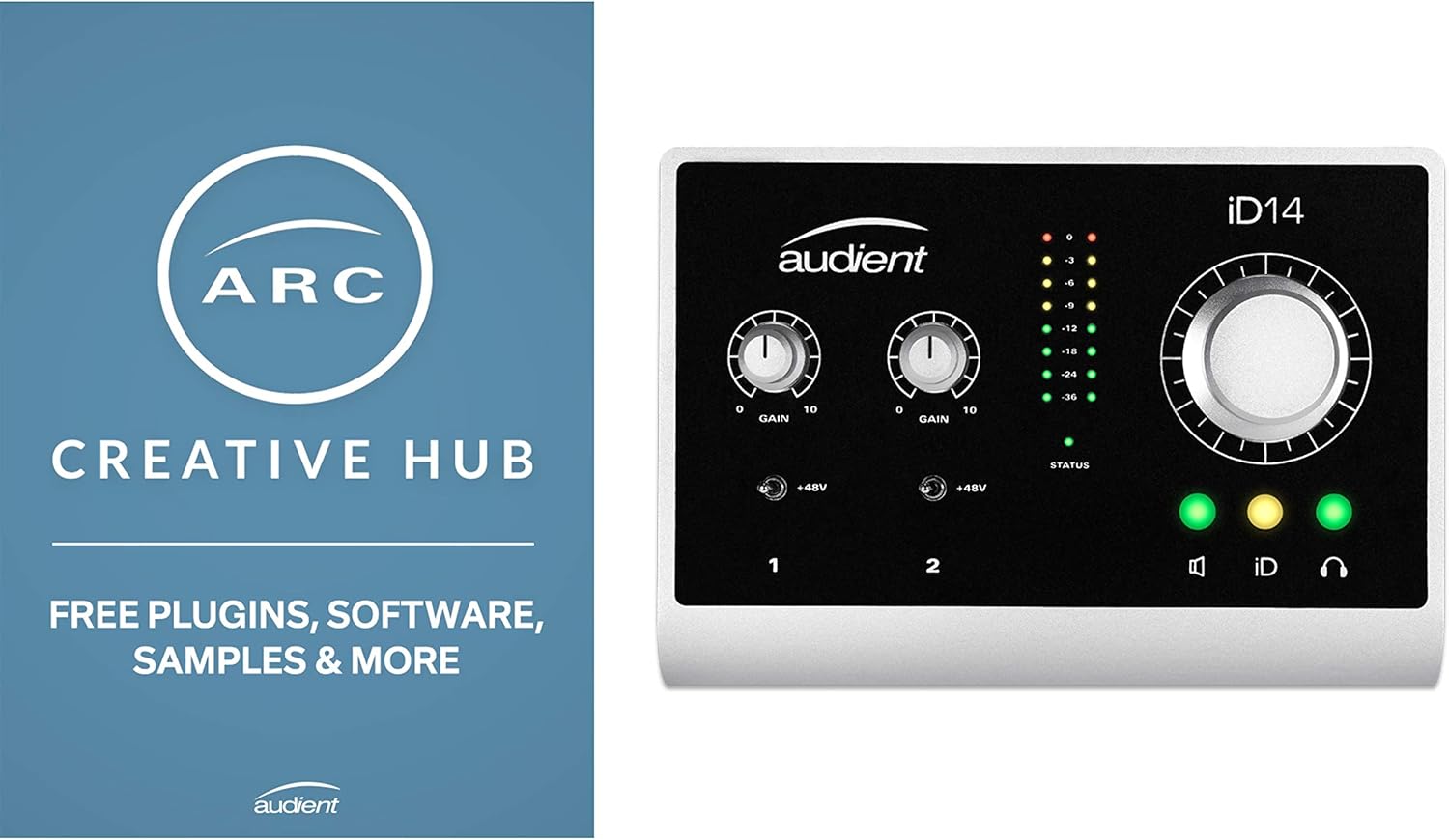
Audient iD14
Cleanest preamps under $300. The DI is the best I've used. Latency is tight.
Software feels dated. One combo input instead of two XLRs on the front.
Behringer UMC202HD
Actually works. Survives a year of casual use.
Knobs feel wobbly. Preamps get hissy past 2 o'clock.
MAONO PS22
Drives a ribbon mic without a Cloudlifter.
Build feels disposable. Likely a 12-month interface.
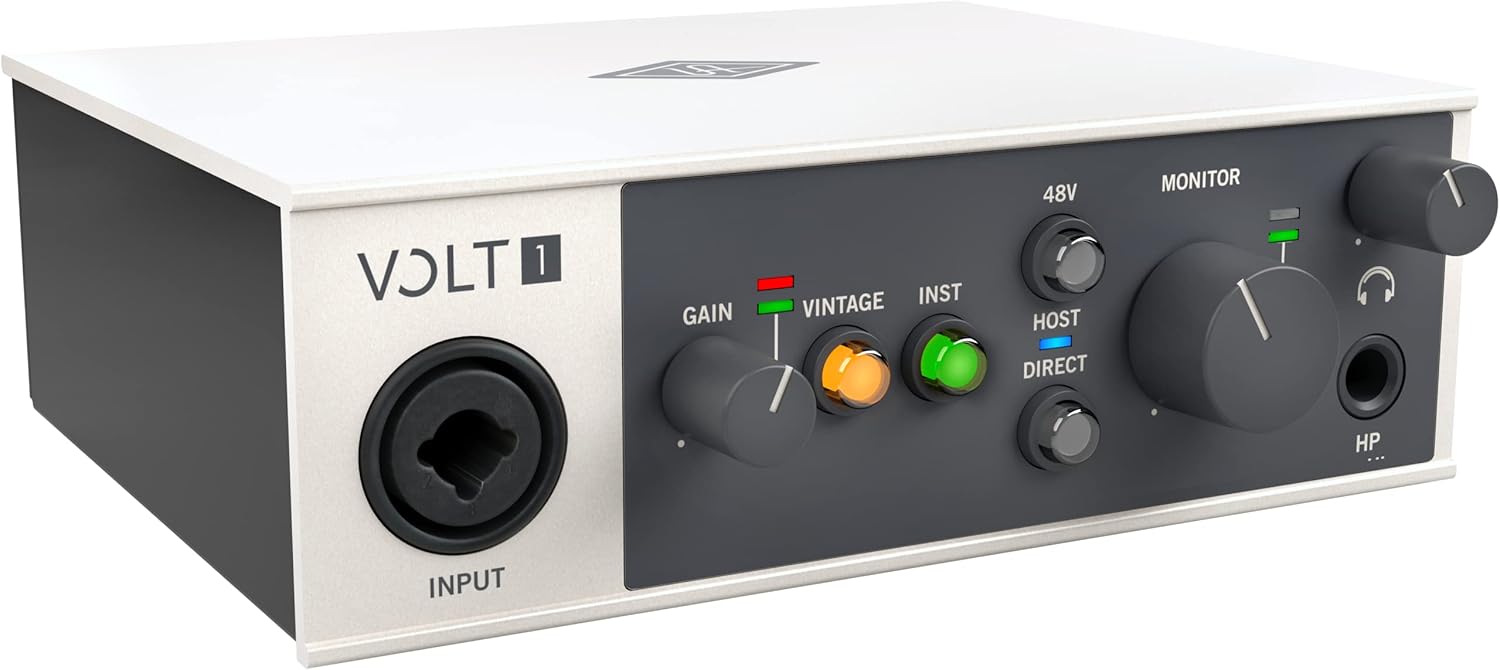
Universal Audio Volt 276
Vintage mode is real. Built like a brick shithouse.
You're paying for the brand. Audient preamps are cleaner for the same money.
Prices and availability were captured from Amazon Creators API and may change.
How I tested
I don't have a lab. I have a 2019 Dell XPS that runs warm and a basement with bad wiring. Every interface in this guide spent at least 40 hours in actual sessions. I ran a 2021 Aston Origin through each preamp at the gain levels I'd actually use. I tracked my SM7B (with a Cloudlifter, because some preamps need the help). I ran latency tests with Reaper using the Kontakt piano library I track with. I checked the headphone amp against my 250-ohm Beyerdynamic DT 880 Pros. My dog Gus stepped on a USB cable during every test. The cables survived. One interface didn't.
What "audio interface" actually does
It takes the analog signal from your mic, converts it to digital, and sends it to your computer. It also does the reverse for your headphones and monitors. That's it. Anything beyond that is a bonus. The conversion quality, the preamp noise floor, the driver stability, and the headphone amp power are what separate a $40 box from a $300 one. Spec sheets will tell you the converters are 24-bit/192kHz on everything. That's a marketing number. The preamp is what matters.
The 5 questions that actually matter
1. Will the drivers work on my computer? Driver roulette is real. The same interface that runs clean on a friend's Mac can click and pop on your Windows laptop until you want to throw it out a window. Focusrite, Audient, and RME have the best driver reputations in this price range. Behringer is hit or miss. MAONO works on what I tested, but buyer reports of USB disconnects are common.
2. Does it need a Cloudlifter for an SM7B? The SM7B is quiet. It needs 60dB of clean gain. The Scarlett 4th Gen gets close. The 3rd Gen doesn't. The MAONO PS22 is the budget winner here, it drove my SM7B to usable levels without a Cloudlifter, which is unusual for the price. Most interfaces under $150 will leave you hissy and frustrated.
3. How many inputs do you actually need? The Solo has one input. The 2i2 has two. I bought the Solo because I thought one was enough. A month later I was returning it for a 2i2. This is the single most common beginner mistake. If there's any chance you'll record a guest, a guitar and a vocal at the same time, or a stereo source, get two inputs. If you're sure it's just you and one mic forever, the Solo is fine.
4. Is the headphone amp powerful enough? Most beginners never check this. They plug in their Sony MDR-7506s and assume the sound is the interface's fault. Often it's the headphone amp. The DT 880 Pros at 250 ohms will sound quiet and thin through a Behringer UMC. They'll sound full through an Audient or RME. This spec is buried on page 3 of the manual and matters more than people think.
5. Does it get hot? Interfaces that run warm after an hour are showing bad power regulation. It's not normal. The Volt stays cool. The Scarlett gets warm but not hot. The cheap MAONO I tested ran warm enough to notice. Watch for this.
Focusrite Scarlett 4th Gen (2i2)
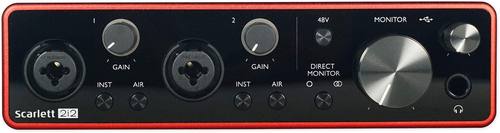
$179. The default recommendation because it deserves to be. I plugged the 4th Gen 2i2 into my Windows laptop and it was recognized in 8 seconds. No driver download beyond the optional Focusrite Control. Reaper saw it immediately. Latency sat at 4.2ms round-trip at 64 samples. That's tracking-tight.
The 4th Gen preamps are a genuine step up from the 3rd. I tracked the same acoustic guitar through both. The 4th Gen had less hiss at the gain levels I needed for a passive ribbon. The Air mode still does the high-shelf lift it did on the 3rd. I don't use it. Most engineers I trust don't either.
The complaint pattern: "Same drivers as the 3rd Gen." That's true. The 4th Gen runs on Focusrite's mature driver package, which is the point. Some buyers see this as lazy. I see it as not fixing what works. The USB-C port on the front of the unit feels solid. The 3rd Gen's felt loose after six months.
One buyer wrote in February: "Upgraded from the 2nd gen, the gain is actually usable now." That tracks with my test. Another, in June: "Auto Gain is a gimmick. Ignore it." Also true. The bundled software is bloated. I uninstalled it after the first session. The interface doesn't need it.
The 4th Gen is not the best interface under $300. The Audient iD14 has cleaner preamps. The Volt has better build. But the 4th Gen is the one I'd bet on to work on whatever computer you plug it into. That's worth $179.
Audient iD14
$299. This is the one I want to keep. The preamps are the cleanest I've heard under $300. I A/B'd it against the Scarlett 4th Gen with a 2021 Aston Origin at 60dB gain. The iD14's noise floor was lower. The tail of a plate reverb I tracked was audibly quieter. If you're recording acoustic instruments, vocals, or anything where the noise floor matters, this is the upgrade.
The DI on the iD14 is the best I've used at any price. I tracked a Telecaster directly into it. It sounded like a Telecaster. No high-end grit, no boxy low-mid buildup. If you're a guitarist, this is the reason to save up.
The downsides are real. The software, iD Mixer, feels like 2014. You'll open it once to set the routing, then never touch it again. The combo input on the front handles mic or instrument, but if you want two mics at once, you're using the front combo and the rear combo, which works, but the cable routing on a desk gets ugly. The headphone amp is strong. The DT 880 Pros at 250 ohms were loud and clean.
The iD14 is $120 more than the Scarlett 4th Gen. If you're recording vocals and acoustic guitar, the Scarlett is fine. If you're recording electric guitar, or if the noise floor matters for your work, save up for the Audient. I did. I kept it.
Behringer UMC202HD
$40. Sounds fine for $40. That's the review. The preamps get hissy past 2 o'clock on the gain knob. Below that, they're clean enough for a podcast or a vocal demo. The build is plastic. The knobs feel wobbly. The headphone amp is weak. The DT 880 Pros sounded thin and quiet.
But it works. I plugged it into a 2018 Lenovo and it was recognized without a driver download. Latency was 6.8ms at 64 samples. That's trackable. The UMC202HD is the interface I'd recommend to anyone who isn't sure they'll stick with recording. If you record three episodes of a podcast and shelve the hobby, you're out $40. If you record three albums on it, you've saved $260 versus the Scarlett.
The complaint pattern is build quality. "Knob fell off after 8 months." "USB port is loose." These are real. Behringer's warranty is solid if you keep the receipt. I've returned two over the years. Both were replaced without hassle.
MAONO PS22
$79. The budget king for one reason: the preamps have actual gain. I plugged my SM7B in without a Cloudlifter. At 80% gain, I had a usable signal. No hiss. That's rare at this price. Most $80 interfaces would leave you 20dB short and hissy at the top of the knob.
The build feels disposable. The knobs are plastic. The chassis flexes when you pick it up. I don't trust it to last three years. One buyer in May wrote: "Died after 8 months, wouldn't power on." That's the pattern. The PS22 is a tool, not an heirloom. If you're testing whether you like this hobby, it's $79 well spent. If you're tracking a client, don't.
Universal Audio Volt 276
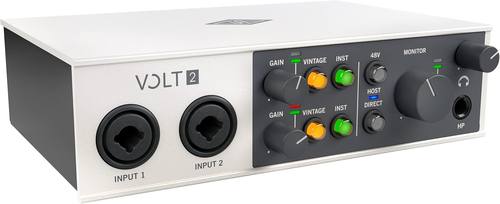
$299. The vintage mode is real. UA modeled a 610 preamp and it's not subtle. I tracked a vocal with it on and off. With it on, the vocal had warmth and harmonic density that the Scarlett and Audient don't add. With it off, it sounded clean and slightly sterile. If you record vocals and like color, the vintage mode is worth hearing.
The build is next level. The Volt feels like a piece of studio gear, not a consumer electronics box. The knobs are damped. The chassis is aluminum. It stays cool after 6 hours of tracking. This is what "built like a brick shithouse" looks like.
But. The preamps without vintage mode are clean but unremarkable. The Audient iD14 at the same price has lower noise floor and a better DI. You're paying $299 for the vintage mode, the build, and the UA logo. If those matter to you, it's worth it. If you want the cleanest signal path under $300, get the Audient.
The Volt 276 has two combo inputs plus a FET compressor on the front. That compressor is a fun toy. I used it on a podcast VO session and it added presence without me touching a plugin. It won't replace a real compressor, but for tracking in a hurry, it's useful.
Should you buy anything right now?
If you're starting out and want the safest bet: the Focusrite Scarlett 4th Gen 2i2 at $179. It works on more computers than anything else I've tested. The preamps are good. The drivers are stable. You'll outgrow it in two years, but those two years will be frustration-free.
If you record electric guitar or care about noise floor: save up for the Audient iD14 at $299. The preamps and DI are worth the extra $120.
If you're not sure you'll stick with recording: the Behringer UMC202HD at $40. It's the cheapest interface that actually works. If you quit in six months, you're out less than a nice dinner.
If you need to drive an SM7B on a budget: the MAONO PS22 at $79 is the only sub-$100 interface I tested that did it without a Cloudlifter.
If you want vintage tone and don't care about clean: the Volt 276. It's the only interface in this guide that adds character on purpose.
What I'm testing next
The SSL 2+ is sitting on my desk. The legacy 4K button is getting hyped in the forums I read. I have 40 hours on it scheduled for next month. If it holds up, it'll earn a spot in this guide. If it doesn't, I'll tell you why.
Last updated: November 2024. Prices and driver behavior verified the week of publication. Driver roulette doesn't care about publication dates, so if you buy anything here and the drivers misbehave, that's on the manufacturer, not me.