Related: Best USB-C Audio Interfaces for Home Studios
Most people who go looking for an audio interface buying guide are really asking a smaller question: which box gets me recording tonight without regret in six months? I have spent ten years tracking everything from two-person podcasts to full bands, and I have owned or borrowed most of the interfaces under $500. The answer is almost never the one with the biggest feature list.
The preamp is the interface. Two boxes with identical specs can sound completely different at gain three o'clock. Latency is about drivers, not just the chip, and a great converter with bad drivers is a paperweight that you will feel every time you try to play a software instrument. The headphone amp gets ignored until it clips, at which point it becomes the most important spec on the box. Those three things decide whether you keep a piece of gear or sell it.
So this is not a spec-sheet ranking. It is four setups, each aimed at a different person: the absolute beginner, the singer-songwriter who wants one great channel, the budget buyer who needs everything in one order, and the podcaster who wants hands on faders. Here is how they shake out.
Best Overall: Focusrite Scarlett Solo Studio 4th Gen
This is the bundle I point beginners at first, because it closes the loop. You get the interface, a microphone, headphones, and the cables that connect them, which means there is no second order and no week of waiting before your first take. It is USB-C, it is a 4th Gen Scarlett, and the Solo name is the spec sheet: one channel, done properly.
The drivers are boring, which is the highest compliment I can pay a budget interface. Boring means you install them once and then you never think about them again. No resets, no mystery device-not-found at 11 p.m. the night before a session. For a first interface, that reliability matters more than any number printed on the box.
What it will not do is grow with you. One channel means one microphone at a time, and if you and a friend ever want to track together, or if you want a stereo pair on an acoustic guitar, you have already outgrown it. That is not a flaw in the design, it is the design. It is the right first interface for one person and the wrong one for two.
Best Preamps: Audient iD4 MKII
The iD4 MKII is the one I would hand a singer-songwriter or a guitarist, because Audient builds its preamps the way a console does. This one carries a Class A console microphone preamp, and that phrase is worth taking literally. A Class A design runs hot and stays clean as you push the gain, and that is exactly where cheap interfaces fall apart. At low gain almost anything sounds fine. At gain three o'clock, the cheap ones start to sound like cheap ones.
It is high speed USB-C, it works with Mac, PC, and iOS, and it gives you monitor mix and monitor panning. That sounds like a minor feature until you use it. Panning your own voice off to one side so it sits beside the backing track is the difference between practicing and performing, and it is the kind of thing you miss immediately once you have had it.
Two headphone outputs is the other quiet win. A collaborator can hear the same take without a splitter and the small argument that comes with a splitter. If your sessions are you plus one other person, that alone changes how the room feels.
The trade-off is scope. This is a two-channel philosophy in a single great channel, not a drum-tracking box. If you need to capture a kit, you are shopping in the wrong aisle, and no amount of preamp quality will fix a missing input.
Best Budget Bundle: Behringer U-PHORIA STUDIO
The U-PHORIA STUDIO bundle is the cheapest complete path from nothing to a recorded vocal. Interface, condenser microphone, studio headphones, and the accessories that make them work together, all in a single order. For someone who wants to find out whether they actually enjoy recording before spending real money, that is a legitimate strategy rather than a compromise, and it is the best value in the category.
Two things to know before you click. First, the software side. On Windows, the drivers will test your patience, and you should budget an evening for setup before you budget an evening for a song. That is not a dealbreaker at this price point, it is the price point. Second, a bundled microphone is a starting point, not a destination. You will replace the mic before you replace the interface, and that is fine, because the interface is the part that has to survive.
If you already own a decent microphone, skip the bundle and put the whole budget into the interface itself. The bundle makes sense when you own nothing, and it stops making sense the moment you own something.
Best for Podcasters: Maono Maonocaster AU-AM100
The Maonocaster is the odd one out here, and it is included on purpose. It is a podcaster mixer, not a studio interface, and those are genuinely different tools. A studio interface assumes you will do everything in software after the fact. A podcaster mixer assumes you will do it with your hands, live, while two people talk over each other.
If your show is spoken word and you want faders under your fingers, mute buttons within reach, and the ability to ride a level in real time instead of fixing it in editing, this is the shape of gear you want. Mix-minus, the routing that lets a guest hear everyone except themselves, is the thing podcasts live or die on, and mixers like this exist because that routing is awkward to pull off any other way.
If you record music, skip it. A mixer built around conversation is not the tool for a guitar take, and the money is better spent on a two-channel interface with a preamp you can lean on.
How I judge an interface
Four questions, every time, in this order.
Do the preamps stay clean at high gain? This is the one that separates boxes. Any preamp sounds acceptable when you barely turn it up. Set the gain so the meter kisses yellow with a dynamic mic on a quiet source, then listen to the noise floor and the top end. That is where the money goes.
Is the round-trip latency under 10ms on a mid-range laptop, plugins included? Under 10ms is fine, under 5ms is invisible. Round-trip is the spec everyone forgets to check, because it only shows up when you are playing a software instrument and your hands feel disconnected from the sound. Drivers decide this far more than the chip does.
Does the headphone amp drive a pair of 250-ohm headphones without folding? The headphone amp is ignored until it clips, and then it becomes the most important spec on the box. If you cannot get a loud, clean, undistorted signal into high-impedance cans, you cannot track with confidence.
Would I track a client session on it? That is the gut check. It is not about brand or price. It is whether the box disappears, and the box disappearing is the whole job.
What the spec sheet will not tell you
Phantom power is the quiet one. USB bus power is fine until it is not, and a hungry condenser microphone on a flaky laptop port is a gamble. If an interface needs a separate power supply for phantom power, that is a trade-off worth knowing about before you buy, not after.
Drivers are the second quiet one. A great chip with terrible drivers is a paperweight. A mediocre chip with boring, stable drivers is a tool you will keep for years. When you read about an interface, read about the drivers first, and read about the preamps second.
And be skeptical of any box that leads with a bundled "pro" DAW as its headline feature. You are paying for a license you may never open, not for the hardware you actually touch every session.
The four setups at a glance
| Interface | Best for | Connection | Notes |
|---|---|---|---|
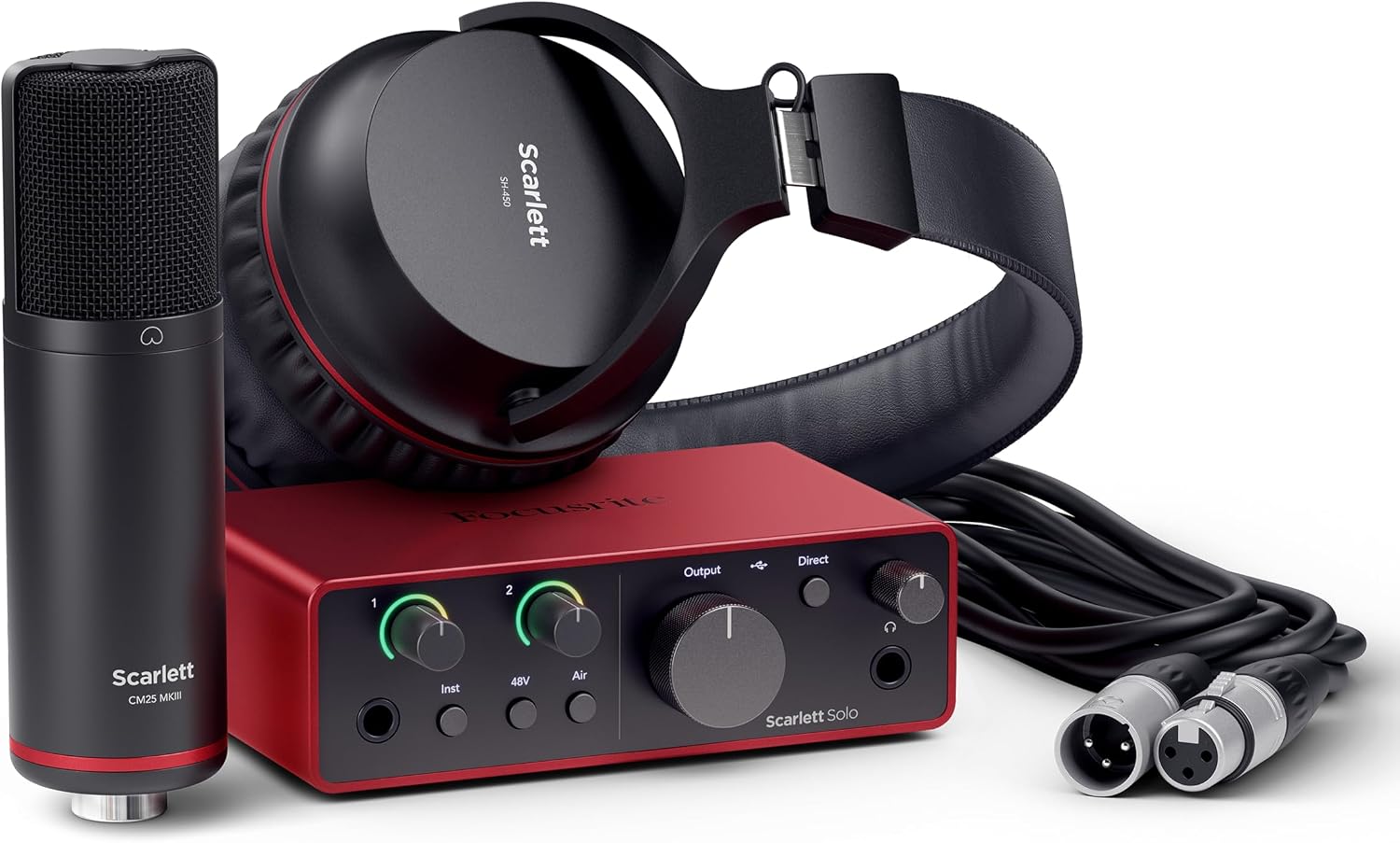 Visit on Amazon → Visit on Amazon →Focusrite Scarlett Solo Studio 4th Gen Visit on Amazon → |
First setup | USB-C | Interface, mic, and headphones in one order |
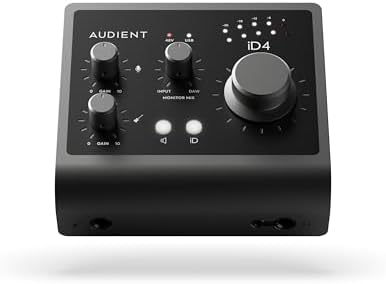 Visit on Amazon → Visit on Amazon →Audient iD4 MKII Visit on Amazon → |
Best preamp | USB-C | Class A console preamp, monitor panning, two headphone outs |
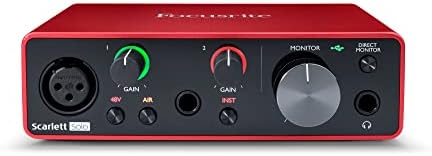 Visit on Amazon → Visit on Amazon →Behringer U-PHORIA STUDIO Visit on Amazon → |
Tightest budget | USB | Complete bundle, Windows drivers need patience |
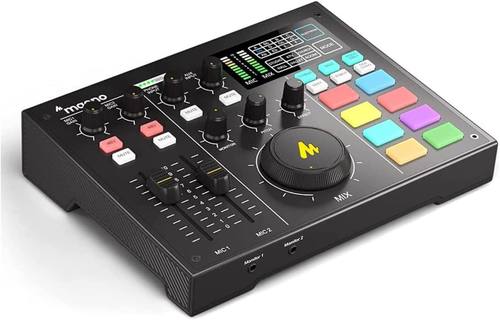 Visit on Amazon → Visit on Amazon →Maono Maonocaster AU-AM100 Visit on Amazon → |
Podcasts | USB | Podcaster mixer with hands-on level control |
Two-input interfaces and the growth question
Most people buying their first interface convince themselves they need more inputs than they do. You do not need eight inputs to record a podcast. You need two good ones and a mix-minus that works. The mistake is buying four mediocre preamps instead of one or two good ones, then discovering two years later that the mediocre preamps are the reason your recordings sound thin.
Where the bundles fit
A bundle is a shortcut past the question of what else you need. That is real value when you are starting and no value at all when you already own a microphone and a pair of headphones. Buy the bundle when the answer to "what do I still need" is "everything." Buy the single interface when the answer is "nothing."
Should you buy the Focusrite Scarlett Solo Studio 4th Gen?
Yes, if you are starting from zero. It answers the entire beginner question in one order, and the drivers are boring, which is the highest compliment I can pay a budget interface. The microphone and headphones in the bundle are starting points, not forever gear, but they get you recording on day one instead of day fourteen.
The honest limit is the channel count. One input means one person, one microphone, one take at a time. If your plan involves a duo, a drum kit, or a stereo pair, this is the wrong first purchase and you should put the money toward something with more room.
Should you buy the Audient iD4 MKII?
Yes, if you care most about what goes in. The Class A console preamp is the reason to pay more, and it is the reason this box stays clean when you push the gain on a quiet source. Monitor panning and two headphone outputs make it a genuinely nicer place to work, especially if you ever record with a second person in the room.
It is not a drum-tracking interface and it was never meant to be. Buy it for one great channel, not for a channel count.
Should you buy the Behringer U-PHORIA STUDIO bundle?
Yes, if the budget is the whole conversation and you own nothing yet. It is the cheapest complete path to a recorded vocal, and the hardware does the job it claims to do. The bundled condenser microphone will be the first thing you outgrow, and that is normal at this level.
Be honest about the drivers. On Windows, you will spend an evening getting things stable before you spend an evening making music. If you are patient, it is a fine place to start. If you are not, save a little longer and buy the Scarlett bundle instead.
Should you buy the Maono Maonocaster AU-AM100?
Yes, if you host a spoken-word show and you want faders under your hands. Live level control, mute buttons, and a layout built around conversation is a different job than recording a guitar part, and this is the tool for that job. Mix-minus routing is the reason podcasters buy mixers at all, and this is a mixer.
If you record music, no. Spend the same money on a two-channel interface with a preamp worth leaning on, and do your level riding in the mix.