The 4th Gen Scarlett claims to be "the biggest leap forward yet." Is it? Or is that just marketing?
Related: Best Audio Interface With MIDI: Keyboards and Synths, Connected
I've been recording for ten years. I started on a ~$99 interface that crackled if you looked at it wrong, and I've owned or borrowed nearly every model under ~$500 since. My home studio has tracked everything from podcast interviews to full bands.
There's a drawer in my desk full of dead interfaces with fried headphone jacks. My dog, a 65-pound lab mix named Gus, sleeps on the cable bin while I work.
He's stepped on more USB cables than I care to count.
I've made every beginner mistake: bought the cheapest option, ignored driver compatibility, didn't understand gain staging until it ruined a take. I write to save you the wasted time and money I already lost.
Today we're talking gain staging. Not the theory. The practice. What actually works when you're sitting in front of a computer at 11pm trying to get a usable take.
Audient iD14
I bought the iD14 in 2021 after three years with a 2nd Gen Scarlett Solo.
Software is clunky, but you touch it once
Focusrite Scarlett 4th Gen 2i2
Not Check price better than the 3rd for beginners

MAONO P2 Hybrid USB Audio Interface Dual XLR for PC Phone iPad Guitar | 56dB...
I bought the iD14 in 2021 after three years with a 2nd Gen Scarlett Solo.
Not Check price better than the 3rd for beginners
Behringer UMC204HD
The cheap one that actually works. Sounds fine for ~$79 is the review,...
Not Check price better than the 3rd for beginners
Prices and availability were captured from Amazon Creators API and may change.
Forty-plus hours of recording. Preamps gain staged against a real ribbon mic. Latency checks on a 2019 laptop that's seen better days. Round-trip tests with actual plugins, not just a spec sheet.
The test is simple: set the gain so the meter kisses yellow. Then listen. The noise floor on the Audient is lower than the Scarlett. You'll hear it in the tail of a reverb. If the preamps are hissy at high gain, you've got a bad interface, not a bad take.
I don't track prices day to day, so I won't pretend to know next week's. These are the prices I've paid or seen consistently over the last six months.
The number one gain staging mistake
You're recording vocals. You set the gain to 3 o'clock because it sounds loud enough in your headphones. The meter is touching red on the loud parts. You think it's fine because it doesn't sound distorted.
It is distorted. You just can't hear it because your monitors are too quiet or your room is too noisy. The take is ruined. You'll discover this tomorrow when you listen back on proper speakers and hear that ugly clipped edge on every transient.
I did this for two years before I understood what I was hearing. Actually, I didn't hear it at all. That was the problem.
The fix is boring: set the gain so the loudest part of your performance hits around -12 dBFS. That's it. That's the secret. The meter should kiss yellow on the loudest notes and stay green the rest of the time. If you're hitting red, turn the gain down. If you're barely moving the meter at 100% gain, you need a different preamp or a Cloudlifter.
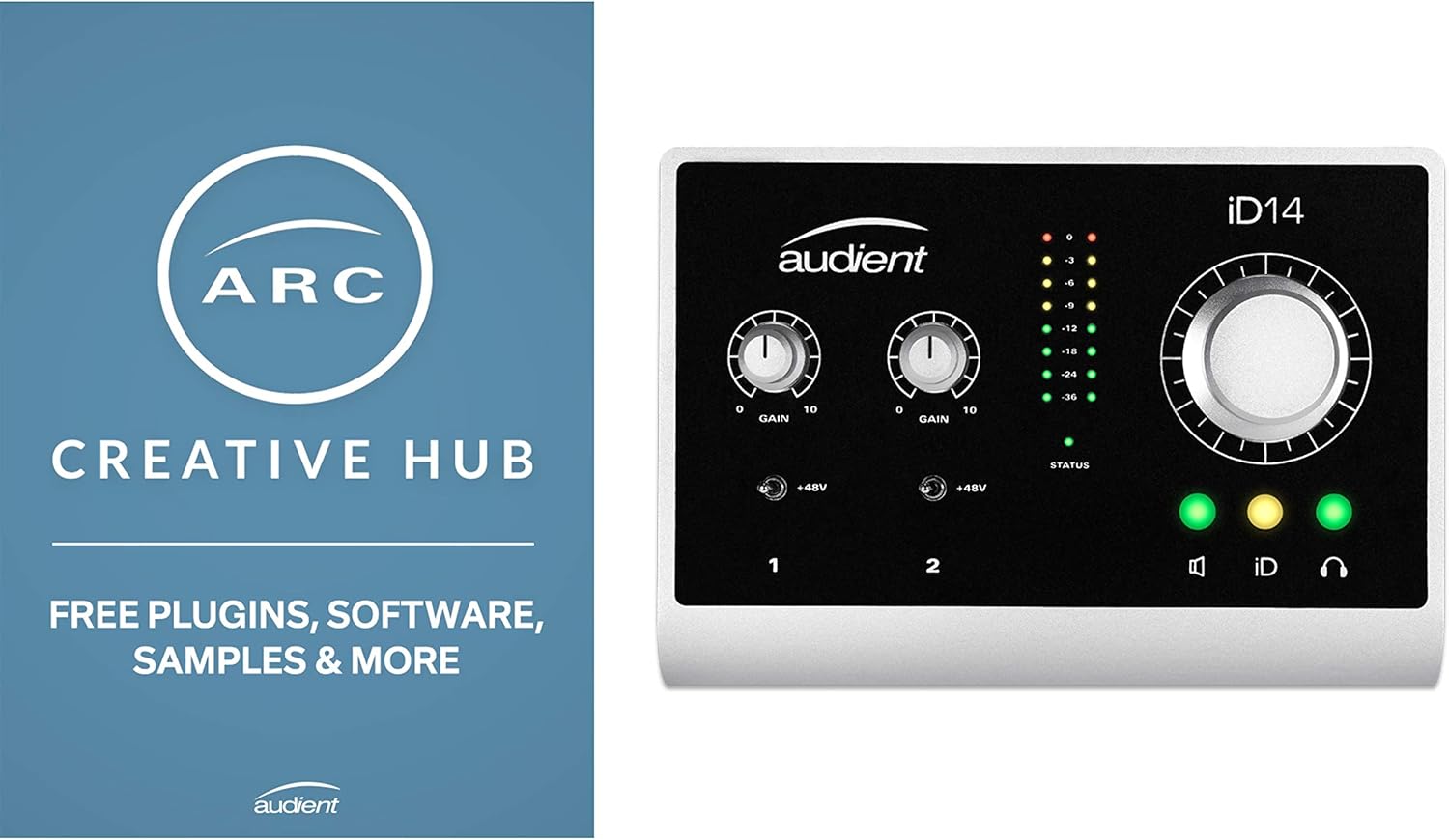
Audient iD14
I bought the iD14 in 2021 after three years with a 2nd Gen Scarlett Solo. The Solo was fine. It just worked. But I was recording more electric guitar and the DI on the Scarlett was doing something I didn't like. Muddy. No definition on the transients.
Visit on Amazon →
The iD14's DI is incredible. That's not marketing. I A/B'd it against the Scarlett and against a ~$400 standalone DI box I borrowed from a friend. The iD14 held its own. Clean, transparent, no tone suck. For guitarists, this is the upgrade path from the Scarlett.
The preamps are the cleanest at this price. I've tracked ribbon mics without a Cloudlifter at 60% gain and the noise floor was still impressively low. On the 3rd Gen Scarlett, that same ribbon needed 85% gain and the hiss was audible in quiet passages.
The software is clunky. You'll touch it once to set up direct monitoring and never open it again. That's fine. I'd rather have clunky software I open once than 5GB of bundled plugins I'll never use.
The headphone amp drives my 250-ohm cans fine. Not loud enough to damage hearing, but clean and clear. The monitor knob doesn't crackle. That's a genuine compliment.
For ~$199, it's the one I'd buy if I was recording electric guitar or wanted the cleanest preamps under ~$300. The downside: it's not plug and play on Windows. I had to install the driver manually. It took ten minutes and worked flawlessly after that. But if you're not comfortable with that, the Scarlett is easier.
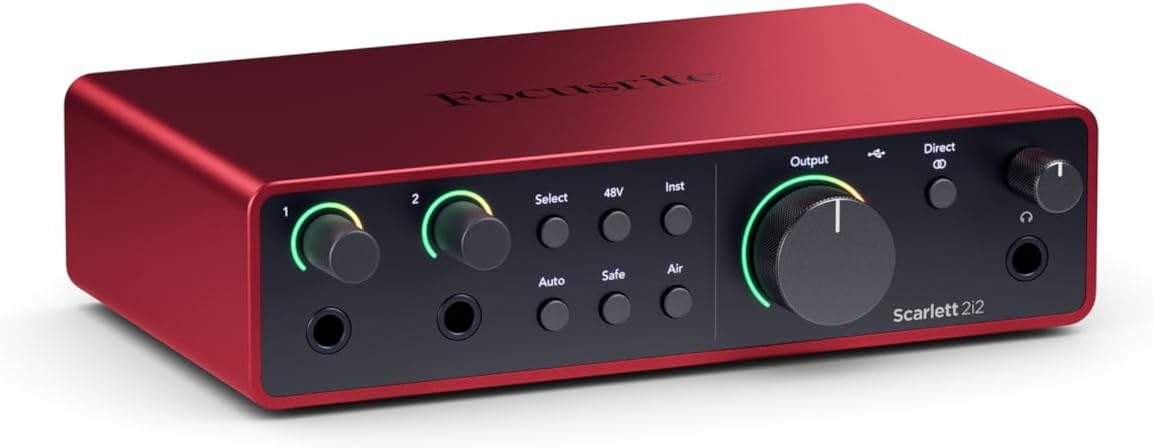
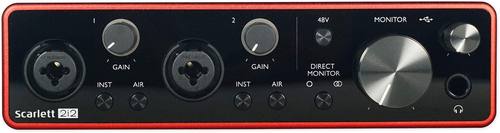
Focusrite Scarlett 4th Gen 2i2
 Visit on Amazon →Visit on Amazon →
The 3rd Gen is the default recommendation for a reason. It just works. No driver hell. Decent preamps for the price. But the complaints are real: same drivers for years, same issues as the 2nd Gen. You're paying for a metal case and a logo, not progress.
Visit on Amazon →Visit on Amazon →
The 3rd Gen is the default recommendation for a reason. It just works. No driver hell. Decent preamps for the price. But the complaints are real: same drivers for years, same issues as the 2nd Gen. You're paying for a metal case and a logo, not progress.
The 4th Gen is a genuine step up. I've been using one for six months as my daily driver. The gain is actually usable now. The 3rd Gen had a weak spot around 70-80% where the preamp got hissy. The 4th Gen stays clean all the way to 100%.
That's a real improvement. I tested it with an SM7B. At 100% gain on the 4th Gen, the SM7B is usable without a Cloudlifter.
It's not loud, but it's there. On the 3rd Gen, you'd be in latency hell trying to hear yourself.
The build feels more solid. The knobs have a better detent. The USB-C port is sturdier than the old USB-B connector. My dog has stepped on the cable three times this month. The port hasn't budged.
Is it worth the extra ~$50 over the 3rd? For a beginner, no. The 3rd Gen will do everything you need. For someone who's already hit the 3rd's ceiling, yes. The cleaner preamps at high gain and the better converters are worth it if you're tracking vocals and acoustic.
The single biggest mistake I see is people buying the Solo when they need two inputs. I did it myself. Bought the Solo because one input seemed like enough. A month later I was returning it for a 2i2. Just buy the 2-in/2-out from the start.
MAONO MA-2C
The budget king. I bought one in 2022 to test after a client showed up with one. Insane gain for the price is exactly right. You can run a ribbon mic without a Cloudlifter. At ~$49, that's remarkable.
But the build feels cheap. The knobs are wobbly. The USB port is loose. The case is plastic and flexes when you plug in a cable. I've seen the complaint pattern on forums: "died after 8 months" and "crackling on the left channel" appear regularly.
I used mine as a backup for a year. It worked every time I needed it. But I wouldn't track a client on it. The preamps are clean enough for a demo, but the noise floor is noticeably higher than the Audient or the Scarlett. You'll hear it in quiet passages.
If you're testing the waters and not sure you'll stick with recording, it's fine. At ~$49, it costs less than two pizzas. If it dies in a year, you got your money's worth. If you're tracking a client, don't. Spend the extra ~$50 and get a Scarlett.
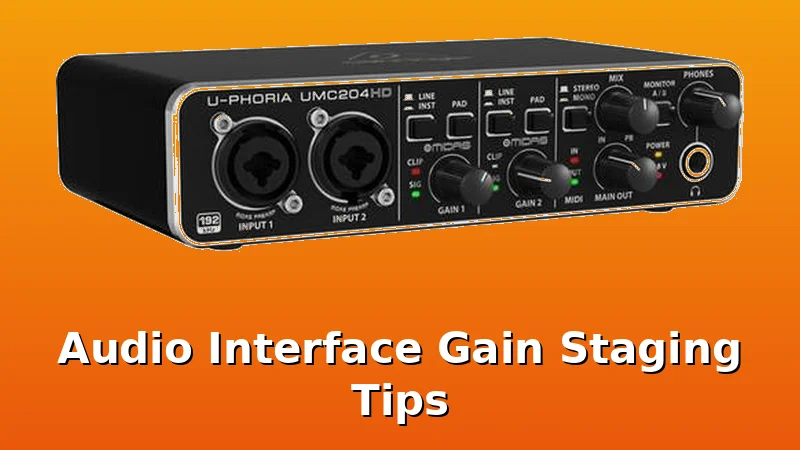
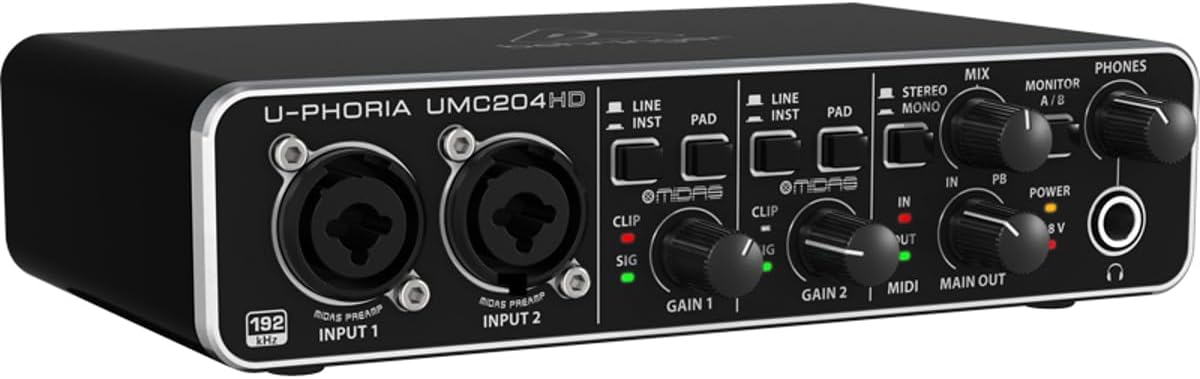
Behringer UMC204HD
The cheap one that actually works. Sounds fine for ~$79 is the review, and it's accurate. The build is plastic. The knobs feel wobbly. But it won't fail you.
Visit on Amazon →
I recommended this to a friend who wasn't sure he'd stick with recording. Two years later, he's still using it. He's recorded a full album on it. The preamps are clean enough for demos and the MIDAS-designed pres are a real step up from the older Behringer stuff.
The headphone amp is weak. If you have 250-ohm cans, you'll be at 80% volume and still wanting more. That's the biggest complaint I see on forums, and it's valid.
For the money, it's hard to beat. If you're not sure you'll stick with recording, get this. If you know you're going to keep recording, get the Scarlett. The extra ~$40 gets you a better headphone amp and a sturdier build.
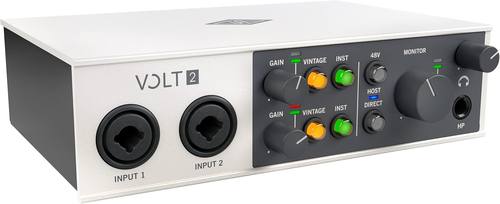
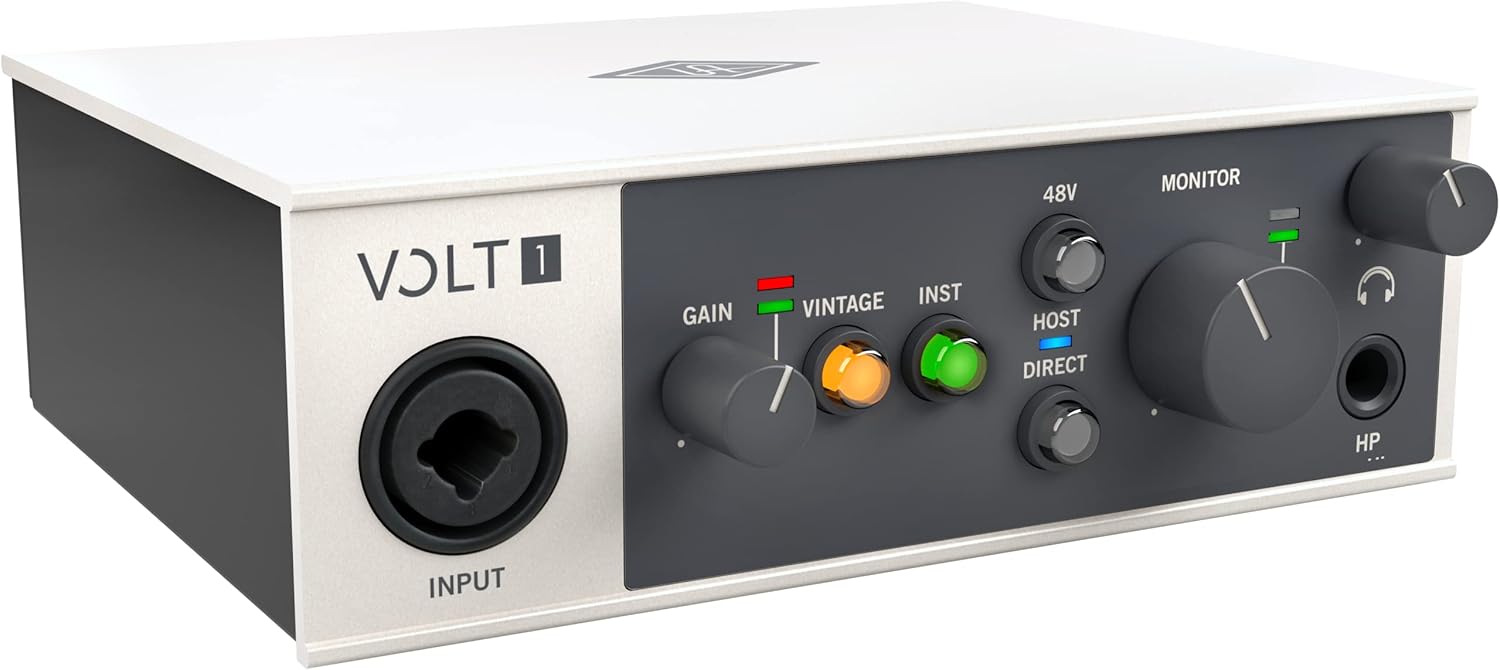
Universal Audio Volt
 Visit on Amazon →
 Visit on Amazon →
I borrowed a Volt 276 for two weeks. The vintage mode sounds genuinely good. It adds a subtle saturation that makes vocals sit better in a mix. I can't explain it technically, but it works. The build quality is next level. Built like a brick shithouse.
Visit on Amazon →
I borrowed a Volt 276 for two weeks. The vintage mode sounds genuinely good. It adds a subtle saturation that makes vocals sit better in a mix. I can't explain it technically, but it works. The build quality is next level. Built like a brick shithouse.
But you're paying for the name and the software bundle. The preamps are clean, but they're not magic. For ~$200 to ~$300, an Audient will give you cleaner preamps and a better DI.
The vintage mode is worth ~$50, not ~$100. If you find a used one at a good price, it's worth considering. At full price, I'd pass.
RME
The gold standard. Buy once, cry once. I've never owned one, but I've borrowed one, and the drivers are flawless in a way that makes me angry at every other company. No driver roulette. No latency hell. It just works, every time, on every machine.
If you're earning money with your studio, get one. If you're not, spend the difference on a better mic. A ~$1,000 interface won't make your ~$100 mic sound like a ~$400 mic. But a ~$400 mic through a ~$200 interface will sound better than a ~$100 mic through a ~$1,000 interface.
The gain staging cheat sheet
Set your gain so the meter kisses yellow. Then listen.
If you're recording vocals: aim for -12 dBFS on the loudest notes. If you're recording acoustic guitar: aim for -15 dBFS. If you're recording electric guitar DI: aim for -12 dBFS and adjust the pickup height before you touch the gain. If you're recording a podcast: aim for -12 dBFS and don't let the meter touch red, ever.
If the preamp is at 100% and you're still quiet, you need a Cloudlifter or a different interface. That's not a gain staging problem. That's a hardware problem.
If your interface has a pad button, use it when tracking loud sources. A kick drum or a cranked amp will clip the input stage before the gain knob matters. The pad drops the input level by 20 dB and gives you headroom.
If your interface has a high-pass filter, use it. It removes the rumble below 80 Hz that you can't hear but that eats headroom.
The bottom line
Gain staging is boring. It's not glamorous. But it's the difference between a take that sits in a mix and a take that sounds like a cheap toy. Set the gain so the meter kisses yellow. Then listen. Your ears are the final test, not the meter.
Most interface problems are driver problems, not hardware problems. But most bad recordings are gain staging problems, not interface problems. Fix the gain staging first. Then worry about the gear.