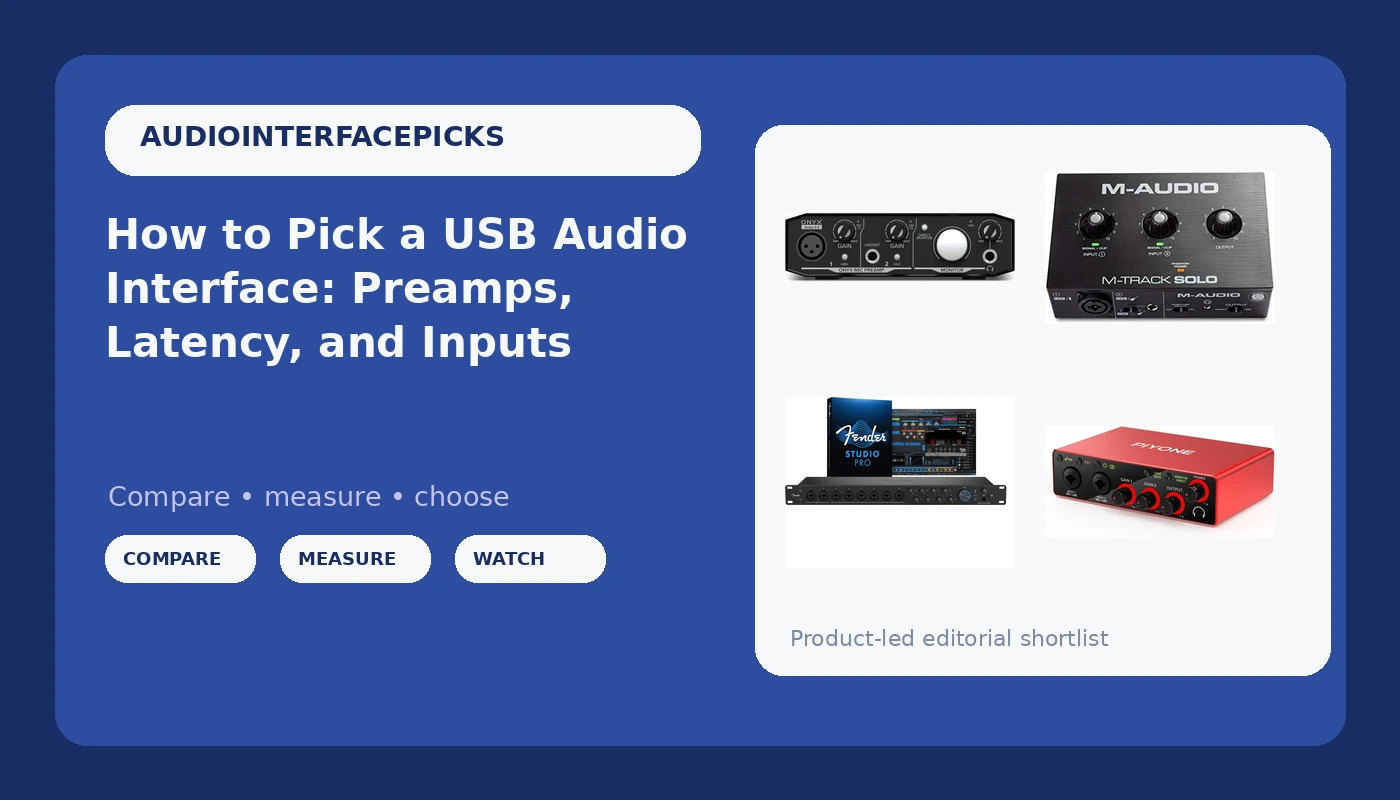
Related: Best Audio Interface for Podcasts: Two Inputs and a Mix-Minus That Works
A USB audio interface is the one box in a home studio that decides how everything else sounds. Not the microphone, not the plugins, not the monitors. The preamp sits between the performance and the converter, and the driver decides whether you can actually play in time with what you hear in the headphones.
I have been tracking bands, podcasts, and voiceover sessions out of a small studio in Nashville for ten years, and I have owned or borrowed most of the interfaces under $500 along the way. The pattern never changes: two boxes with nearly identical spec sheets can behave completely differently at three o'clock on the gain knob. Picking the right USB audio interface is less about the numbers printed on the box and more about which of those numbers touch your sessions.
This guide covers four boxes built for four different jobs: a 16-input USB-C interface made for full-band tracking, a 2-in/2-out unit with modern conversion and iOS support, and two compact starter interfaces for people recording one thing at a time. I run all of them through the same four questions I ask before I patch anything into a session.
Best for Full-Band Tracking: Fender Quantum LT 16
The Quantum LT 16 is the only box in this group built for a whole band. Sixteen inputs, eight of them MAX-HD mic preamps, plus 14 line inputs and eight outputs. If you track drums, that channel count is not a luxury purchase. Kick, snare top, snare bottom, two overheads, hi-hat, a room mic, and a scratch vocal eats eight inputs before you have patched a single DI for the bass player.
Low-latency drivers and loopback are the two features that make it more than a channel count. Loopback lets you pull the computer's audio back into the interface, which is the routing that makes a mix-minus work in a podcast or a stream. That is the difference between a guest hearing everyone except themselves and a guest hearing their own voice half a second late. Balanced outputs feed studio monitors cleanly, and there is a headphone amp onboard for tracking.
Where it earns its place: your sessions are already bigger than two microphones, or you want one box that covers band tracking, streaming, and podcast work without a patch bay. Where it does not: a solo singer-songwriter paying for eight preamps they will never turn past the first one.
Best Two-Input Upgrade: 2X2 24-bit/192kHz Interface in Alloy Red
Two inputs, two outputs, 24-bit/192kHz conversion, XLR/TRS combo jacks, monitor mix and loopback, and a one-cable setup that runs to a PC, a Mac, or an iOS device. This is the box for the person who records two things at once: a vocal and a guitar, two podcast hosts on two mics, or a stereo pair on a piano.
Combo jacks matter more than people give them credit for. An XLR/TRS combo input takes a mic cable and a quarter-inch instrument or line cable without an adapter, so the guitarist can leave the DI box in the drawer and the podcaster can swap between a condenser and a phone patch in one move.
The monitor mix control is the other feature I would not give up at this level. It blends what is coming off the inputs with what is coming back from the computer, so you can track without hearing your own round-trip delay in the headphones. That is the knob that decides whether a session feels natural or feels like talking on a satellite call.
24-bit/192kHz is not a spec that will make your recordings sound better than 24-bit/48kHz. It is headroom for editing, pitch correction, and heavy processing later. It is nice to have. What matters more at this price is whether the drivers stay stable through a four-hour session, and whether the one-cable setup holds up when you are recording to an iPad on a writing trip.
Best First Interface: M-AUDIO M-Track Solo
The M-Track Solo is the entry point in this group, and it is the one I would hand to someone recording their first vocal, their first guitar part, or their first podcast episode with a single host. The whole appeal is simplicity: one source at a time, a gain knob that behaves, and a workflow you can learn in an afternoon instead of a weekend.
Your first interface will not make you sound professional. It will make you sound like you, but cleaner, and that is the point. The job of a starter box is to teach you gain staging. Set the input so the meter kisses yellow on the loudest line of the performance, then stop touching it. Interfaces do not have a sound so much as they have a point where the preamp stops being clean, and learning to hear that point on a simple box is the skill that carries into every session you ever track.
What to check before you buy: the headphone jack, because a crackly jack at low volume is the most common failure on cheap interfaces, and the driver install, because a great chip with terrible drivers is a paperweight.
Best Budget Preamp: Mackie Onyx Artist 1X2
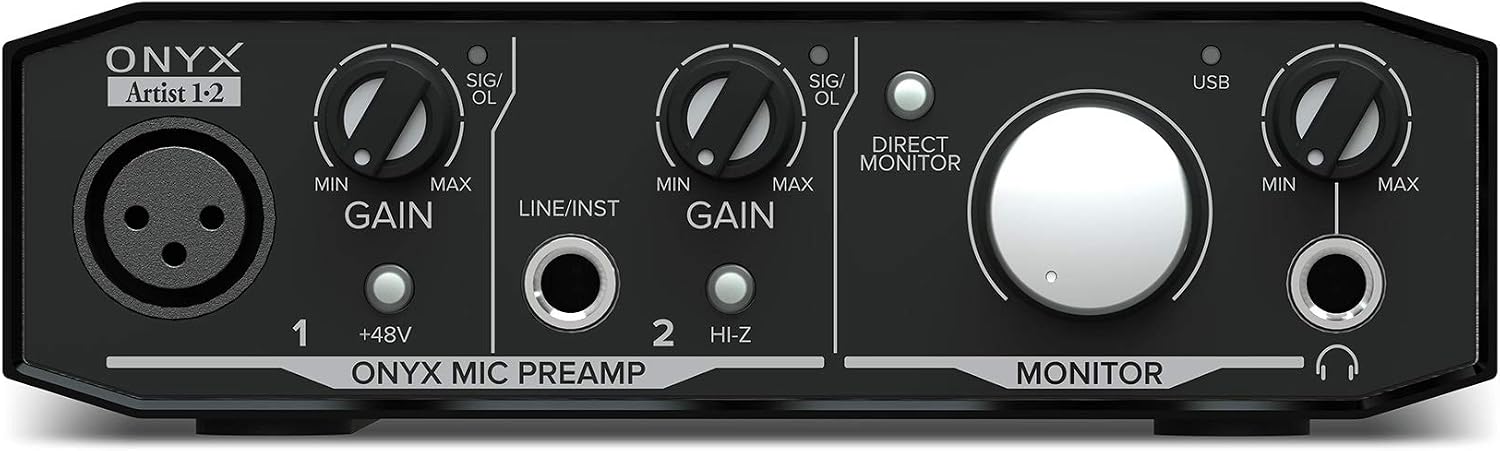
The Onyx Artist 1X2 puts a Mackie Onyx preamp in a box the size of a paperback, and that is the whole pitch. One input at a time, two outputs, and a preamp with a reputation built on the company's consoles. If you sing into one microphone or run a guitar through an amp sim, that single channel is the only one you need.
This is where I would point a solo vocalist or a guitarist who wants a DI that does not get brittle when pushed. A preamp that stays composed at high gain is worth more than a spec sheet full of sample rates, because it is the difference between a usable take and a take you have to fight with a de-esser.
The tradeoff is obvious. One channel means one microphone. If a second person ever sits down across from you, you are moving cables instead of recording. Buy it for the preamp, not for the expandability.
How I judge an interface
Every box gets the same four questions, and none of them are about the marketing copy.
First, does the preamp stay clean at high gain? Not at noon on the knob, where everything sounds fine. At three o'clock, with a dynamic mic on a quiet source, where the noise floor and the character of the preamp both show up. A ribbon mic on a soft singer will tell you more about a preamp in ten minutes than a month of spec reading.
Second, is the round-trip latency under 10ms on a mid-range laptop? Round-trip means the full in-and-out trip through the interface with plugins loaded, not the number in the marketing table. Under 10ms is fine. Under 5ms is invisible. Above 15ms you start playing behind the beat without realizing it.
Third, does the headphone amp drive 250-ohm cans? The headphone amp is the most ignored spec on the box until it clips, and then it becomes the most important one. If your headphones sound thin and closed in, the interface is usually the reason, not the headphones.
Fourth, would I track a client session on it? That is the only question that matters in the end.
What the specs actually tell you
Channel count is a workflow spec, not a sound spec. The Quantum LT 16's 16 inputs and eight MAX-HD preamps are there so a drum kit can stay patched. If your sessions are a vocal and a guitar, those channels are storage.
Sample rate is the least important number on the box. 24-bit/192kHz is headroom for editing. Nobody has ever released a better song because of a higher sample rate, and anybody who tells you otherwise is selling something.
Drivers are the spec nobody prints. A great converter with a driver that resets your settings on reboot is a paperweight. This is why I care about low-latency driver support and loopback more than I care about the converter chip, and it is why a boring, stable driver is the highest compliment I can pay an interface.
Loopback and monitor mix are the features that decide whether the box works for anything beyond tracking. Monitor mix lets you blend inputs against playback. Loopback sends the computer's audio back out through the interface. Together they are the difference between a recording box and a box that can also run a stream or a two-person podcast.
The USB audio interface reference table
This is the table I keep in my notes when someone asks which box fits which job. Match the session first, then the specs. None of these are wrong answers, they are answers to different questions.
| Interface | Session size | Where it fits | Watch for |
|---|---|---|---|
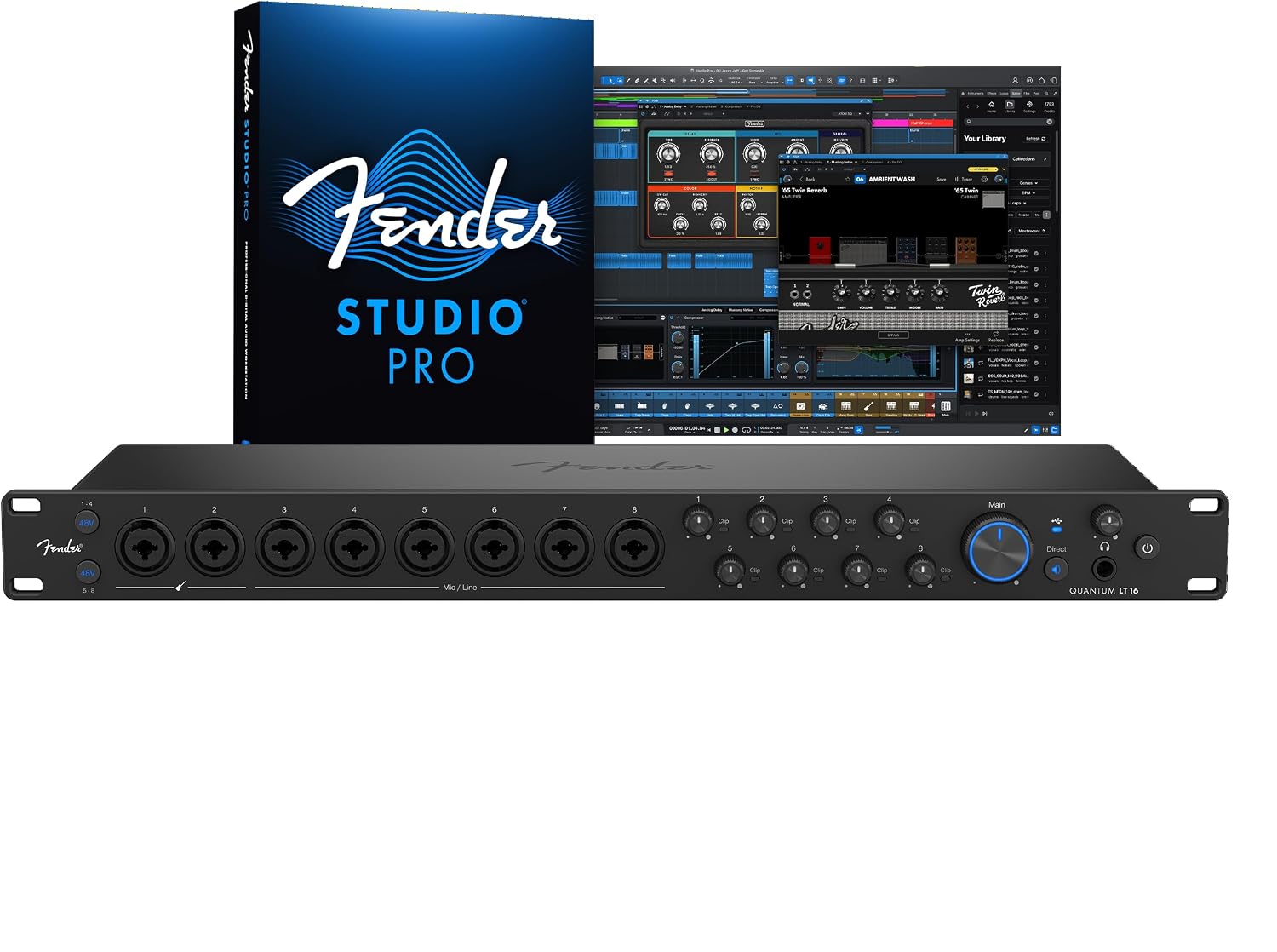 Visit on Amazon → Visit on Amazon →Fender Quantum LT 16 |
Full band, drum kit plus overdubs | Multi-mic tracking, streaming with loopback | Channels you may never open |
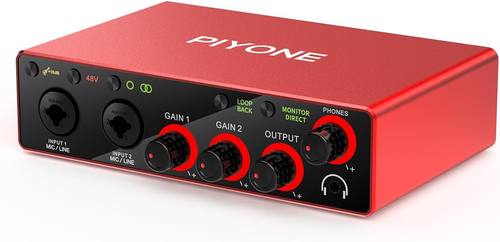 Visit on Amazon → Visit on Amazon →2X2 Alloy Red interface |
Two sources at once | Singer-songwriter, two-mic podcast, iOS recording | Two inputs is a hard ceiling |
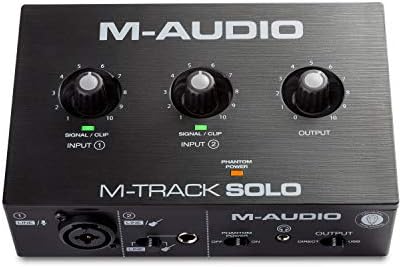 Visit on Amazon → Visit on Amazon →M-AUDIO M-Track Solo |
One source at a time | First interface, solo vocals, guitar DI | You will outgrow it if a second mic arrives |
 Visit on Amazon → Visit on Amazon →Mackie Onyx Artist 1X2 |
One source at a time | Clean budget preamp, guitar DI | One channel only |
The pattern in that table is simple. Input count follows the session, not the budget. People overspend on channels and underspend on the things they touch every day, which are the preamp, the headphone amp, and the driver.
Bus power and hungry condensers
A bus-powered interface is a beautiful thing right up until it is not. Phantom power for a demanding condenser on a flaky laptop port is a gamble, and you will lose it at the worst possible moment, usually 20 minutes into a take you cannot get back.
If you are recording on a laptop, plug the interface into a port on the machine itself rather than a hub, and keep the phantom power load in mind. A dynamic mic draws nothing. A condenser draws real current, and a port that browns out mid-session will reset the interface and take your settings with it.
Why a 16-input interface is the wrong first purchase for a podcast
Two hosts and a guest do not need 16 inputs. They need two or three good preamps and a mix-minus that works, which is a routing problem, not a channel count problem. Buying channels you never open is the most common mistake I see in home studios, and it is the one that costs the most for the least benefit.
The Quantum LT 16 is not the wrong interface, it is the wrong interface for that job. If you track drums, it is the right one. If you record two voices, the smaller boxes on this list will do everything you need and leave money on the table for a better microphone, which will change your recordings far more than extra inputs ever will.
Should you buy the Fender Quantum LT 16?
Yes, if your sessions regularly need more than two microphones at once. Sixteen inputs, eight MAX-HD preamps, and 14 line inputs mean a drum kit can stay patched while you still have room for a bass DI and a scratch vocal. Low-latency drivers, loopback, balanced outputs, and a headphone amp make it a box that covers tracking, streaming, and podcast routing in one purchase.
If you record one source at a time, this is not your interface. You would be paying for eight preamps and using one, and the money would do more for your recordings in a microphone or a pair of monitors.
Should you buy the 2X2 Alloy Red interface?
Yes, if you record two sources at once and you want modern conversion without a rack. XLR/TRS combo inputs, monitor mix, loopback, and a one-cable setup to a PC, Mac, or iOS device cover the singer-songwriter, the two-mic podcast, and the person who writes on an iPad and finishes on a laptop.
Just go in knowing the ceiling. Two inputs is two inputs, and if you ever add a third microphone you are shopping again.
Should you buy the M-AUDIO M-Track Solo?
It is the right call if you record one source at a time and you want to learn gain staging on real hardware instead of a menu. The workflow is simple enough that you spend your time recording rather than reading a manual, and that matters more at the start than any spec on the box.
If you ever plan to mic a guitar and sing into it at the same time, skip it and buy a two-input interface. That limitation will find you faster than you think.
Should you buy the Mackie Onyx Artist 1X2?
Yes, if you want one good channel and you want the preamp to be the reason you bought it. A Mackie Onyx preamp in a compact box is a sensible purchase for a solo vocalist or a guitarist running amp sims, and it will not embarrass you when you push the gain.
The catch is the same as every one-channel box: the moment a second person shows up, you are unplugging something. Buy it for the preamp, and buy it knowing exactly how many inputs you actually use.