Related: Best USB Audio Interfaces Under $300 for Small Home Studios
Every few months someone messages me asking which USB audio interface for home recording they should buy, and every few months I give the same answer: the one whose drivers you will forget about. I have been tracking bands and podcasts out of a small Nashville studio for ten years, and I have owned or borrowed nearly every interface under $500. The drawer of dead ones in my shop is real. Fried headphone jacks, USB ports that stopped enumerating, a unit that reset its gain settings every time the machine rebooted.
Here is the thing that took me years to accept: the preamp is the interface. Two boxes with the same published specs can sound completely different at three o'clock on the gain knob. One stays open and honest, the other gets hard and grainy right where a loud singer lives. That difference never shows up on a comparison chart, and it is the only thing that matters once the honeymoon ends.
So this is not a spec-sheet roundup. It is how I actually choose, plus the four pieces of gear I would put in a beginner's hands today: one interface to grow into, one to start on cheap, one complete bundle for the person who owns nothing, and one book that fixes the part nobody warns you about.
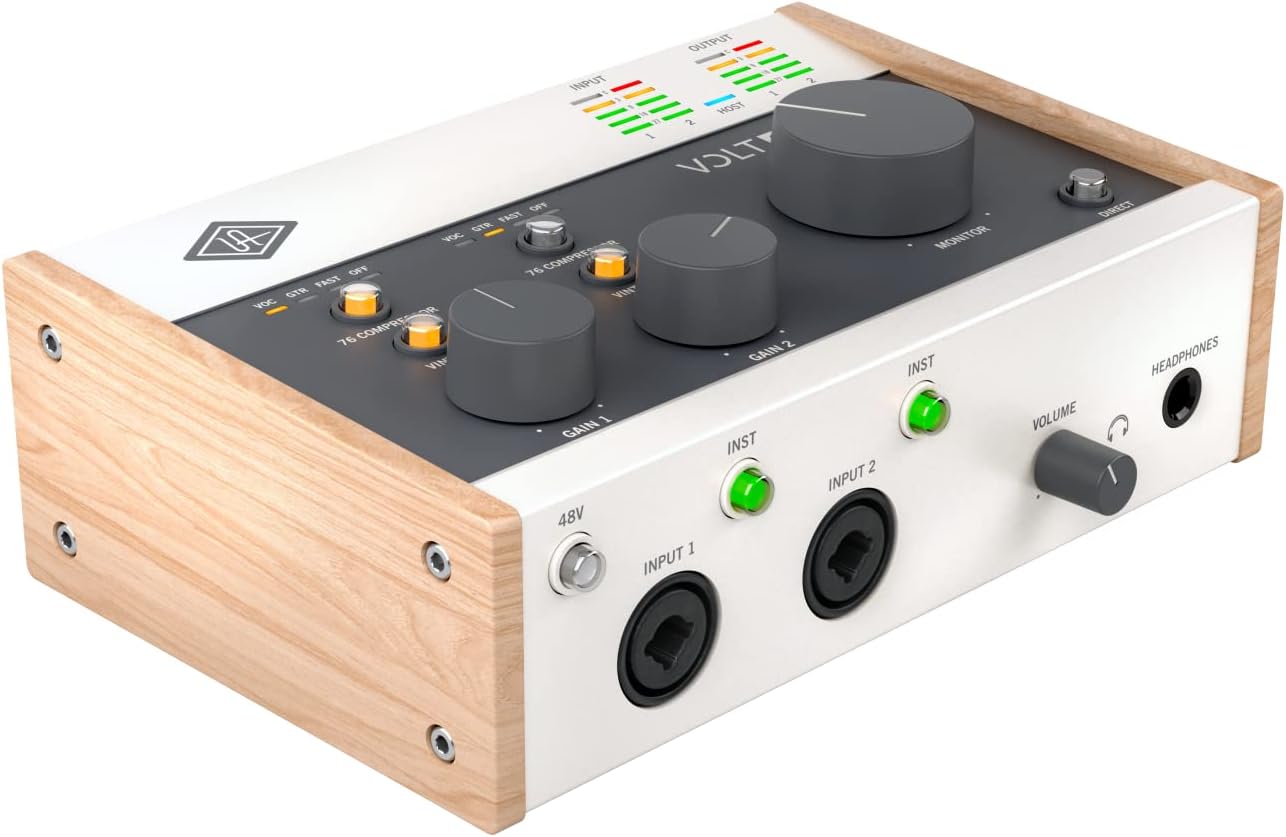
Best Overall: Universal Audio Volt 276
This is the one I recommend when somebody says they want to plug in and sound professional without building a rack. The Volt line is the best answer to that request I have found, and the 276 is the version I would buy.
The reason is simple. The tone shaping on this box is a real trick, not a marketing bullet. Push a dynamic mic through it and you get that finished, slightly forward character that usually requires a piece of outboard gear and another two hundred dollars. For a singer-songwriter tracking vocals at midnight in an apartment, that is the whole ballgame. It means fewer plugins, less fiddling, and a take that sounds like a record instead of a demo.
The preamps also hold up where it counts. Set your gain so the meter kisses yellow and then listen. That is the test I run on everything. Cheap preamps get brittle and shut down the top end when you lean on them. This one stays composed. If you track a loud source and you are riding the gain high, you will hear the difference immediately, and you will stop second-guessing your purchase.
It is not a bargain, and I am not going to pretend it is. But it is the interface I would keep if I could only keep one under $300, and it is the one I hand to clients who ask what to buy for their own home setup.
Best Budget Pick: MAONO P1 USB Audio Interface
Seventy decibels of gain is the number that matters here, and it is the reason this one makes the list. Most budget interfaces run out of clean gain right when you plug in a dynamic mic, which is exactly the mic most beginners own. You end up with the knob all the way up, a hiss floor you can hear, and a vocal that sounds thin. This box gives you headroom to actually place a microphone properly instead of screaming into it.
The other thing I like is the flexibility. It works with a PC, a phone, an iPad, and a guitar, which sounds like a checklist until you realize what it means in practice. You can track a voice memo idea on your phone on the couch, then move the same interface to the laptop and cut the real take. That kind of portability is worth more to a beginner than another input they will never use.
Where it falls short is where every budget interface falls short. If you are tracking a full band or you need several microphones at once, this is not your box. It is a one-person interface, and it is honest about that. But if you record alone and you want to spend your money on a decent microphone instead of a badge on the front panel, this is the smart play.
Best All-in-One Start: Behringer U-PHORIA STUDIO Bundle
The U-Phoria line has been my cheap-interface recommendation for a decade, and mine survived years of being thrown in a bag and plugged into whatever desk was available. This bundle takes that interface and adds the things a first-timer does not know to buy: a condenser microphone, studio headphones, and the odds and ends that turn a box into a working setup.
That matters more than gear people admit. The most common reason a beginner never finishes a recording is not bad tone. It is a missing cable, a mic stand that has not arrived, headphones that cannot be used with the interface. This bundle closes those gaps in one order. You unbox it, install the driver, and you are recording the same afternoon. For a podcaster or a first-time songwriter, that momentum is worth real money.
The honest caveat is the software side. Behringer interfaces have always been a patience test on Windows. The hardware refuses to die, but the driver experience can be fussy, and I have spent more evenings than I would like reinstalling things on a PC. If you are on a Mac, this is a non-issue. If you are on Windows, budget an evening and update everything before you start. Do that, and this bundle will outlast your interest in three other hobbies.
The Software Half: The Beginner's Guide to Digital Audio Workstations
I will say the unpopular thing: the interface is about ten percent of how your recording sounds. The rest is the room, the performance, the microphone placement, and what you do inside the software after the take. Beginners buy hardware because hardware feels like progress. Then they open a DAW, see forty tracks and a compressor with nine knobs, and freeze.
That is the gap this book fills. It walks through creating, mixing, and mastering from scratch, which is the exact path a new recordist needs. Learn what a fader does before you learn what a plugin does. Learn how to gain stage inside the box before you buy a channel strip. The people I know who got good fast all did the same thing: they read one clear explanation of the software and then spent a hundred hours using it.
If you already know your DAW, skip this. If you have ever stared at an empty project and closed the laptop, this is the cheapest upgrade on this page.
How I test an interface
I do not review anything I have not lived with. My rule is forty hours of real recording across multiple microphone types, because a box can survive one polite acoustic session and fall apart the moment a drummer counts off.
Here is what I actually do. I set gain staging against a real ribbon mic, which is the hungriest, quietest source most people will ever plug in, and I listen to how the preamp behaves when I push the knob. I run a round-trip test with plugins loaded, because latency is a driver story, not just a chip story. I check whether the headphone amp can drive a pair of 250-ohm cans without collapsing. I unplug and replug on a flaky laptop port to see if phantom power holds.
And then I just use it. Podcast interviews, guitar overdubs, a full band on a Saturday. The gear that survives that is the gear I recommend. The gear that ends up in the drawer does not make this list.
What matters more than the spec sheet
Gain staging
This is eighty percent of a good recording, and it is free. Set your input level so the loudest part of the performance hits healthy without clipping, then stop touching it. A cheap preamp at the right gain beats an expensive preamp cranked into distortion every single time. If you learn one skill this year, learn this one.
Drivers and latency
A great converter with terrible drivers is a paperweight. Latency lives in the driver, and driver quality is why the boring, well-supported brands keep winning. When you are tracking a guitar part and you can hear the delay between your pick and your headphones, the session is over. Under ten milliseconds is fine. Under five is invisible. You cannot tell from a spec sheet which box will get you there on your laptop, which is why reputation matters.
The headphone amp
Nobody talks about this until it clips. Then it is the most important spec on the box. If your headphones sound thin, distorted, or just quiet at full volume, the interface is the problem, not the headphones. This is also the first thing to fail on cheap units, in my experience.
Bus power and phantom power
USB bus power is fine until it is not. A hungry condenser microphone drawing phantom power from a flaky laptop port is a gamble, and I have lost that gamble. If your interface needs a separate power supply to run phantom power reliably, that is not a flaw. That is honesty.
The interface reference table
Same four pieces of gear, sorted by what you actually need.
| Product | Best for | What you get | Price |
|---|---|---|---|
 Visit on Amazon → Visit on Amazon →Universal Audio Volt 276 USB Audio Interface |
The one you grow into | A USB audio interface with real tone shaping built in | $299.00 |
 Visit on Amazon → Visit on Amazon →MAONO P1 USB Audio Interface |
One person, one mic, any device | 70dB of gain, and it runs with PC, phone, iPad and guitar | $99.99 |
 Visit on Amazon → Visit on Amazon →Behringer U-PHORIA STUDIO Complete Recording and Podcasting Bundle |
The person who owns nothing yet | Interface, condenser mic, studio headphones and more in one box | $129.00 |
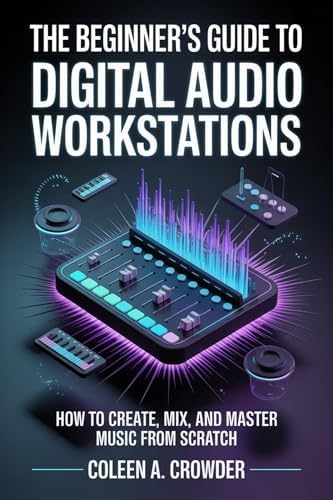 Visit on Amazon → Visit on Amazon →The Beginner's Guide to Digital Audio Workstations |
Learning the software half | How to create, mix and master music from scratch | $6.99 |
The pattern in that table is the pattern in every good studio. You spend on the thing you touch every day, you go cheap on the thing you replace first, and you never, ever skip the part where you learn how to use it.
What about interfaces with a bundled pro DAW?
Skip anything whose headline feature is a bundled pro DAW. You are paying for a license, not hardware, and the license is usually a lite version that expires your patience before it expires your trial. A free DAW and a better preamp beats a crippled paid one every time.
What about eight-input interfaces for a two-person podcast?
You do not need eight inputs to record a podcast. You need two good ones and a mix-minus that works. I have watched people spend four hundred dollars on channel count they will never touch while their headphone amp clips on every episode.
Should you buy the Universal Audio Volt 276?
Yes, if your budget reaches it. The preamps stay clean when you lean on the gain, the tone shaping is a genuine tool rather than a gimmick, and it is the interface I would hand a singer-songwriter who wants to plug in and sound finished. It costs more than the alternatives here, and it is the one I would still buy for myself.
Should you buy the MAONO P1?
Yes, if you record alone and you work from a phone or tablet as often as a laptop. Seventy decibels of gain means a quiet dynamic mic can reach a usable level, which is the exact problem that ruins most first recordings. It is not the box for a band, but for one voice and one guitar it does everything you need and nothing you do not.
Should you buy the Behringer U-PHORIA STUDIO bundle?
Yes, if you own nothing yet. Interface, condenser microphone, headphones and the rest of the kit in one order means you are recording the same afternoon instead of waiting on three separate deliveries. Just know the Windows driver experience will test your patience, and plan on upgrading the microphone before you upgrade anything else.
Should you buy the Beginner's Guide to Digital Audio Workstations?
Yes, if you have never opened a DAW. Your interface is a small slice of how your recording sounds. The software, the gain staging inside the box, and the mix decisions are the rest. Reading one clear explanation of that process is the least glamorous and most useful purchase on this page.
Buy the interface that makes you want to record tomorrow. Then record. That is the whole method.