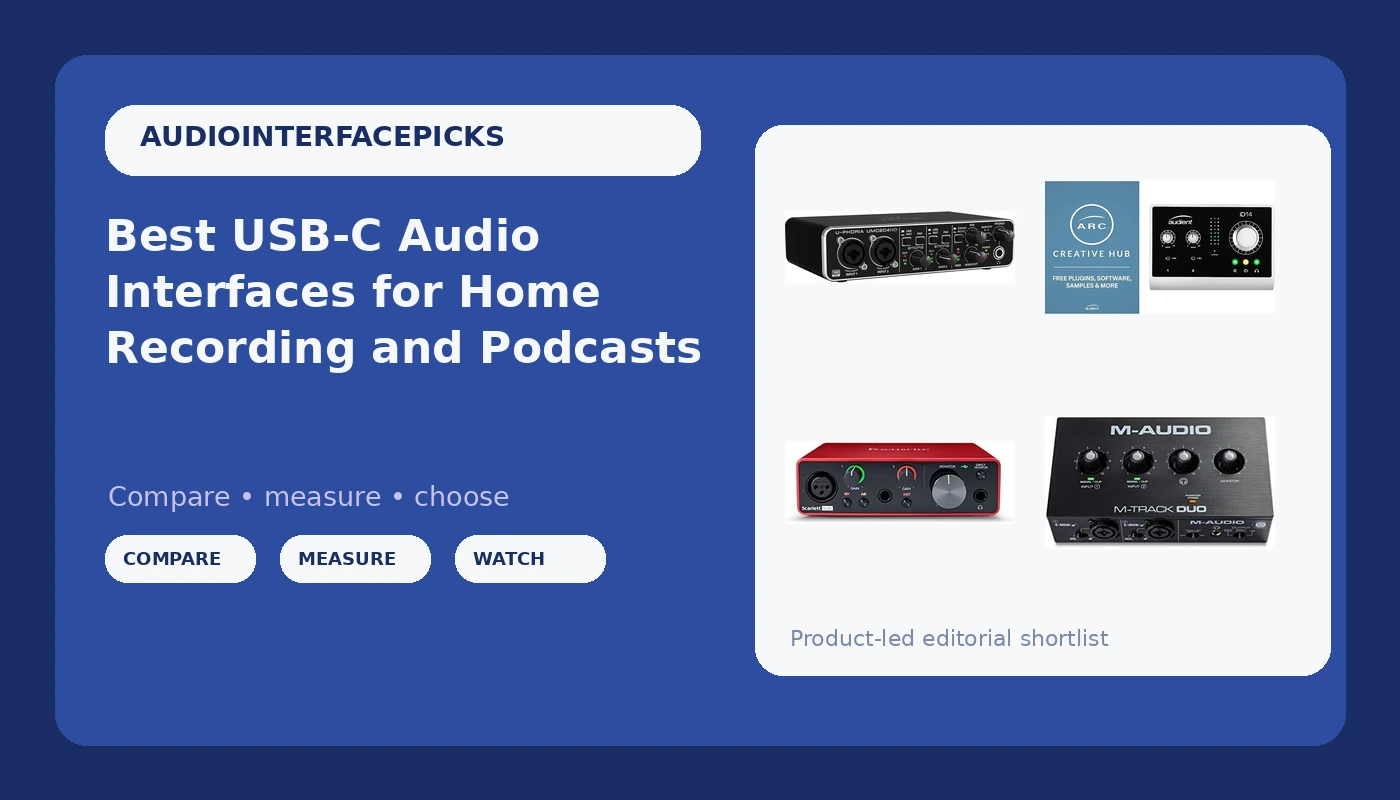
Choosing a USB-C audio interface should be the simplest decision in a home studio build, and it rarely is. The spec sheets blur together: 24-bit this, 192 kHz that, phantom power on nearly every box. What actually separates these units is how many inputs you can use at once, whether the connection matches the computer you already own, and whether the monitoring features let you hear yourself while you track instead of guessing.
This guide compares six interfaces that cover the realistic range of home setups, from a two-input starter box to a ten-input unit with dedicated conversion. Some use USB-C, some use older USB connections, and one adds MIDI. Because prices and availability shift constantly, every card below links to the live listing so you can confirm the details yourself before you commit.
If you record one voice at a time, the decision is mostly about a clean preamp and a headphone output you can trust. If you record a guitar and a vocal together, or two hosts on a podcast, the input count and the monitoring path become the whole decision. Everything else is detail.
Related: How Driver Support Affects Audio Interface Latency
Quick answer
The Focusrite Scarlett 2i2 4th Gen USB-C Audio Interface is the strongest fit for a first serious home recording setup because its two-input layout and USB-C connection cover the most common vocal-and-instrument sessions without extra gear. Choose the Audient iD14 instead when you need more inputs, more outputs, and dedicated AD/DA conversion on the way in and out.
USB-C and USB audio interfaces worth comparing
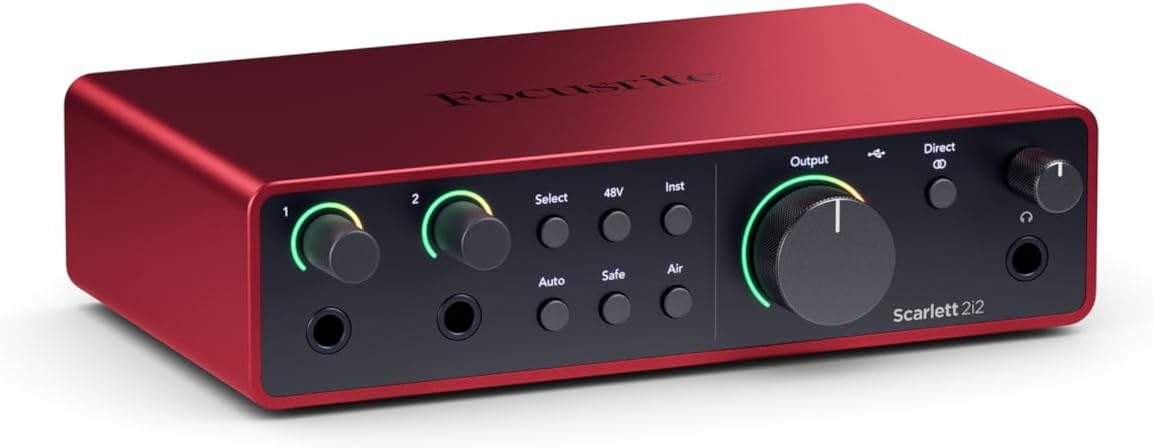
Focusrite Scarlett 2i2 4th Gen USB-C Audio Interface
A two-input interface in the Scarlett line with USB-C connectivity, covering the input count and connection type that most solo and two-person sessions need.
Visit on Amazon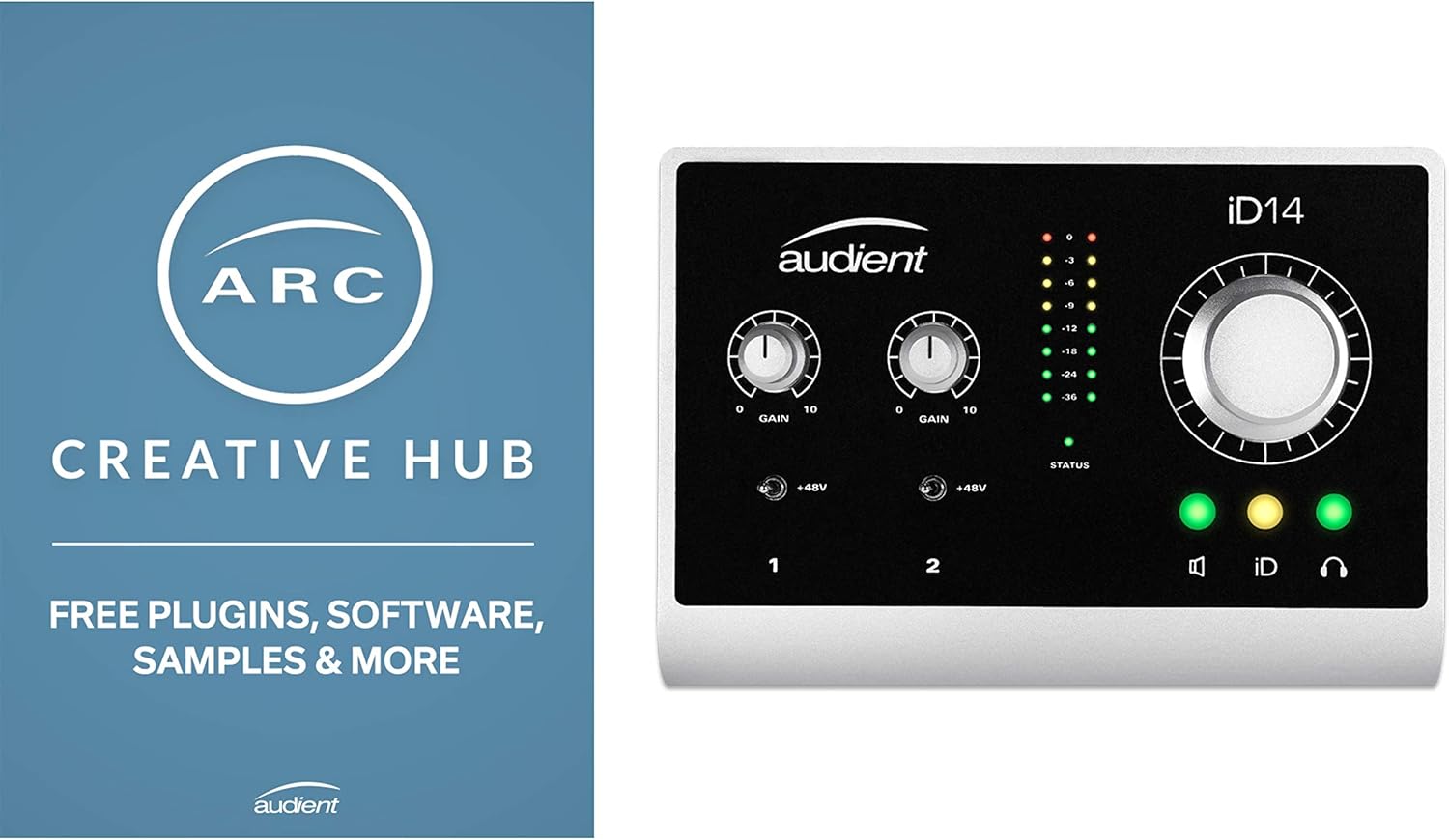
Audient iD14 USB Audio Interface with Microphone Preamp, 10 in/4 Out, 48 Volt Phantom Power, Monitor Mix & Panning, 6.3 mm Jack Out, AD/DA Converter
Check current Amazon price
A 10 in / 4 out interface with a microphone preamp, 48 volt phantom power, monitor mix and panning controls, a 6.3 mm jack output, and AD/DA conversion.
Visit on Amazon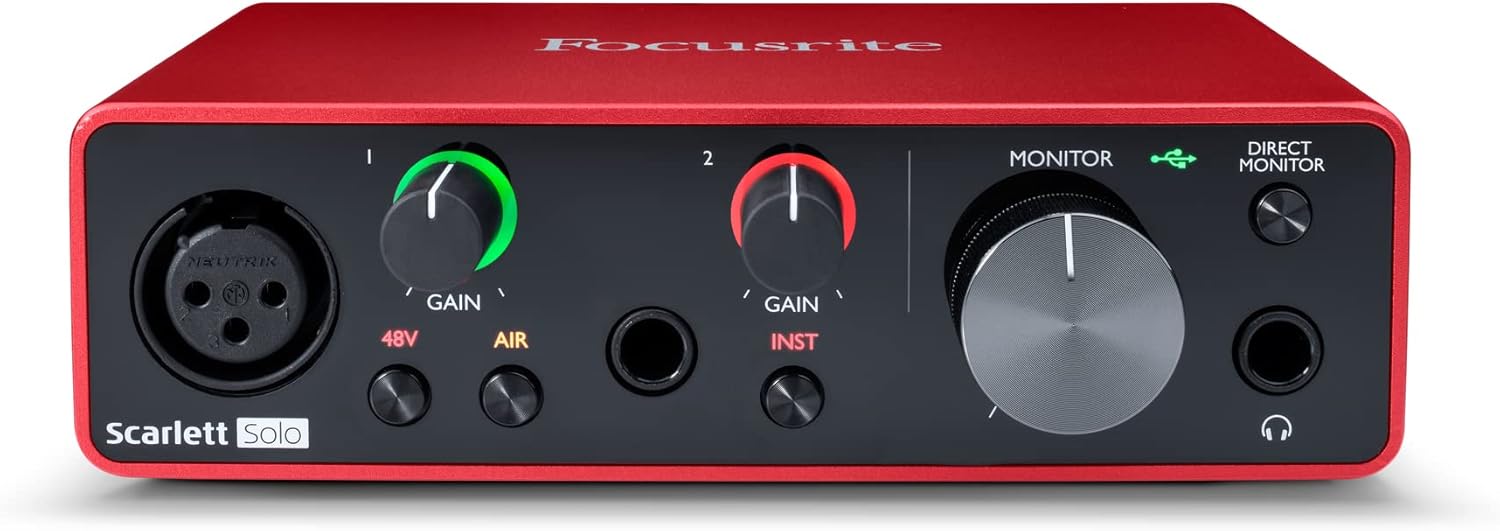
Focusrite Scarlett Solo 3rd Gen USB-C Audio Interface
A USB-C interface in the Scarlett family, built around a smaller channel count than the two-input model for setups that record one source at a time.
Visit on Amazon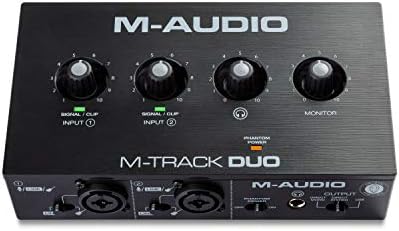
M-AUDIO M-Track Duo USB Audio Interface
A compact USB interface with a two-channel Duo layout, aimed at beginners who want the basics in one small box.
Visit on Amazon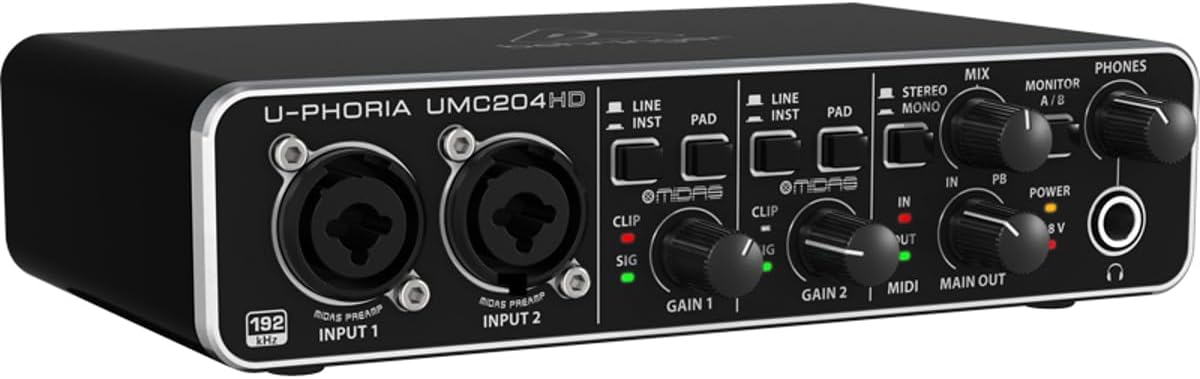
Behringer UMC204HD Audiophile 2x4, 24-Bit/192 kHz USB Audio/MIDI Interface with Midas Mic Preamplifiers | For Recording Microphones and Instruments
A 2x4 USB audio and MIDI interface running at 24-bit/192 kHz with Midas mic preamplifiers, for recording microphones and instruments.
Visit on Amazon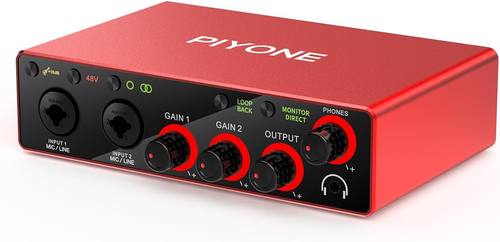
Audio Interface, 2X2 24-bit/192kHz Interface for High-Fidelity, Studio Quality PC/Mac/iOS Recording, XLR/TRS Combo Input, Monitor Mix/Loopback Function, One-Cable Setup(Alloy Red)
A 2x2 interface running at 24-bit/192 kHz with XLR/TRS combo inputs, monitor mix and loopback functions, and a one-cable setup for PC, Mac, and iOS recording. Finished in alloy red.
Visit on AmazonPrices and availability may change. Check the retailer for current details.
How these products were compared
This guide compares input and output counts, connection type and the platforms each maker states it supports, preamp and phantom power features, monitoring and routing features such as monitor mix, panning, and loopback, and the physical connections you need for microphones, instruments, and studio monitors. Product names, images, and retailer links are matched by the retailer's product identifier so that every card points to the product shown.
None of the descriptions above should be read as a measurement of one unit against another. The specs and features come from what each listing states, which is exactly the information you have when you are shopping. What follows is a framework for weighing those stated differences against the way you actually record.
How to choose the right audio interface
Start with the input count. Count the sources you will record at the same time, then add one spare. A solo vocalist with an occasional guitar needs two inputs. A two-host podcast with a music bed needs two inputs plus a plan for how each host hears the mix. A songwriter tracking a guitar and a vocal at once needs two inputs that can both handle the mics involved. Only after that should you look at anything else, because a unit with the wrong channel count is the wrong unit no matter how good its converters are.
Next, match the connection to the computer you already own. USB-C is the current standard on laptops and desktops, and it carries data plus power on a single cable on the models listed here that use it. An older USB-A port is still fine for the units that use it, but you will need the right cable or adapter. Make that decision before you fall in love with a box.
Then work through the features that only matter for your specific sessions. If you use a condenser microphone, confirm 48 volt phantom power is present. If you track while listening to a backing track, confirm there is a direct monitoring path you can blend against playback, because software monitoring through a computer adds a delay you will feel in your playing. If you produce a podcast, loopback can be the difference between a clean remote guest recording and a mess of cables. Here is how driver support shapes the latency you live with, which is the spec nobody puts on the box.
Finally, think about the headphone output. It is the least glamorous part of any interface and the one you will use at every single session. A headphone amp that runs out of clean level with high impedance cans will send you shopping again sooner than any other limitation.
Focusrite Scarlett 2i2 4th Gen USB-C Audio Interface
The Scarlett 2i2 4th Gen sits at the intersection of the two things that matter most for a first serious setup: two inputs and a USB-C connection. Two inputs means a vocal and a guitar, or two microphones, without swapping cables between takes. USB-C means one cable to a modern laptop, which keeps a small desk small.
Its real advantage is that it belongs to a family. The Scarlett line has been the default recommendation for years for the same reason people recommend a certain brand of work boots: the drivers are boring, and boring is what you want when you are trying to record at 11 p.m. That reputation is editorial judgment, not something a spec sheet proves, so weigh it as one input among several rather than a guarantee.
The trade-off is headroom in the channel count. Two inputs is a ceiling, not a starting point. If you ever plan to record a drum kit, a three-piece podcast, or a band rehearsal, you will outgrow this box before you outgrow its sound. The same money that buys the two-input Scarlett buys a higher input count elsewhere, at the cost of the polish and predictability.
Alternatives to consider
The Audient iD14 is better suited to a project studio that needs more routing than a starter box provides, thanks to its 10 in / 4 out layout, 48 volt phantom power, monitor mix and panning controls, and dedicated AD/DA conversion on the way in and out. The Focusrite Scarlett Solo 3rd Gen is a stronger fit when you record one source at a time and would rather spend the difference on a microphone.
The M-Audio M-Track Duo, the Behringer UMC204HD, and the 2x2 24-bit/192 kHz interface with XLR/TRS combo inputs cover the budget end of the group. The Behringer UMC204HD stands out on paper with 24-bit/192 kHz operation, a 2x4 layout, MIDI, and Midas mic preamplifiers. The 2x2 model counters with XLR/TRS combo inputs, monitor mix and loopback, and a one-cable setup for PC, Mac, and iOS. The M-Track Duo keeps things simple with its two-channel layout and a small footprint.
Day-to-day use and maintenance
Gain staging is the habit that separates a clean recording from a distorted one, and it costs nothing. Set the input gain so your loudest passage sits comfortably below clipping, then listen back with headphones before you commit to a full take. Digital clipping is not a warm, pleasing distortion. It is a take you cannot fix later.
Phantom power deserves the same discipline. Turn it off for dynamic microphones and ribbon mics that are not designed for it, and turn it on only when a condenser needs it. Some ribbon microphones can be damaged by phantom power, so check the microphone's documentation before you connect it. Keep cables tidy and strain relieved, since a stressed connector is the most common failure point on a desktop interface, and treat the headphone jack gently. It is the part that breaks first.
Finally, install the manufacturer's current driver or control software for your operating system, and check for updates after major system upgrades. A driver that has fallen out of step with your computer is the usual cause of a device that suddenly stops being recognized.
Buying checklist
- Count the inputs you need for your typical session, then add one spare.
- Match the connection type to the ports on your computer and confirm the cable you need.
- Confirm the exact model includes 48 volt phantom power if you use a condenser microphone.
- Check for the monitoring features you rely on, such as direct monitoring, monitor mix, or loopback.
- Check the headphone output against the headphones you actually own.
- Read the manufacturer's setup, safety, and maintenance instructions.
- Verify the current retailer price, availability, and return terms before you buy.
Final recommendation
Choose the Focusrite Scarlett 2i2 4th Gen USB-C Audio Interface when you record one or two sources at a time on a modern USB-C computer and want a predictable, well-supported two-input box. Choose the Audient iD14 when your sessions need more inputs, more outputs, and conversion on the way in and out. If your budget is the deciding factor, the Behringer UMC204HD and the 2x2 24-bit/192 kHz interface both put serious feature lists on the table, and the M-Audio M-Track Duo keeps the entry point simple.