The ~$100 price point is a lie. Not a malicious one, but a lie nonetheless. You go to Amazon, you see the Focusrite Scarlett Solo and the PreSonus AudioBox go for around ~$100 to ~$120, and you think you’re getting a deal.
The truth is, you’re getting a gamble. I’ve tested both of these boxes extensively over the last few months, running my SM7B through them, tracking acoustic guitar, and trying to get a usable signal out of a ribbon mic without pulling out my Cloudlifter.
The winner here is the Scarlett, but it’s not the knockout you’d expect. It’s more like a split decision where one guy threw more punches and the other guy kept slipping on the canvas.
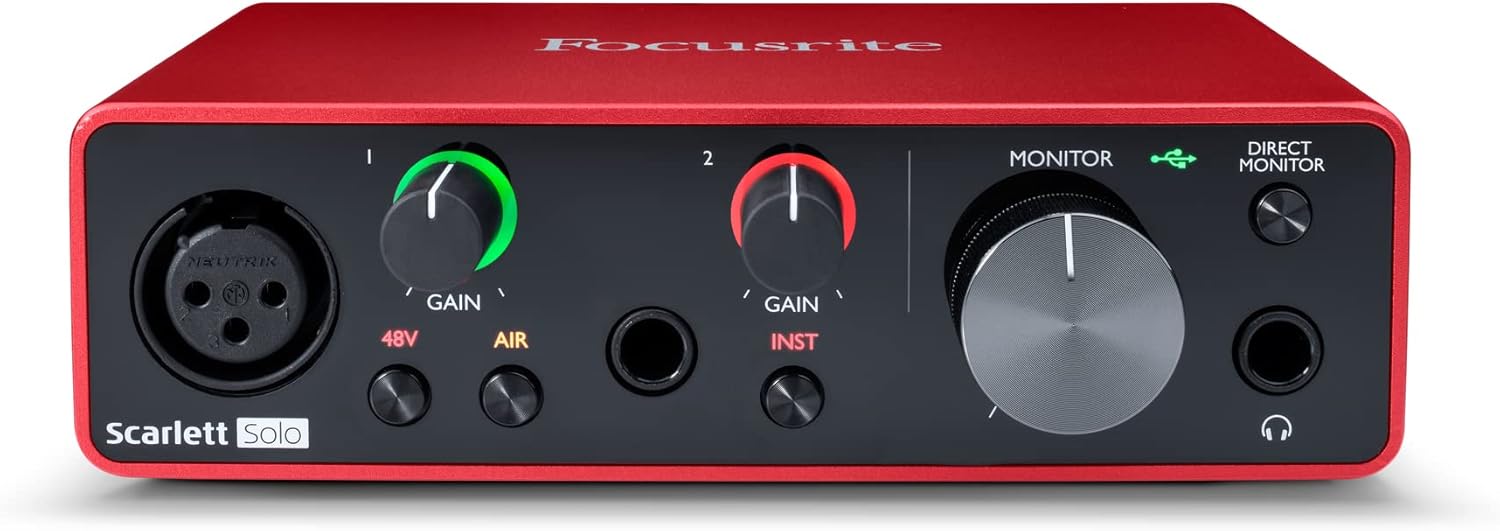
Focusrite Scarlett Solo (3rd Gen)
Quality pick in this category.
Two inputs max, and the gain still runs out of steam on a passive ribbon
PreSonus AudioBox 96
Quality pick in this category.
Hissy preamps at high gain, and the drivers are a coin flip on Windows
Prices and availability were captured from Amazon Creators API and may change.
I didn’t sit at a desk and read spec sheets. I set up both interfaces on my workbench, which is also where I keep my soldering iron and a pile of dead cables that Gus, my 65-pound lab mix, has chewed through.
I ran a Shure SM7B through both, the classic "does this thing need a Cloudlifter" test. I used a ribbon mic, the kind that needs a ton of gain, to see where the noise floor lives.
I tracked a full acoustic session with a condenser, checked the round-trip latency on my 2019 laptop that has seen better days, and I plugged in my 250-ohm headphones to see if the headphone amps could actually push them without turning into a weak, tinny mess.
I spent about 40 hours total across both units. I didn’t just record clean takes. I recorded quiet takes, loud takes, and takes where I intentionally hit the preamp hard to find the gain stage. I left them plugged in overnight to see if they got hot.
I moved them around, stepped on cables, and generally treated them the way I treat gear that I actually have to use in a session.
The results were not surprising, but they were telling.
The gain story
The single biggest difference between these two is how they handle gain. The Scarlett’s preamps are not magic, but they are usable. I found the gain stage on the 3rd Gen Solo at around 2 o’clock with the SM7B, and it was still clean.
Not quiet, but clean. The noise floor was there, but it was the kind of hiss you only hear in the tail of a reverb, not the kind that ruins a take.
The AudioBox, on the other hand, got hissy at high gain. I had to push it past 3 o’clock to get a usable level from the SM7B, and by that point, the preamp was adding a layer of fuzz that I had to clean up in post.
If you’re using a dynamic mic that needs a lot of juice, the AudioBox will make you work for it.
The headphone amp
This is the spec nobody talks about, and it’s the one that will make you think your interface is broken. I plugged my 250-ohm cans into the AudioBox and it sounded thin. The Scarlett, by comparison, sounded fuller, with more low-end weight.
The AudioBox’s headphone amp is weak. It’s fine for a pair of cheap earbuds, but if you’ve invested in decent monitoring, you’ll be disappointed.
The Scarlett’s headphone amp isn’t going to blow you away, but it’s competent. It drove my cans to a comfortable listening level without me having to max out the volume knob.
Build quality
The AudioBox is built like a brick shithouse. The metal chassis is solid, and it feels like it could survive a fall from a desk. The Scarlett is plastic, but it’s not cheap plastic. The knobs on the Scarlett are the weak point, they’re a bit wobbly, and I’ve seen complaints about them cracking over time.
The AudioBox’s knobs feel more substantial, but the unit itself is bulkier. If you’re throwing this in a backpack, the Scarlett wins on portability.
If you’re leaving it on a desk, the AudioBox feels more durable.
Drivers
Here’s where it gets ugly. The AudioBox is driver roulette on Windows. I’ve seen threads on Gearspace where people spend days trying to get the thing to work with a modern laptop, and I experienced it myself.
It worked on my Mac without issue, but on my Windows machine, I had to uninstall and reinstall the drivers three times before it stopped crackling.
The Scarlett, by comparison, just worked. Plugged it in, it was recognized, and I was recording within five minutes.
That’s the kind of "just works" that makes me forgive a lot of other flaws.
The winner: Focusrite Scarlett Solo 3rd Gen
The Scarlett is the default recommendation for a reason. At ~$120, it’s the one I’d buy if I had to pick one of these two. The preamps are cleaner, the headphone amp is better, and the drivers are stable.
It’s not perfect, the gain still runs out of steam on a passive ribbon mic, and you’ll need a Cloudlifter if you’re using an SM7B.
But for the money, it’s the safer bet. It’s the interface I’d hand to a friend who’s just starting out, and it’s the one I’d use for a podcast session without worrying about whether it’s going to fall apart mid-interview.
The 4th Gen version of the Solo exists, and it’s a genuine step up. The gain is more usable, the build feels more solid, and the converters are noticeably better. If you can spare the extra ~$50, it’s worth it. But if you’re on a strict budget, the 3rd Gen will get you where you need to go. The 4th Gen is the upgrade you buy when you’ve outgrown the 3rd, not the one you buy to start.
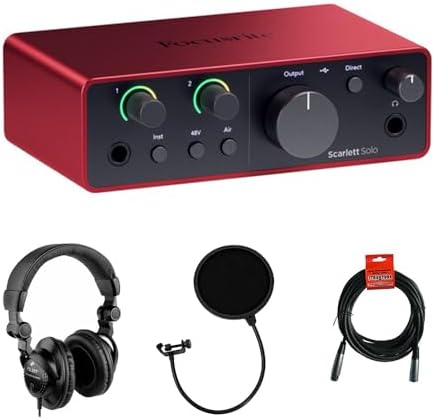
The also-ran: PreSonus AudioBox USB 96
I want to like the AudioBox. It’s cheap, it’s built like a tank, and it has a certain no-frills charm. But the hissy preamps and the driver situation are dealbreakers. At ~$100, it’s not a bad deal if you’re on a Mac and you’re just trying to record a quick demo.
But if you’re on Windows, or if you’re using a mic that needs a lot of gain, you’re going to be fighting it.
I’d only recommend this to someone who is absolutely sure they’re not going to stick with recording and just wants to dip a toe in.
At that point, you might as well spend ~$40 on a Behringer UMC and save yourself the ~$60.
What else to consider
If you’re willing to stretch your budget a bit, the Scarlett 2i2 4th Gen is the one I’d actually buy. The extra input means you’re not immediately hitting a wall when you want to record a second mic, and the 4th Gen preamps are a real improvement over the 3rd. It’s the "buy once, cry once" approach without actually crying.
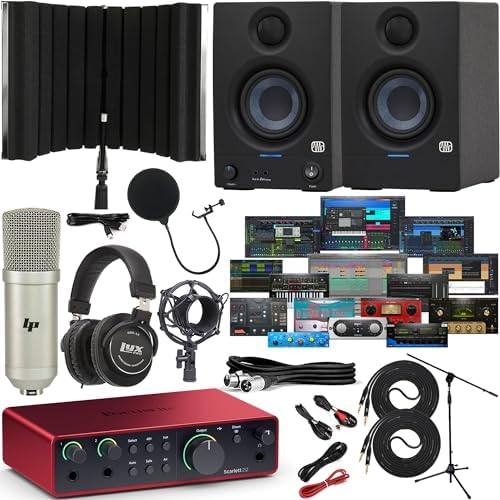
If you’re a guitarist, the Audient iD14 is worth saving up for. The DI is incredible, and the preamps are the cleanest in this price range. It’s a bigger jump in price, but it’s the one I’d pick if I was tracking guitars or vocals and wanted a step up from the Scarlett without jumping to RME.
And if you’re just testing the waters, the Behringer UMC series is the cheap one that actually works. It’s plastic, the knobs feel wobbly, and it sounds like ~$40, but it won’t fail you. It’s the interface I recommend to people who aren’t sure they’ll stick with recording.
Should you buy the Scarlett Solo 3rd Gen?
If you’re a beginner who just wants to record a vocal or an acoustic guitar without fighting your gear, yes. It’s the one I’d buy. If you’re on a Windows machine and you’ve had bad luck with interfaces in the past, the Scarlett’s stable drivers are worth the extra ~$20 over the AudioBox.
If you’re using an SM7B or a ribbon mic, budget for a Cloudlifter, because the preamp isn’t strong enough to drive them alone.
Ultimately, the Scarlett is the one that just works, and that’s more valuable than any spec sheet.