A USB audio interface is the box that converts the analog signal coming out of a microphone or an instrument into digital audio your computer can record, and converts your computer's playback back into analog for headphones and speakers. That is the entire job. Every other detail, input count, preamp design, driver quality, headphone amplifier, decides whether that job feels effortless or fights you all afternoon.
Most people shopping for their first interface get stuck on one question: how many inputs do I need, and does spending more actually show up in the recording? The honest answer is that within a price band, interfaces sound more alike than forum arguments suggest, and the differences that genuinely matter, driver stability, usable gain before noise, a headphone output that drives real headphones, are usually the last things mentioned on the marketing page.
Related: Gain Staging for Home Recordings: Setting Levels That Don't Clip →
Quick answer
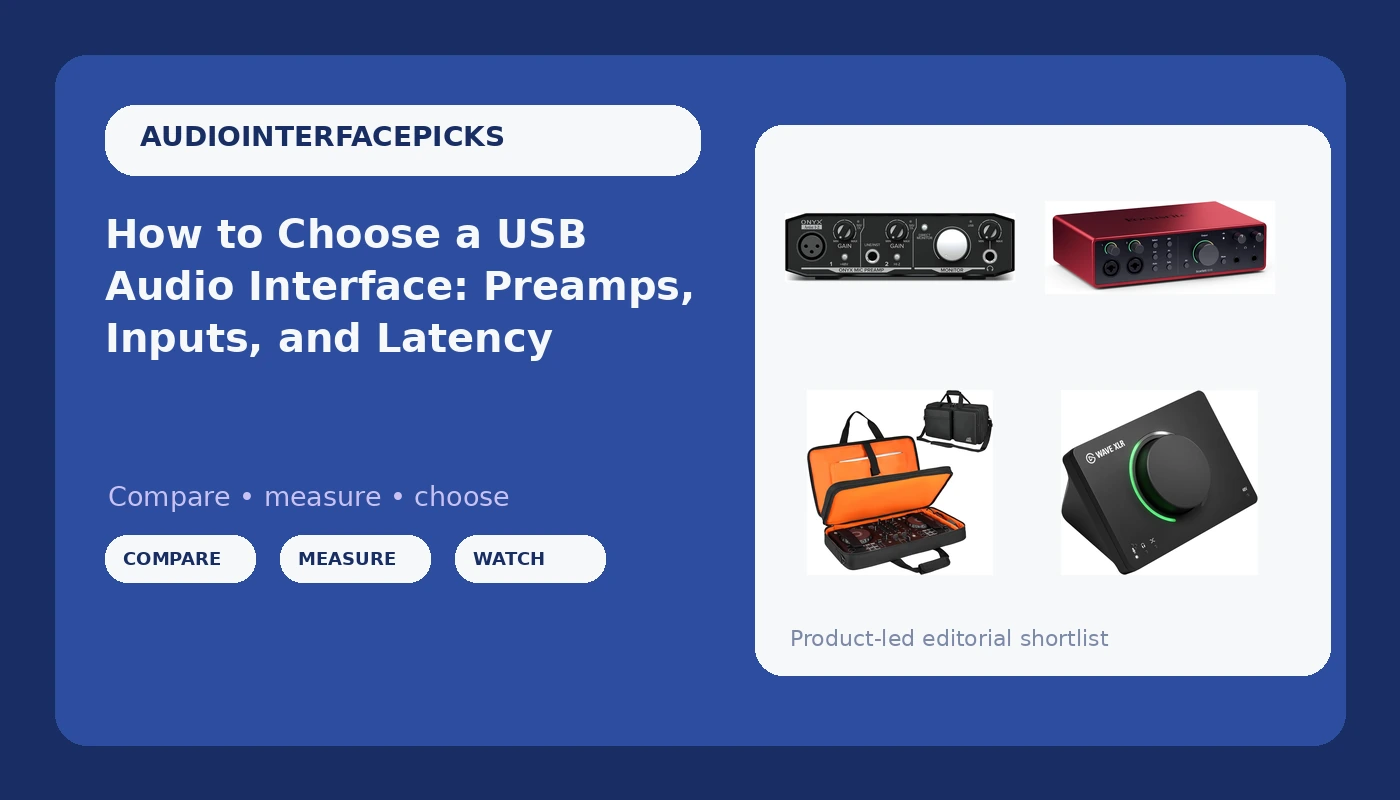
For most home setups, a two-input USB audio interface with a clean preamp and stable drivers covers a solo podcast, a guitar-and-vocal demo, or a voiceover session. Buy more channels only when you have sources that must be recorded at the same time, such as a drum kit or a multi-mic interview. The four options below serve four different jobs rather than competing for one crown: a multi-channel Focusrite Scarlett for sessions that outgrow a small box, an Elgato Wave XLR MK.2 for a single voice on a stream, a Mackie Onyx Artist 1-2 for a first interface on a small budget, and a fitted case for readers who move a DJ controller between a desk and a gig.
Four useful options
| Model | Best fit | What stands out |
|---|---|---|
| Focusrite Scarlett 16i16 4th Gen USB-C Audio Interface | Multi-source sessions that need more channels than a compact box | Part of the Scarlett 4th Gen line, with Air mode and the range's Auto Gain and Clip Safe helpers |
| Elgato Wave XLR MK.2 USB Audio Interface and DSP Mixer | A single XLR microphone feeding a stream or podcast | One XLR input paired with Elgato's Wave Link software for DSP mixing |
| Mackie Audio Interface, Onyx Artist 1X2 USB Audio Interface (Onyx Artist 1-2) | A first interface on a tight budget | A single-channel design built around Mackie's Onyx mic preamp |
| DJ Controller Case Fits for Pioneer DDJ-FLX4/Numark Mixtrack Platinum FX | Transporting one of two specific controllers | Cut for the Pioneer DDJ-FLX4 and the Numark Mixtrack Platinum FX |
The multi-channel pick: Focusrite Scarlett 16i16 4th Gen USB-C Audio Interface
What you pay for here is channel count and the working room that comes with a bigger box. A 16-input interface with one microphone plugged into it is a lot of unused metal on your desk, and if you record one voice at a time, this is not the sensible purchase. The case for it appears the moment you track a drum kit, a full band, or a multi-mic interview, because simultaneous sources are the one thing software cannot fix after the fact. The trade-offs are cost, desk footprint, and a longer setup conversation every time you open a session.
The single-voice pick: Elgato Wave XLR MK.2 USB Audio Interface and DSP Mixer
This is the right shape for a streamer or solo podcaster, because the hard part of that job is not capturing one microphone, it is keeping a microphone, game audio, chat, and music at sensible relative levels all at once. Doing that in software is cleaner than doing it with a desktop mixer and a pile of cables. The trade-off is flexibility: one XLR input means no second microphone and no instrument input, so a guitarist who wants to sing and play at the same time is looking at the wrong box. Your workflow also lives inside an app, which is either convenient or a commitment, depending on how you feel about software ecosystems.
The budget pick: Mackie Audio Interface, Onyx Artist 1X2 USB Audio Interface (Onyx Artist 1-2)
Budget interfaces have improved to the point where the preamp is no longer the weak link, and a recognizable preamp design in an inexpensive box is the reason to look here. What you give up is scale: one input path means one microphone or one instrument at a time, no stereo pair, and no room to grow into a two-person show without buying again. The other thing to weigh is drivers, because inexpensive interfaces are where driver quirks show up most often, and a box that resets its settings after every reboot will cost you more patience than money. If your plan is a single microphone in front of one person, that trade is easy to accept.
The travel pick: DJ Controller Case Fits for Pioneer DDJ-FLX4/Numark Mixtrack Platinum FX
This entry is included because the same reader who buys an interface for a home setup often moves a controller between a desk, a friend's place, and a gig, and controllers do not survive loose bags well. A fitted case solves a real problem, and a dedicated fit beats a one-size option that lets the unit slide around. The catch is the fit itself: this is cut for two named controllers, so anyone with a different model should check dimensions before assuming it works. Treat it as an accessory decision, not an interface decision, and it earns its place in the bag.
Prices and availability may change. Product images, names, and retailer links are matched to verified listings. No current price, rating, stock status, or measured result is stated here without current evidence.
What actually changes what you hear
The preamp is the part of an interface that amplifies a microphone's very small signal up to a level the converters can use, and it is the most audible difference between two boxes with otherwise similar published specs. Two interfaces can share the same gain range on paper and behave completely differently at three o'clock on the dial, one staying clean while the other starts to sound brittle and thin. That is why published numbers rarely settle an argument about preamps.
Converters, by contrast, stopped being the bottleneck years ago. Modern conversion is good enough that the money you spend above entry level mostly buys analog design, routing, channel count, and build quality rather than a dramatically better digital capture. If a recording sounds bad, the order of suspects is the room, the microphone placement, the performance, and the gain staging, in roughly that order, before the interface enters the conversation.
Gain staging is the part most beginners skip. The goal is not to record as loud as possible, it is to land peaks with comfortable headroom below clipping so that a loud moment does not turn into a distortion you cannot undo. Set the level, watch the meter, and leave yourself somewhere to go when the singer leans into the chorus.
Drivers, latency, and the spec that is not on the box
Latency is the delay between playing a note and hearing it come back through your headphones, and it is governed as much by drivers and buffer settings as by the interface chip itself. A great converter with badly written drivers is an expensive paperweight, which is why driver reputation for your specific operating system matters more than most of the feature list.
The number worth caring about is round-trip latency, the full trip in through the interface, through your plugins, and back out. Small buffer sizes reduce it and raise the load on your processor, so the practical question is whether your computer can hold a small buffer in a real session, not whether the interface can hit an impressive figure in isolation. Most players stop noticing the delay somewhere under ten milliseconds, and a comfortable feel usually sits lower than that.
Power is the other unlisted spec. USB bus power is convenient until a hungry condenser microphone and phantom power ask for more current than a flaky laptop port wants to give, which is exactly when a session falls apart. If you plan to run a demanding microphone, know whether your interface can be powered independently, and keep the connection direct rather than through an unpowered hub.
- Count the sources you need to record at the same time, not the total number of things you own.
- Match input types to your gear: XLR for microphones, instrument inputs for guitars and basses.
- Check driver reputation for your operating system before you check the feature list.
- Decide whether bus power is enough for your microphones or whether you need a separate supply.
- Leave room in the budget for the headphone path, cables, and a stand, because those affect daily use as much as the box does.
Practical guidance for your first setup
- Set input gain so peaks land well below clipping, then stop adjusting it mid-take.
- Use phantom power only for microphones that require it, and switch it off before unplugging.
- Test latency at the buffer size you will actually use with plugins loaded, not in an empty session.
- Connect the interface straight to the computer when you can, since hubs are a common source of dropouts.
- Record a short test take and listen back on headphones before committing to a full session.
Which option should you choose?
Choose the Focusrite Scarlett 16i16 4th Gen USB-C Audio Interface when you record several sources at once and want the Scarlett 4th Gen feature set in a larger box. Choose the Elgato Wave XLR MK.2 USB Audio Interface and DSP Mixer when your setup is one XLR microphone plus a computer full of other audio that needs mixing. Choose the Mackie Audio Interface, Onyx Artist 1X2 USB Audio Interface (Onyx Artist 1-2) when a single channel and an Onyx preamp cover your recordings and you want the smallest commitment. Choose the DJ Controller Case Fits for Pioneer DDJ-FLX4/Numark Mixtrack Platinum FX when the controller you already own is one of the two models it is cut for and it leaves the house regularly.
This article describes what each product is for based on its listed features. It does not report measured latency, preamp noise figures, or headphone performance into a specific load, and no price or rating is asserted here. Confirm current specifications and compatibility on the listing before you buy, especially if your microphone or controller is not the exact model named.
The bottom line
The interface is a small part of how a recording sounds and a large part of how a session feels. Choose by source count first, because inputs are the one thing you cannot add in software later. Then weigh drivers, power, and monitoring, since those decide whether the box disappears into your workflow or becomes the thing you fight every time you sit down. A modest interface that behaves predictably will take you further than a feature list you never use.