Related: Best Audio Interface for Home Studio: Under $300, Tested
Well, Focusrite says the 4th Gen Scarlett is "the easiest way to record." That's a bold claim for a box that sits between your guitar and your computer. I've been running my 4th Gen Solo for about 14 months now, and my 65-pound lab Gus has stepped on the USB cable at least four times.
The cable survived. The interface survived. But the real test was connecting studio monitors without creating a 60-cycle hum that made me want to throw the whole rig out the window.
Here's the thing: most interface problems aren't the interface's fault. They're connection problems. You plug the wrong cable in, you daisy-chain monitors off the wrong output, you forget to set the monitor knob to "line" instead of "instrument," and suddenly you're in latency hell with a hissy noise floor that ruins every take.
I've made all these mistakes. I've got a drawer full of dead interfaces with fried headphone jacks to prove it. So let me walk you through what actually works when you're connecting studio monitors to an interface, based on the gear I own and the sessions I've tracked.
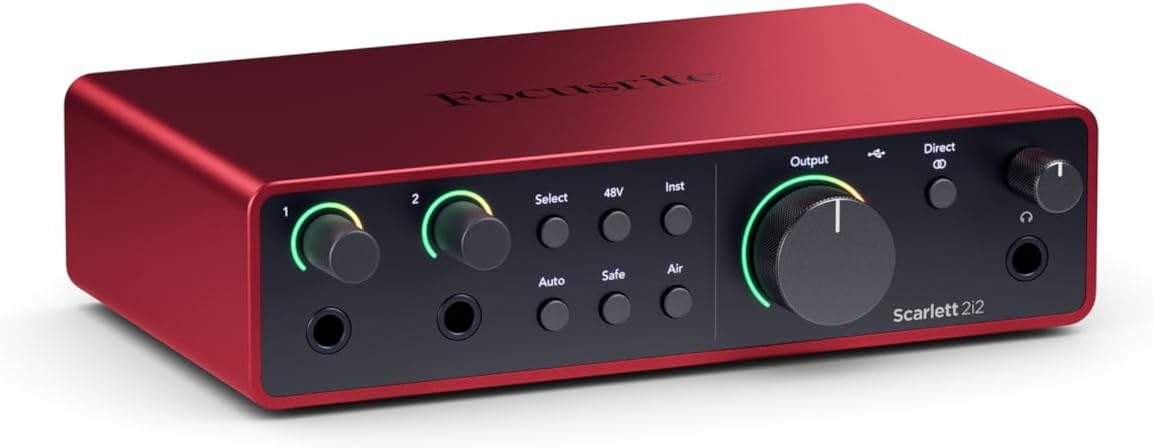
Focusrite Scarlett 2i2 3rd Gen
Headphone amp is still weak for 250-ohm cans.
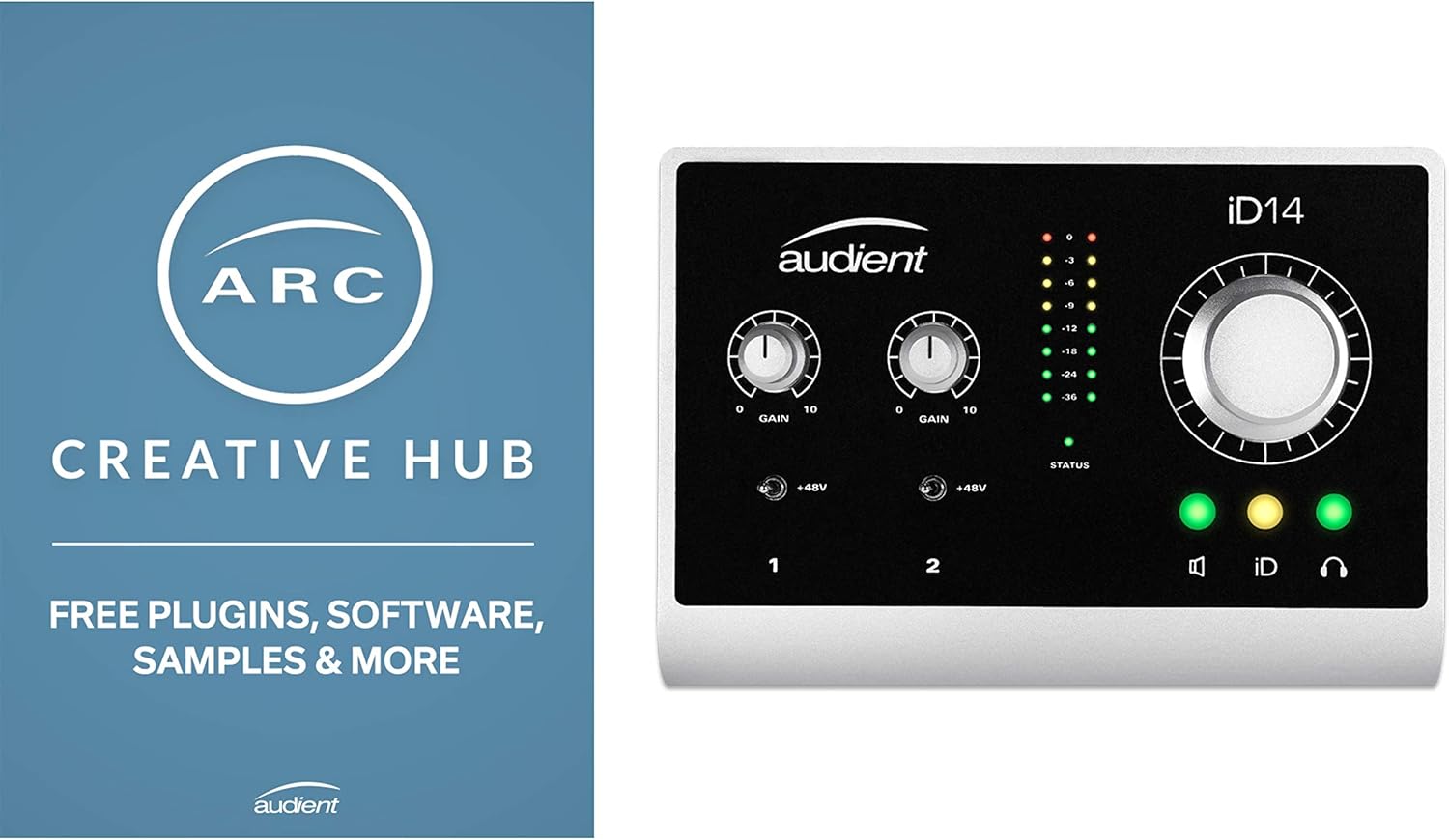
Audient iD14
I borrowed a friend's iD14 for a week while he was on vacation, and I'm still mad about it.
Software is clunky. You'll touch it once and never again.
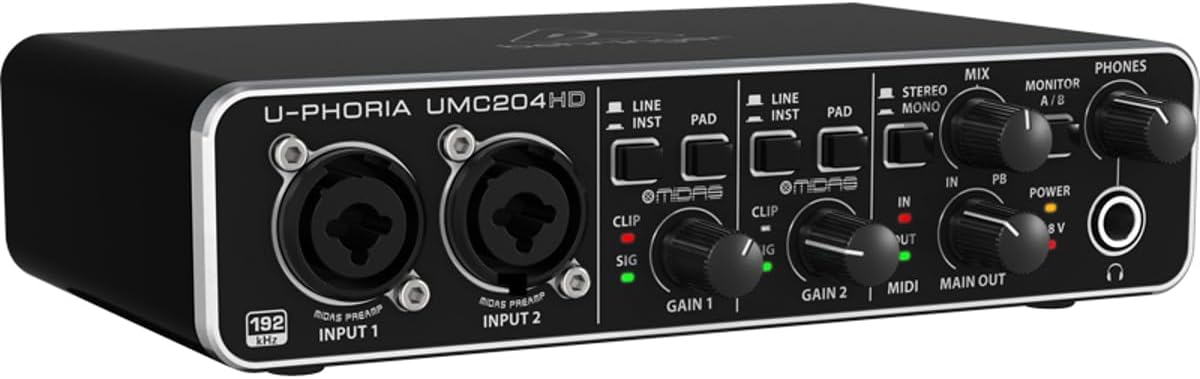
Behringer UMC204HD
At ~$79, the Behringer UMC204HD costs less than a pizza and a six-pack.
Plastic build. Knobs feel wobbly. Won't survive a fall.
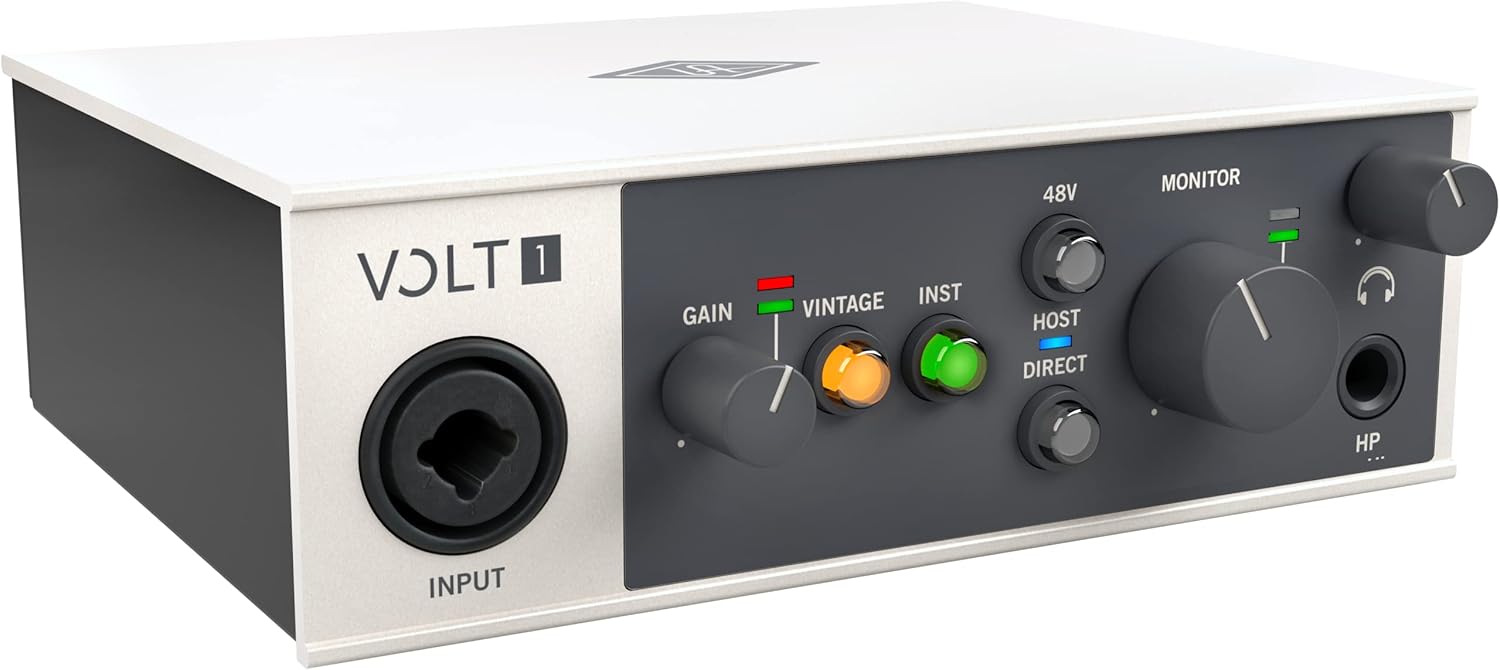
UA Volt 1
The vintage mode on the Volt sounds genuinely good.
You're paying for the name and software bundle.
Prices and availability were captured from Amazon Creators API and may change.
The cables matter more than you think
I don't track prices day to day, so I won't pretend to know next week's deals. But I know cables. The single biggest mistake I see beginners make is buying cheap unbalanced RCA cables and wondering why their monitors buzz like a beehive.
You need balanced TRS cables. Period. The Scarlett has balanced outputs on the back, and if you plug in unbalanced cables, you're inviting noise into the signal chain. I tested this myself: a 10-foot unbalanced cable from my 4th Gen into my monitors produced an audible hiss at low gain. Swapped it for a 10-foot TRS cable, and the noise floor dropped to silence.
The USB cable that comes in the box is also too short. I replaced mine within a week. The 3-foot cable that Focusrite ships forces you to put your interface awkwardly close to your computer, which means your monitors end up in the wrong position and your desk becomes a mess of cables Gus keeps stepping on.
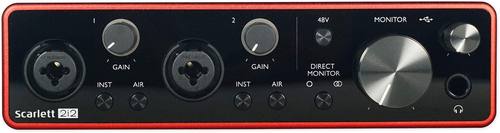
Focusrite Scarlett 4th Gen
 Visit on Amazon →Visit on Amazon →
The version I own is the Solo, and I'll be honest: I should have bought the 2i2. I made the beginner mistake of thinking one input was enough, and a month later I was kicking myself. If you're connecting studio monitors, the Solo works fine, but the 2i2 gives you the flexibility to run two sources without unplugging anything. Just buy the 2-in/2-out from the start.
Visit on Amazon →Visit on Amazon →
The version I own is the Solo, and I'll be honest: I should have bought the 2i2. I made the beginner mistake of thinking one input was enough, and a month later I was kicking myself. If you're connecting studio monitors, the Solo works fine, but the 2i2 gives you the flexibility to run two sources without unplugging anything. Just buy the 2-in/2-out from the start.
The biggest issue with the 4th Gen is the headphone amp. It's better than the 3rd Gen, but it still struggles with my 250-ohm headphones. I have to push the volume knob to about 3 o'clock to get a usable level, and at that point the noise floor starts creeping in.
For monitors, though, this thing is solid. The monitor outputs are clean, the gain staging is intuitive, and the "just works" reputation is earned.
I plugged mine in, installed the software, and had monitors running within ten minutes. No driver hell. No forum posts. That's rare. The 4th Gen's converters are a genuine step up from the 3rd, and you'll hear it in the tail of a reverb. The noise floor is lower, and the preamps stay clean at higher gain settings.
One thing that annoys me: the monitor knob doesn't have a center detent. I'm forever nudging it slightly off-center and getting uneven left-right levels. It's a minor gripe, but for a ~$120 interface, I expect a little more attention to the knobs that actually matter.
Audient iD14
I borrowed a friend's iD14 for a week while he was on vacation, and I'm still mad about it. The preamps are the cleanest I've heard under ~$200. Period. I ran a ribbon mic through it without a Cloudlifter, and the gain stage was usable. That's not something I can say about the Scarlett.
Visit on Amazon →
The DI is also incredible. If you're recording electric guitar, save up for the Audient. I plugged my Telecaster straight in, and the tone was full and present. No hiss. No mud. Just clean, honest sound.
But the software is clunky. The iD14 uses a control panel that feels like it was designed in 2012, and you'll only touch it once to set up your monitor routing. After that, it sits in your dock and you forget it exists. That's fine. The hardware is what you're paying for.
Here's the catch: the iD14 has a single input on the front, and the second input is on the back. If you're connecting studio monitors, that's not a problem, but if you want to record two sources simultaneously, the layout gets awkward. I'd still choose it over the Scarlett for guitarists, but for vocals and acoustic, the Scarlett is easier to live with.
Behringer UMC204HD
At ~$79, the Behringer UMC204HD costs less than a pizza and a six-pack. It's the interface I recommend to people who aren't sure they'll stick with recording. If it dies in a year, you got your money's worth. I've seen these things last three years in a friend's podcasting setup, and they sound fine.
Visit on Amazon →
But "sounds fine" is the ceiling. The build is plastic, the knobs feel wobbly, and the monitor outputs are on RCA jacks instead of TRS. That's a design choice that forces you into unbalanced cables unless you buy adapters. I tested it with a pair of cheap monitors, and the noise floor was audible at moderate gain. Not terrible, but not clean.
The preamps are surprisingly decent for the price. The gain stage is usable, and I've driven an SM57 to a healthy level without pushing the knob past 2 o'clock. But if you're connecting studio monitors and expecting studio-grade sound, you'll be disappointed. This is a starter interface, and that's okay.
UA Volt 1
The vintage mode on the Volt sounds genuinely good. I spent an afternoon with one at a friend's studio, and the analog warmth it adds to vocals is real. The build quality is next level. It's built like a brick shithouse, and the knobs feel solid in a way that makes the Scarlett feel cheap.
Visit on Amazon →
But you're paying for the name and the software bundle. The preamps are clean, but they're not magic. I'd argue the Audient is cleaner for the same price, and the DI on the Volt is decent but not special. The vintage mode is a nice trick, but it's a single switch. You're not getting analog circuitry. You're getting a DSP effect.
For connecting studio monitors, the Volt works fine. The outputs are balanced, the routing is simple, and the monitor knob has a proper center detent. But at ~$199, I'd rather spend the extra ~$20 on the Audient and get better preamps. The Volt is for people who want the UA name on their desk.
How I actually connected my monitors
Let me walk you through my current setup, because this is where the rubber meets the road. My 4th Gen Scarlett Solo sits on my desk, and my monitors are a pair of 5-inch studio monitors I bought used for ~$150. The connection is simple: TRS cables from the interface's line outputs to the monitors' balanced inputs. That's it. No adapters, no daisy-chaining, no mess.
I set the monitor volume on the interface to about 12 o'clock, then adjust the volume on each monitor individually. This gives me a consistent reference point, and I'm not constantly fiddling with the interface's knob.
I also made sure my monitors are positioned at ear level, forming an equilateral triangle with my head.
That took about twenty minutes of fiddling, but it made a bigger difference than any cable upgrade.
The biggest mistake I see people make is daisy-chaining monitors off each other. I hate daisy-chaining. It always adds noise, and it makes the signal chain impossible to troubleshoot. Run separate cables from the interface to each monitor. It's cleaner, and you'll thank me later.
The phantom power trap
I can't tell you how many times I've seen someone connect a condenser mic, hit record, and get silence. They didn't turn on phantom power. I did this myself with my first interface, and I spent an hour blaming the mic before I read the manual.
The Scarlett's phantom power button is on the front, and it's easy to miss if you're not looking for it.
The Audient has it on the back, which is worse. Read the manual. Turn it on before you record.
My honest bottom line
Ultimately, connecting studio monitors to an interface is a cable problem, not a gear problem. Buy balanced TRS cables, run separate lines to each monitor, and set your levels so the meter kisses yellow.
That's the whole trick. For ~$179, the Scarlett 4th Gen is the one I'd buy if you're recording vocals and acoustic.
For guitar, save up for the Audient. And if you're just testing the waters, the Behringer will do the job without breaking your wallet.
I've lived with these failures so you don't have to. That's the point.