Related: Best Audio Interface for Podcasting: Two Good Preamps and a Working Mix-Minus
The USB audio interface picks in this guide sit at opposite ends of the market, and that is on purpose. One is a pocket-sized adapter you plug into a phone. Another is a rack-sized unit built for tracking a whole band. The two in the middle cover the two most common home studio situations: a two-channel rig for a songwriter, and a budget front end for a podcast that needs phantom power and nothing else.
I have spent a decade recording other people's bands and my own songs in a small Nashville studio, and the lesson I keep relearning is that the interface is the least glamorous and most decisive purchase in the room. It sets your noise floor, your monitoring, and whether your session survives a driver update at 11 p.m. the night before a deadline. The four units below are the ones I would point a friend toward, each for a specific job.
Best Overall: Solid State Logic SSL1 2X2 Channel USB Interface
This is the interface I would build a small studio around. Two inputs, two outputs, USB, and the name of a company whose consoles have been on records you have heard a thousand times. The badge is not the reason to buy it. The reason is that the front end was designed by people who care about how a preamp behaves when you push the gain, which is exactly where cheap interfaces give themselves away.
Two channels is enough. That is the part most buyers get wrong. A vocalist with a guitar, a podcaster with one guest, a producer working around a single hardware synth: all of those fit in two inputs. You do not need eight channels to make a record. You need two you trust, and the SSL1 is the two I would trust first in this group.
Before you buy, verify two things on the product page. First, how much clean gain is available before the preamp starts to hiss, because a quiet dynamic microphone will ask for a lot of it. Second, whether the headphone output is rated for the impedance of the headphones you own. A 250-ohm pair of studio cans will expose a weak headphone amp faster than any spec sheet will.
Best for Tracking a Full Band: Focusrite Scarlett 18i20 4th Gen USB-C Audio Interface
The 18i20 is the outlier here. Everything else in this guide is a two-channel box. This one is built for the session where the whole band shows up at once and you are not going to make anyone unplug between takes. It is rack mountable, it runs on USB-C, and it is the only unit here I would call an investment rather than a purchase.
Focusrite earned its place in home studios on drivers that stay out of the way, which is the highest compliment you can pay a USB interface. The 18i20 is that same philosophy scaled up to a room. If you track drums, or you run a podcast with multiple guests and a phone patch, or you want every piece of hardware in your studio permanently wired, this is the box that stops the cable juggling.
Two caveats, and they are real. At this size you are paying for inputs and outputs you may never touch, so if you record one source at a time, the money belongs somewhere else. And a rack unit wants a rack, or at least a shelf, plus the discipline to label every cable so you are not tracing lines at midnight. Buy it for the session you actually run, not the one you imagine running.
Best Budget Front End: BOMGE mini 2 Channel USB Audio Interface
This is the one that gets a beginner recording tonight. Two channels, an XLR input, 48-volt phantom power so a condenser microphone will work, and USB connectivity that is genuinely plug and play. It sits at the bottom of the price range in this guide, and for a lot of people that is the whole point.
The listing calls it studio quality. Ignore that phrase. Every box at this end of the market prints it, and it is marketing copy, not a measurement. What you actually get is a working two-channel front end with phantom power, a headphone output, and enough stability for a two-person podcast, a solo vocalist, or a guitarist capturing ideas before they evaporate.
What it is not is a box I would ask to stay clean at extreme gain with a ribbon microphone that demands a lot of it. Set your expectations at "this gets me recording" and it will not let you down. Set them at "this replaces a console" and it will.
For podcasters, the preamp is not the question that matters most. The question is whether the interface cooperates with your mix-minus routing in your recording software, so your guest hears everyone except themselves. Test that in the first week, while returning it is still easy.
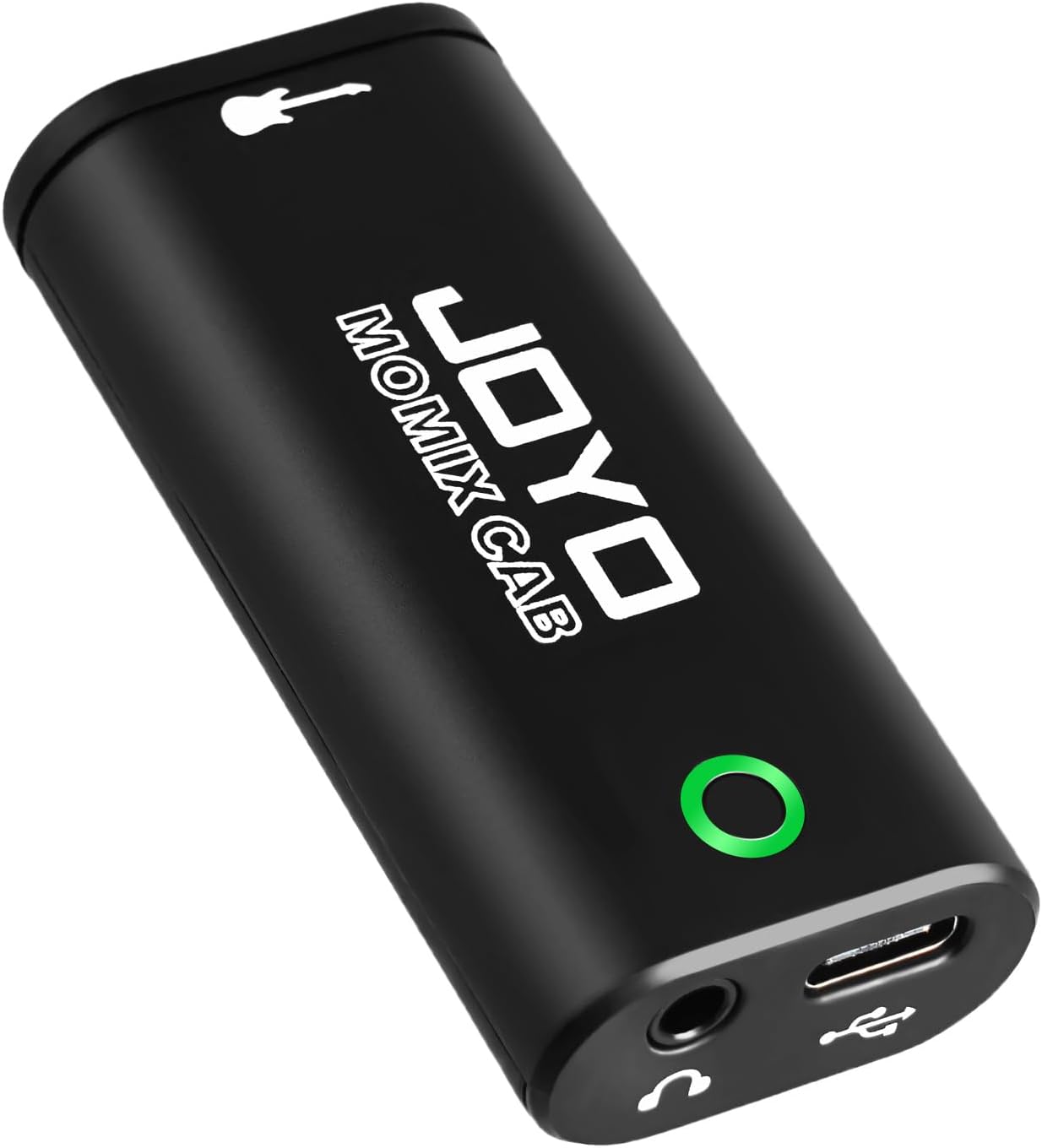
Best Pocket Option for Guitarists: JOYO MOMIX CAB Guitar Audio Interface
The MOMIX CAB is the smallest thing here and the only one designed around a phone. A 6.35mm instrument input, a 3.5mm headphone output, direct monitoring, and both USB-C and Lightning connections in something that fits in a guitar case pocket.
For a guitarist who writes on the couch, this is the shortest path from an idea to a recorded idea. Plug in, open the app or your DAW, and play. No power supply, no driver installation, no buffer size screen you have to research before you can hear yourself.
The tradeoff is obvious. One input. Phone first. No XLR, so your condenser microphone stays in the closet. It is a sketchpad, not a studio. But a sketchpad that lives in your gig bag gets used, and an interface that lives in a drawer does not. If your problem is that you never record the ideas you play at home, this solves that problem for less than the cost of a pedal.
How I judge an interface
I run every interface through the same four questions, and none of them are about the spec sheet.
First, do the preamps stay clean when you push them? Two interfaces with identical published specs can sound completely different at three o'clock on the gain knob, and that is the difference between a professional take and a distorted one.
Second, do the drivers behave? Latency is a driver story, not just a chip story. A great converter with terrible drivers is a paperweight, and a driver that resets your settings every time you reboot is worse. The best drivers are boring, and boring is the goal.
Third, does the headphone amp drive real headphones? This spec gets ignored until it clips, and then it becomes the most important number on the box. A headphone jack that crackles at low volume will end your session.
Fourth, does phantom power hold up? USB bus power is fine until it is not. A hungry condenser microphone on a flaky laptop port is a gamble, and interfaces that need a separate supply for phantom power are a pet peeve of mine.
What the spec sheet will not tell you
Channel count is the number buyers fixate on and the number that matters least. A two-person podcast does not need eight inputs. It needs two good ones and a mix-minus that works. Buying channels you never use is the most common way home recordists waste money.
Sample rate claims are close to meaningless at this level. Every interface in this guide will record at rates well beyond what your room, your microphones, and your ears can resolve. Spend the attention on gain staging instead. Setting levels so the signal is strong but never clipping is roughly eighty percent of what people mean when they say a recording sounds professional.
Skip anything that leads with a bundled "pro" DAW as its headline feature. You are paying for a software license, not hardware. And treat round-trip latency as a question about your whole system, plugins included, not a number printed on a box.
Finally, ignore the phrase studio quality entirely. The interface is a small part of how your record sounds. Your performance, your microphone placement, and your room are the rest of it.
The reference table: which interface for which job
This is the table I would hand someone standing in a store aisle. Match the job on the left to the unit on the right, then check the product page for the specs that decide it for your setup.
| Interface | Best for | What you connect | Notes |
|---|---|---|---|
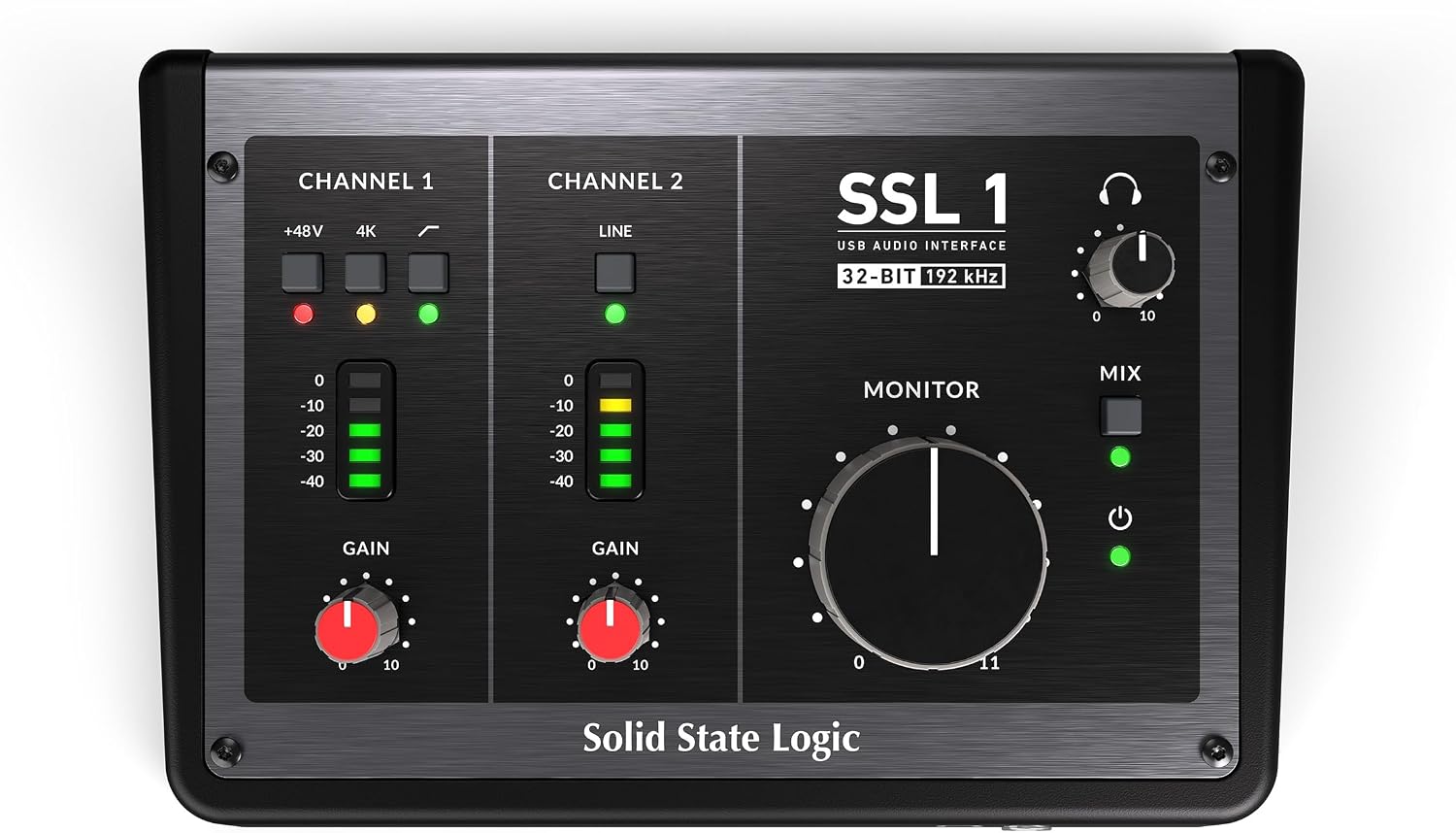 Visit on Amazon → Visit on Amazon →Solid State Logic SSL1 2X2 Channel USB Interface |
A two-channel home studio | Mics and instruments in, monitors and headphones out | The one I would build around. Visit on Amazon → |
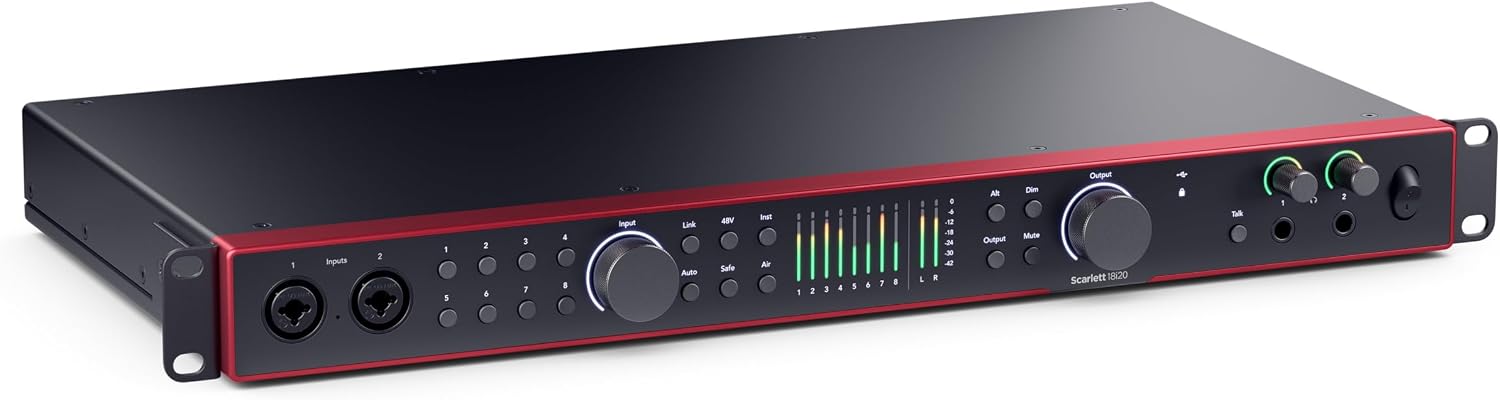 Visit on Amazon → Visit on Amazon →Focusrite Scarlett 18i20 4th Gen USB-C Audio Interface |
Tracking a full band or a multi-guest show | A rack of microphones, outboard gear, monitors | Rack mountable, USB-C, built for a permanent studio. Visit on Amazon → |
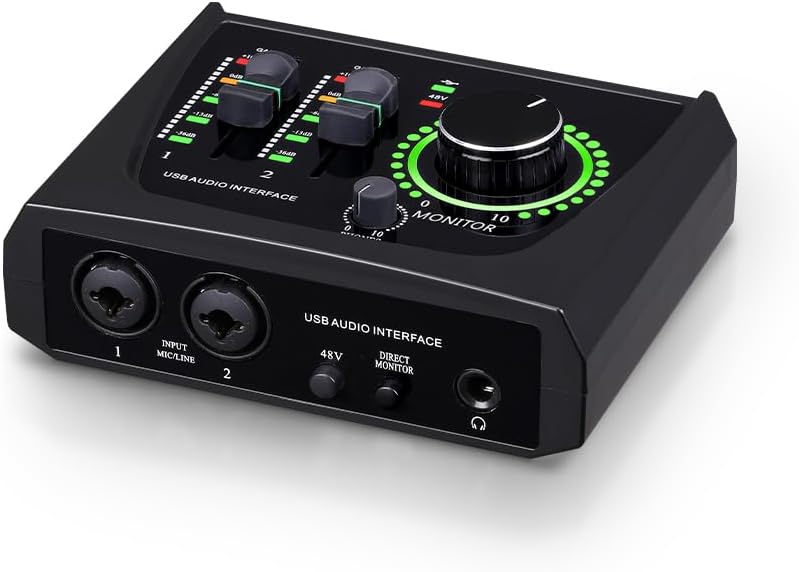 Visit on Amazon → Visit on Amazon →BOMGE mini 2 Channel USB Audio Interface |
A first interface, a two-person podcast | An XLR microphone with phantom power, an instrument, headphones | Budget front end. Test your mix-minus early. Visit on Amazon → |
 Visit on Amazon → Visit on Amazon →JOYO MOMIX CAB Guitar Audio Interface |
Writing and recording on a phone | A guitar or bass, headphones, USB-C or Lightning | One input, pocket size, no XLR. Visit on Amazon → |
Should you buy the Solid State Logic SSL1 2X2?
If your sessions are one or two sources at a time, yes. It is the interface I would recommend to a songwriter, a solo producer, or anyone who wants a small rig they will not outgrow in a year. Two channels done well beats eight channels done cheaply, and the front end here is the reason it sits at the top of this list. Check the gain range and the headphone output rating against your microphones and headphones before you order.
Should you buy the Focusrite Scarlett 18i20?
Only if you are tracking a lot of sources at once. For a full band, a drum kit, or a show with multiple guests and a phone patch, it is the right tool and the price reflects the input count. For a bedroom with one microphone, it is more interface than you will use, and the money is better spent on a better microphone or a treated corner of the room.
Should you buy the BOMGE mini?
If you are starting from nothing and you want to record this week, yes. It has the two things a beginner actually needs: an XLR input and 48-volt phantom power, plus USB connectivity that does not require a manual. Just be honest about the ceiling. It gets you recording. It does not make you sound like a studio, and nothing at this price does.
Should you buy the JOYO MOMIX CAB?
Yes if your recording happens on a couch with a guitar in your hands and a phone in your pocket. It is the lowest friction option here, and friction is what stops most people from recording at all. No if you need a microphone input, because there is not one.
The short version
Buy the SSL1 2X2 if you record one or two sources and want a front end you can keep. Buy the Scarlett 18i20 if the whole band is coming over. Buy the BOMGE mini if this is your first interface and the budget is tight. Buy the JOYO MOMIX CAB if your best ideas arrive when you are nowhere near your desk. Four jobs, four boxes, and no reason to buy more interface than the session in front of you actually needs.