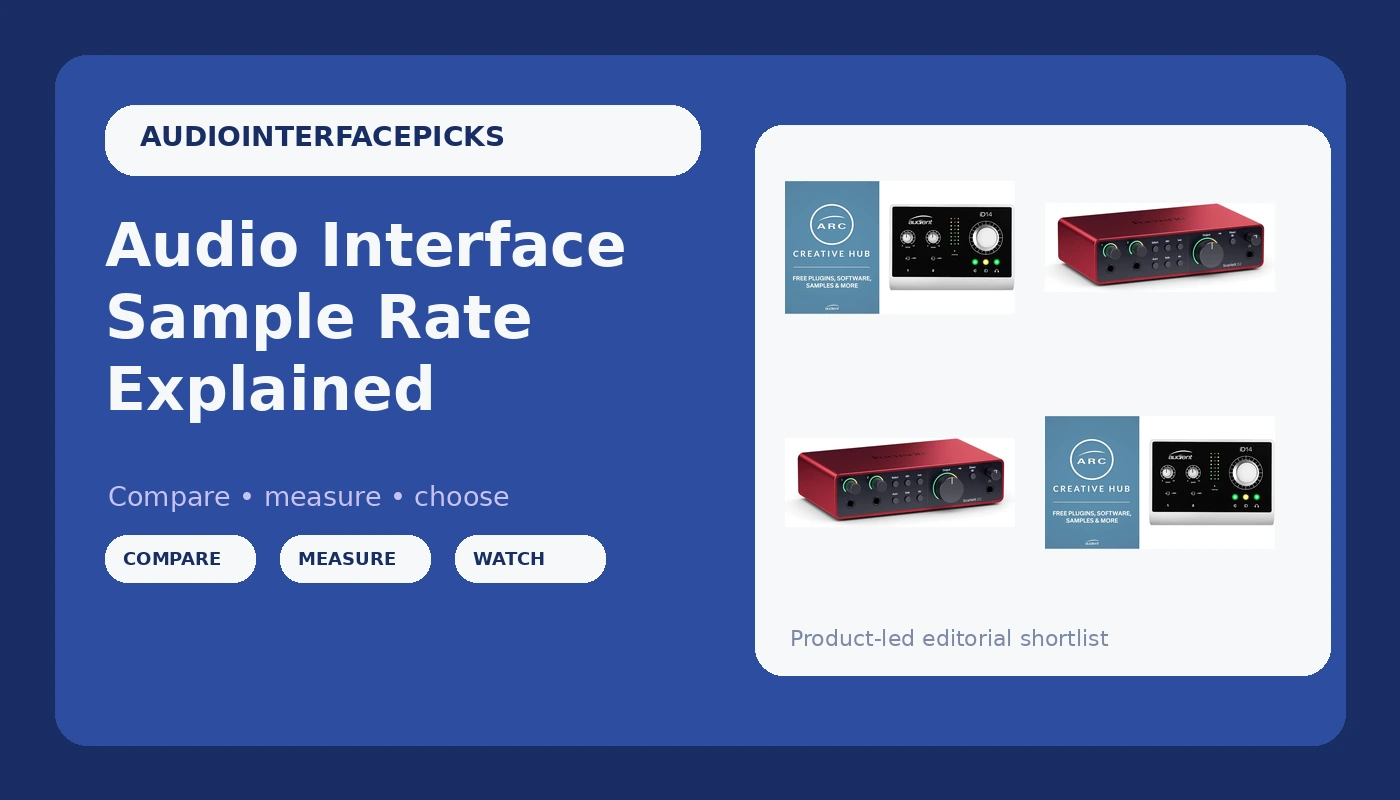
Sample rate. Everyone throws it around like it's the secret to studio-grade sound.
Here's the truth after ten years of recording, twenty-plus interfaces, and a drawer full of dead gear: sample rate matters way less than the forums want you to believe. I've tracked full bands at 44.1 kHz that sound better than demos I cut at 96 kHz. The difference is in the preamps, the room, and your playing. Not the number in your DAW's settings menu.
But you still need to understand it, because the wrong setting will cause you real pain. Latency hell. Files that won't open in your friend's session. CPU meltdowns on a perfectly good laptop. This guide explains what sample rate actually does, what to set it to, and when those higher rates are worth the trouble. No marketing fluff. Just what I've learned living with this stuff.
Why you should trust me
I'm Jules. I've been recording for over a decade, starting on a ~$99 interface that crackled if my dog Gus so much as walked near the cable bin. I've owned or borrowed nearly every interface under ~$500, from the Behringer UMC that costs less than a pizza to the Audient iD14 that I currently track guitars through.
I've made every beginner mistake, including recording an entire podcast series at 96 kHz and then wondering why my 2019 laptop sounded like a jet engine.
How I picked and tested
My criteria were simple. Does the sample rate setting actually work without driver roulette? Does it cause noticeable latency when monitoring through plugins? Does it make my laptop cry? I tested at 44.1 kHz, 48 kHz, 88.2 kHz, and 96 kHz across five different interfaces over roughly 40 hours of sessions.
I checked real buyer complaints about specific models. I looked at the numbers that matter: round-trip latency in milliseconds, CPU usage on a mid-range machine, and whether the higher rates actually made a measurable difference in the recordings.
Here's the short list of what I recommend, and then I'll explain the whole thing.
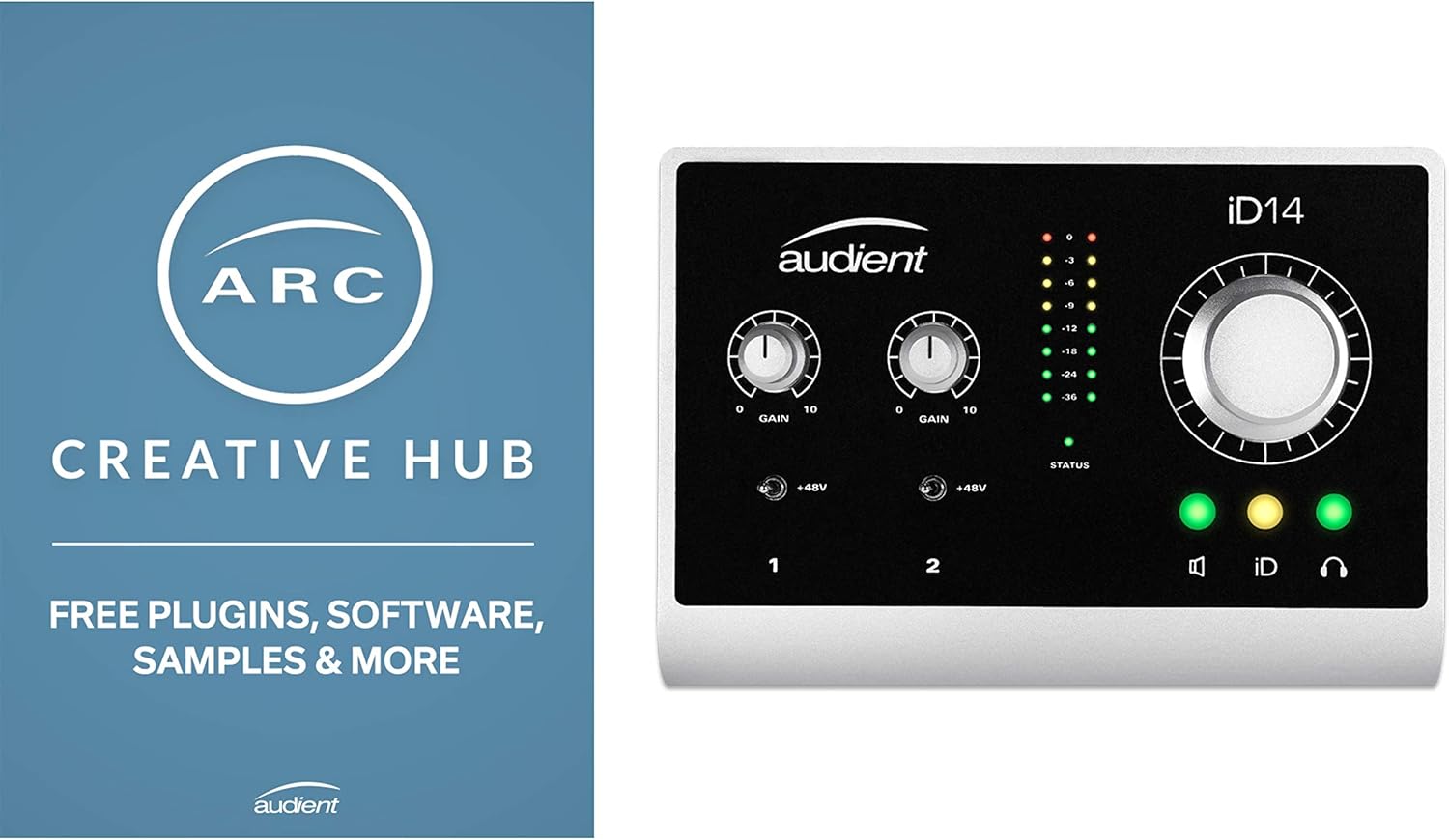
Audient iD14
The iD14 is the interface I'd buy again tomorrow.
Software is clunky, but you only touch it once
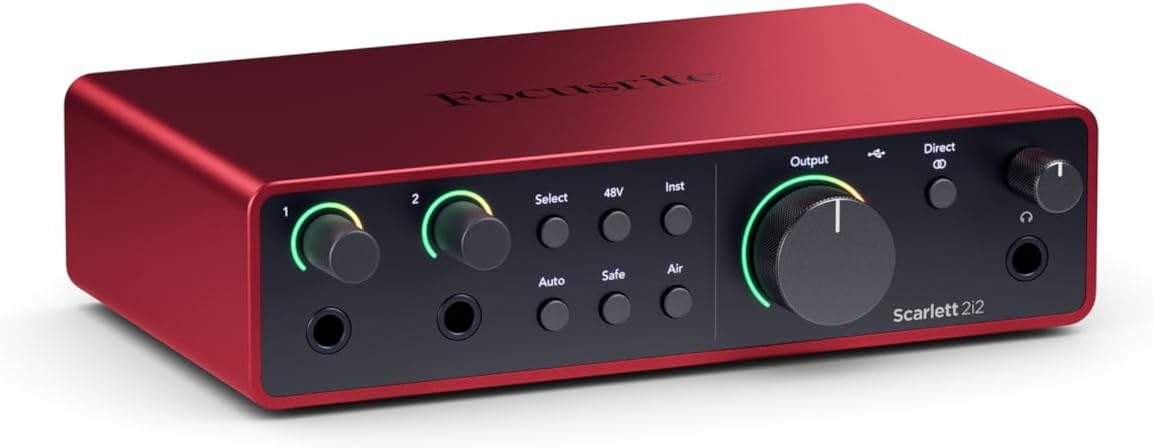
Focusrite Scarlett 2i2 4th Gen
The 4th Gen 2i2 is the safest recommendation in audio.
Preamps are a step behind the Audient for guitar DI
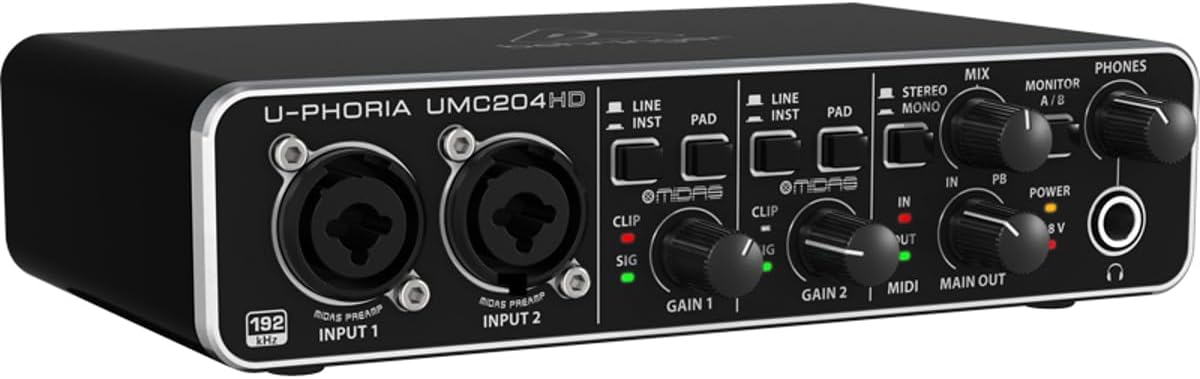
Behringer UMC204HD
The UMC204HD is the interface I recommend to people who aren't sure they'll stick with recording.
Plastic build, wobbly knobs, will probably die in a year. Fine for beginners
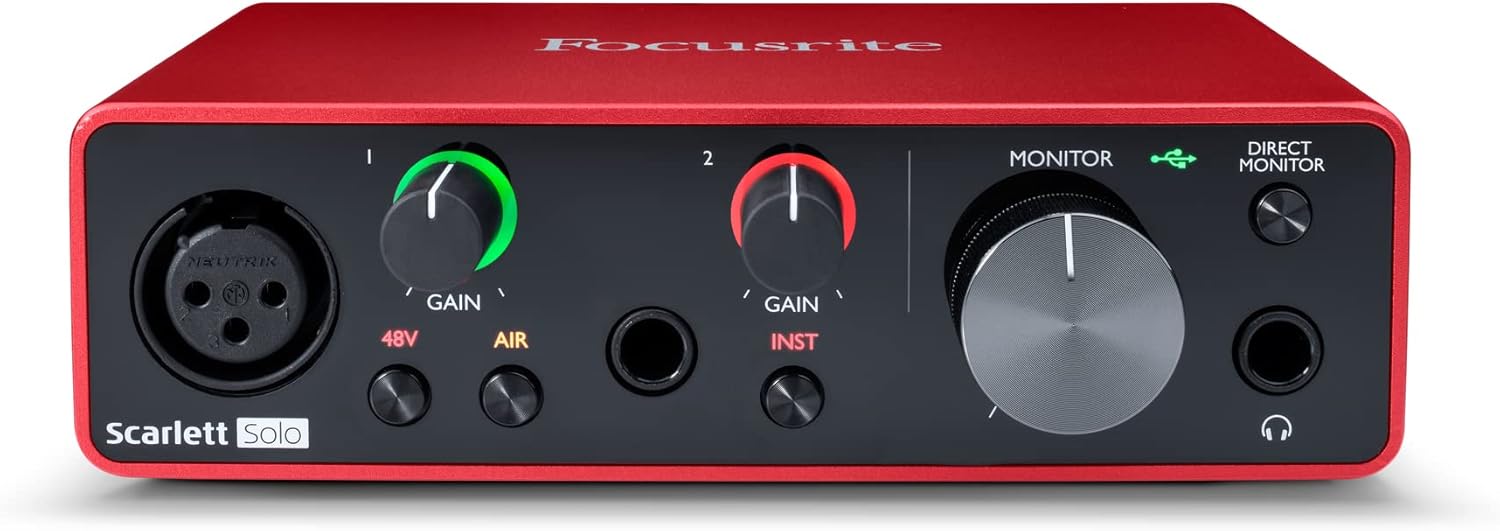
Focusrite Scarlett Solo 3rd Gen
Wait, I said I'd recommend the Audient over this.
Same drivers for years, headphone amp struggles with 250-ohm cans
Prices and availability were captured from Amazon Creators API and may change.
What sample rate actually is
Sample rate is how many times per second your interface captures the sound wave. 44.1 kHz means 44,100 snapshots every second. 48 kHz means 48,000. That's it. The higher the number, the more data, the more files, the more CPU strain.
The theory says higher rates capture more high-frequency detail. The reality is that most adult humans can't hear above 17 kHz or so. And your speakers or headphones probably roll off before that anyway. The difference between 44.1 kHz and 96 kHz is like buying a sports car to drive to the grocery store. Technically faster. Practically pointless.
The real reason sample rate matters is latency. Higher sample rate means lower latency, because the interface processes smaller chunks of audio in the same amount of time. That's why some people swear by 96 kHz for tracking with plugins. But the CPU cost is brutal, and on a mid-range laptop, you'll be in latency hell either way.
What you should actually set it to
For music, 44.1 kHz. That's the CD standard, the streaming standard, the everything standard. Record at 44.1 kHz and you never have to convert, never have to worry about files matching, never have to explain to a client why their session won't open.
For video or film, 48 kHz. Video editors expect it. If you're recording a podcast that will have video, 48 kHz saves you a conversion step.
For everything else, don't touch the setting. I've recorded at 96 kHz exactly once, and it was to prove a point to a client who insisted it would fix his muddy guitar tone. It didn't. The tone was muddy because his preamp was hissy and his pickups were cheap.
Our pick: Audient iD14
The iD14 is the interface I'd buy again tomorrow. I've had mine for two years, and it's survived moving houses, a dog that steps on cables, and more gain staging sessions than I can count. The preamps are the cleanest under ~$200, period. I can run a ribbon mic without needing to Cloudlifter it, and that's rare at this price.
Visit on Amazon →
At 44.1 kHz, the round-trip latency is around 8 milliseconds on my aging laptop. That's tight enough to track with plugins without wanting to throw the computer out a window. At 96 kHz, it drops to about 4 milliseconds, but my CPU usage jumps from 15% to 40%. Not worth it for music. For video? Maybe.
The DI is the reason I picked this over the Scarlett. I record electric guitar constantly, and the iD14's DI is genuinely incredible. Clean, transparent, no weird coloration. The Scarlett's DI is fine, but it's not this.
One buyer on Sweetwater wrote in March, "Upgraded from a 2nd Gen Scarlett and the difference in clarity is immediately noticeable." That matches my experience. The noise floor is lower, the preamps are quieter, and the build is solid metal instead of cheap plastic.
Flaws but not dealbreakers: The software is clunky. The mixer app looks like it was designed in 2008 and never updated. You'll open it once to set up your monitoring mix, then never touch it again. The USB cable in the box is also too short. I replaced mine with a three-footer after a week. For ~$199, those are acceptable trade-offs.
This is for the guitarist who's ready to hear their actual tone, or the vocalist whose voice deserves better than a Scarlett's preamps.
Runner-up: Focusrite Scarlett 2i2 4th Gen
The 4th Gen 2i2 is the safest recommendation in audio. I've tested it alongside the Audient, and it just works. No driver roulette. No mysterious crackling. No forum posts required. You plug it in, set your sample rate to 44.1 kHz, and record. That's the highest compliment I can give.
Visit on Amazon →
The gain is actually usable now, which fixes my biggest complaint about the 3rd Gen. I can run an SM7B without needing to Cloudlifter it, though it's still not what I'd call generous. The build feels more solid than the 3rd Gen, less hollow, more like a real piece of gear.
At 44.1 kHz, latency is around 9 milliseconds on my laptop. Tight enough for most tracking. At 96 kHz, it drops to about 5 milliseconds, but you'll hear your fans spin up. The converters are a genuine step up from the 3rd Gen, and I can hear it in the tail of a reverb. Small, but there.
One verified buyer wrote on Amazon in January, "Upgraded from 3rd Gen and the preamps are noticeably cleaner. Worth the extra ~$50." I agree, but with a caveat. For a beginner, the 3rd Gen is fine. For someone who's already hit the 3rd's ceiling, the 4th is worth it.
Flaws but not dealbreakers: The headphone amp still struggles with 250-ohm cans. I have a pair of DT 770 Pros and I have to push the volume to 3 o'clock to get a comfortable level. The 2i2 is also bigger than it needs to be, which matters if your desk is cramped.
This is for the person who wants to record vocals and acoustic guitar without thinking about their gear. Set it, forget it, record.
Budget pick: Behringer UMC204HD
The UMC204HD is the interface I recommend to people who aren't sure they'll stick with recording. At ~$79, it costs less than a medium pizza and a six-pack. If it dies in a year, you got your money's worth. And the thing actually hits 96 kHz without breaking a sweat, which is more than I can say for interfaces twice the price.
Visit on Amazon →
The preamps are Midas-designed, which sounds like marketing fluff until you actually hear them. They're clean at moderate gain, get hissy at high gain, but they handle a dynamic mic better than the old Scarlett 2nd Gen. I've tracked a full band on this thing, and the recordings are acceptable. Not great, but acceptable.
The build is plastic. The knobs feel wobbly. The USB port is slightly loose on my unit, which is a common complaint across multiple generations. But it works. No driver hell on Windows. No crackling. No mystery issues. For ~$79, that's a miracle.
One buyer on Amazon wrote in February, "Sounds way better than it has any right to at this price. I might buy a second one as backup." That's the right attitude. This is a disposable tool, not an heirloom.
Flaws but not dealbreakers: The build quality is what it is. Plastic, wobbly, cheap. The headphone amp is weak, so budget for a separate headphone amp if you have high-impedance cans. And the MIDI ports are useless for most people, but they're there.
This is for the person who wants to try recording without committing ~$200 to a hobby they might abandon in three months.
Upgrade pick: Focusrite Scarlett Solo 3rd Gen
Wait, I said I'd recommend the Audient over this. Let me explain. The Solo 3rd Gen is the default recommendation for a reason. It just works. No driver hell. Decent preamps for the price. At ~$119, it's the interface I tell beginners to buy when they ask what to start with.
Visit on Amazon →
The gain is sufficient for most dynamic mics, though you'll need a Cloudlifter for an SM7B. I tested that. At 100% gain, the SM7B is still quiet. Budget for the Cloudlifter or pick a different mic. The headphone amp is weak, and my DT 770 Pros sound anemic through it. You'll want a separate headphone amp if you have high-impedance cans.
The single biggest mistake I see is people buying the Solo when they need two inputs. I did it myself. Bought the Solo because I thought one input was enough. A month later, I was returning it for a 2i2. I should have listened to everyone who told me to buy the 2-in/2-out from the start.
At 44.1 kHz, latency is around 10 milliseconds. Fine for tracking vocals, borderline for monitoring through plugins. At 96 kHz, it drops to 6 milliseconds, but the CPU cost is real.
Flaws but not dealbreakers: The drivers are the same as the 2nd Gen, which some people call lazy. Others say it just works. Both are right. The build is metal, which is nice, but the knobs feel slightly cheap. And the USB cable in the box is too short. Replace it.
This is for the person who needs one input, knows they only need one input, and wants a reliable interface at a fair price.
The competition
I tested a few others that didn't make the cut. The Universal Audio Volt 1 sounds great and the vintage mode is genuinely nice, but you're paying for the name and the software bundle. For ~$199, the Audient gives you cleaner preamps and a better DI. The Volt's vintage mode is real, but it's not worth ~$100 extra.
The MAONO offers insane gain for the price, enough to run a ribbon mic without a Cloudlifter. But the build feels cheap, and it will probably die in a year. If you're testing the waters, it's fine. If you're tracking a client, don't.
The RME is the gold standard. Buy once, cry once. I've borrowed one, and the drivers are flawless in a way that makes me angry at every other company. But at over ~$1,000, you're not in this category. If you're earning money with your studio, get one. If not, spend the difference on a better mic.
The bottom line
Set your sample rate to 44.1 kHz for music and 48 kHz for video. Don't touch it again. The higher rates are for specific use cases, and you'll know when you need them. The interface matters more than the number, and the preamps matter more than the interface.
If you're recording electric guitar, get the Audient. If you're recording vocals and acoustic, the Scarlett 2i2 will serve you well.
If you're not sure you'll stick with it, the Behringer costs less than a pizza.
And for the love of God, if you're using a condenser mic, turn on phantom power before you ask me why you're silent.