Related: Best Audio Interfaces Under $200 for Home Recording
I have spent ten years tracking other people's records, and the question I answer most often has nothing to do with microphones or plugins. It is about the box with the knobs on it. Which USB-C audio interface should I buy?
The honest answer is that the interface is the least glamorous part of a rig and the one that decides whether a session flows or fights you all night. A great preamp in a box with bad drivers is a paperweight. A plain preamp in a box with boring, stable drivers will finish records. I keep a drawer of dead interfaces: fried headphone jacks, drivers that reset every reboot, phantom power that needed a wall adapter nobody can find. Every one of them looked fine on paper.
That is the problem with shopping by spec sheet. The numbers that sell an interface are rarely the numbers that matter at 11 p.m., when a vocalist is ready and your buffer is glitching. So this guide is built around four units I would hand to a client without flinching, sorted by what each one is genuinely good at, followed by the criteria I use to separate them.
Best Overall for a First Setup: Focusrite Scarlett Solo Studio Bundle
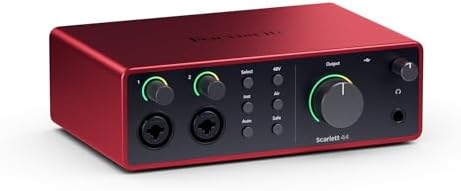
If you own no recording gear at all, this is the one I point people toward. The bundle pairs the Scarlett Solo 4th Gen USB-C interface with a microphone, a set of headphones, a clamp-on headphone holder, a tripod mic stand with a boom, a pop filter, and an XLR cable. That list matters more than it looks.
A first setup usually dies in the gap between the interface and everything else. No stand, no cable, no filter, and a tripod that will not hold a mic over a desk. This box closes that gap in one order, and the clamp-on holder is a small luxury that keeps a set of cans off the floor and out of the way of a take.
The interface inside is the same single-input USB-C design as the standalone Solo, which is a good thing, not a compromise. One clean path in, one headphone path out, and no routing puzzle to solve on day one.
Who it is for: the person who wants to record vocals, a guitar, or a podcast from a desk and wants a single order to cover all of it. Who it is not for: anyone who already owns a mic, a stand, and a cable, because you would be buying a second microphone you do not need.
Best If You Already Own a Mic: Focusrite Scarlett Solo 4th Gen
This is the same core interface without the bundle, and for a lot of people it is the smarter buy. If a dynamic mic and a boom stand are already on your desk, the extra contents of the Studio box are money spent twice.
The value here is not a feature you can point at on a spec sheet. It is that the thing behaves. It runs from the USB-C port, it shows up in your DAW, and it stays there through a session. Boring is the highest compliment I can pay a driver, and boring is exactly what you want when a take is going well and nobody wants to stop and troubleshoot.
The single input also keeps you honest. You do not need eight inputs to record a podcast or a vocal. You need one good one, a mix-minus that works, and a headphone output you trust. That is the whole rig for a two-person show, and this interface covers it without a rack.
Best for MIDI and Software Instruments: Arturia MiniFuse 1
This is the pick for anyone who writes with a keyboard controller, a drum pad, or a hardware synth. The MiniFuse 1 is a USB and MIDI interface, which means the controller plugs into the same box that carries your audio. Your desk keeps one cable run instead of two, and your DAW sees one device instead of a pile of adapters.
For a songwriter working in the box, that MIDI port is worth more than a second audio input. You will use it every single session. The second input you would be comparing against is the one that sits empty for months at a time while you wonder why you paid for it.
The single audio input still handles a vocal or a guitar when you need it, and the smaller footprint means it fits under a laptop stand or behind a keyboard without a fight for desk space. If your process starts at a MIDI keyboard and ends at a stereo mix, this is the interface that matches how you actually work.
Best for Streams and Game Audio: FIFINE Ampligame SC3
This one is not a recording interface and I will not pretend otherwise. The Ampligame SC3 is a gaming audio mixer with an Indi-Fader and volume control, built for people who need to balance a game, a voice chat, and a microphone in real time without alt-tabbing out of the action.
If your output is a live stream or a call, a fader you can grab without thinking is worth more than any preamp spec on this page. You ride the game down when a teammate talks. You ride your own mic up when you make a point. That is a physical gesture, and no software panel gives you the same reflex.
If your output is a finished song, this is not your box. A mixer is a routing tool, not a front end for a condenser mic in a treated room. Buy it for what it is: a control surface for live audio, and a good one for that job.
How I judge an interface
I run every unit through the same four questions, and if it fails the first one, nothing else on the list can save it.
Do the preamps stay clean at high gain? Set the gain so the meter kisses yellow, then listen. Two interfaces with identical spec sheets can sound completely different at gain three o'clock. One stays open and honest. The other goes glassy and hard, and you hear it on every quiet vocal.
Is the round-trip latency under 10ms on a mid-range laptop? Under 10 is fine. Under 5 is invisible, which is what you want when you are tracking a guitar part and the player is listening to their own amp through headphones. This is a driver question more than a chip question, and it is the reason a great chip in a badly written driver is a paperweight.
Does the headphone amp drive a pair of 250-ohm cans? The headphone amp gets ignored until it clips, and then it becomes the most important spec on the box. If your mix sounds thin and lifeless and your interface is the suspect, plug in a different set of headphones before you blame the mix.
Would I track a client session on it? That is the test. If the answer is no, it does not matter how it scored on anything else.
What actually matters when you are choosing
The preamp is the interface. Everything downstream of that first gain stage inherits its character. This is why I care more about how a preamp behaves at gain three o'clock than about a frequency response chart. Your microphone hears the room, and the preamp hears the microphone.
Latency is about drivers, not just the chip. A driver that resets your settings on reboot will cost you more session time in a month than a slightly slower converter ever will. Stable and boring beats fast and flaky.
USB bus power is fine until it isn't. Phantom power for a hungry condenser on a flaky laptop port is a gamble. If you track long sessions on a laptop that also charges a phone and runs a screen, know where your power is coming from before you commit to a take.
Skip anything with a bundled "pro" DAW as the headline feature. You are paying for the license, not the hardware. A light version of a big-name DAW is a fine bonus, but it should never be the reason you pick one box over another.
The headphone jack is a spec, not an afterthought. Crackle at low volume is the first sign of a jack on its way out, and it always happens mid-project.
The reference table
Here is the same comparison I keep for my own shopping, sorted by what each unit is built to do.
| Interface | Best for | Connection | Notes |
|---|---|---|---|
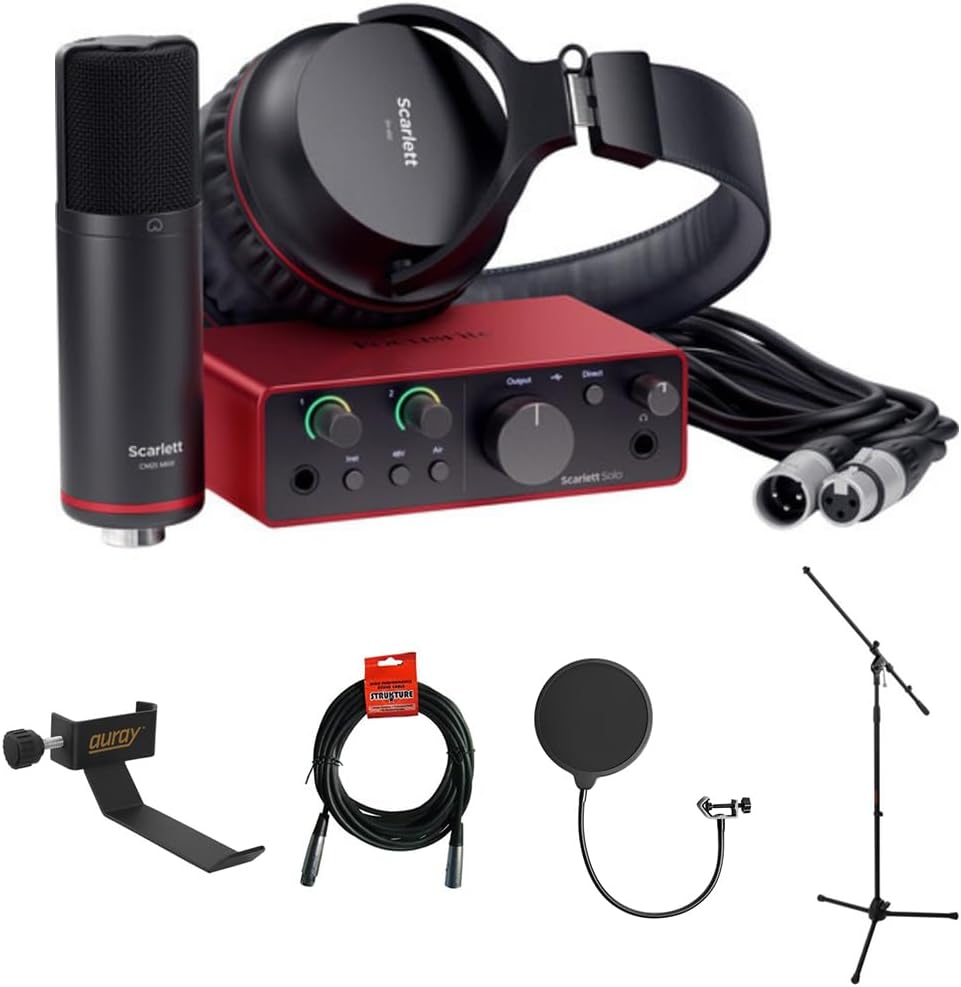 Visit on Amazon → Visit on Amazon →Focusrite Scarlett Solo Studio bundle Visit on Amazon → |
A complete first setup | USB-C | Includes mic, headphones, stand, filter, XLR cable, and a headphone holder |
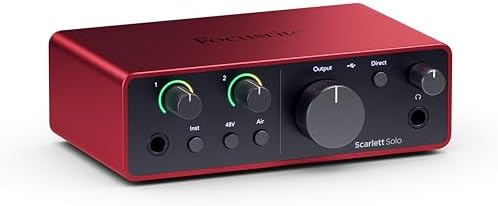 Visit on Amazon → Visit on Amazon →Focusrite Scarlett Solo 4th Gen Visit on Amazon → |
Vocals, guitar, podcasting | USB-C | The interface alone, for people who already own a mic and a stand |
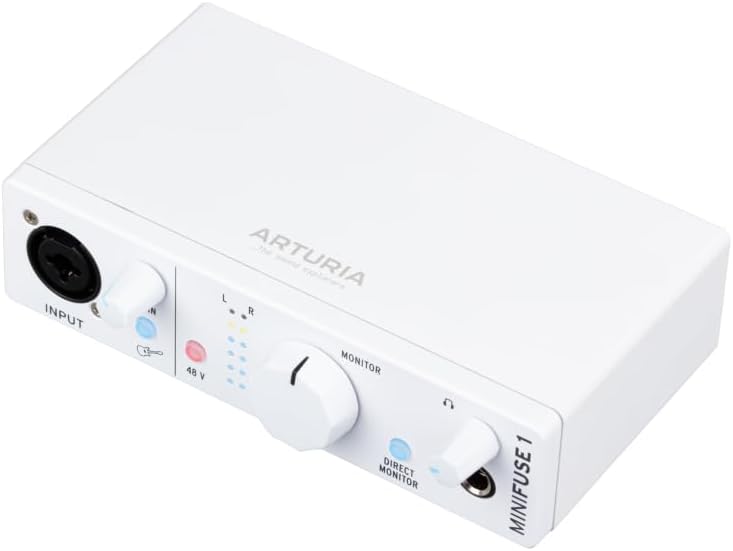 Visit on Amazon → Visit on Amazon →Arturia MiniFuse 1 Visit on Amazon → |
Songwriters using MIDI keyboards and synths | USB and MIDI | MIDI in the same box as your audio, so one cable run does both jobs |
 Visit on Amazon → Visit on Amazon →FIFINE Ampligame SC3 Visit on Amazon → |
Live streams, calls, game audio | USB mixer | A physical fader and volume control for balancing sources in real time |
The pattern in that table is simple. Two of these are recording front ends, one is a writing tool with MIDI built in, and one is a live control surface. They are not competing for the same desk.
Should you buy the Focusrite Scarlett Solo Studio bundle?
Yes, if you are starting from nothing. One order gets you the interface, a microphone, headphones, a stand with a boom, a pop filter, an XLR cable, and a place to hang the headphones. That is the shortest path from an empty desk to a recorded vocal, and it removes the four separate purchases that usually stall a first setup for a month.
If you already own a mic and a stand, buy the interface on its own instead. You will not miss the extras.
Should you buy the Focusrite Scarlett Solo 4th Gen?
Yes, if you want one input and you want it to just work. This is the box I recommend to beginners because the drivers stay out of the way, which is worth more than any single feature. Set the gain so the meter kisses yellow, listen, and record.
It will not grow into a four-piece band. If you know you will need more inputs in six months, budget for them now instead of buying twice.
Should you buy the Arturia MiniFuse 1?
Yes, if a MIDI keyboard sits at the center of how you write. Having MIDI and audio in one USB and MIDI interface means fewer cables, fewer adapters, and one device in your DAW. For a songwriter in the box, that is the whole argument.
If you never touch a controller and only ever sing or play guitar into a mic, the Solo is the simpler choice and you will not miss the MIDI port.
Should you buy the FIFINE Ampligame SC3?
Yes, if your audio is live. A fader under your hand beats a software panel every time you need to duck a game or push your own voice in a call. Buy it for streaming and game audio.
No, if you are tracking music. A mixer is a routing tool, and you want a clean preamp and a stable driver for that job, not a live control surface.
The short version
Match the box to the job. Starting from zero, take the bundle. Already own a mic, take the Solo on its own. Write with a keyboard, take the MiniFuse 1. Go live for an audience, take the SC3. Then set your gain so the meter kisses yellow, listen with headphones you trust, and stop shopping. The interface is maybe ten percent of how your recording sounds. The other ninety percent is the room, the mic placement, and the take.