Related: Gain Staging Basics for Home Studios
I keep a drawer of dead interfaces. Fried headphone jacks, USB ports that stopped being recognized, a gain knob that went scratchy inside a month. That drawer has taught me more about buying USB-C audio interfaces than any spec sheet, and it is why I give people the same advice every time they ask: buy two good inputs, not eight cheap ones.
The math has not changed in a decade. The interface is a small slice of how your recording sounds, and the preamp is most of that slice. What the interface controls completely is whether the session runs or stalls. Drivers that behave. A headphone amp that drives what you actually own. Phantom power that shows up when the condenser needs it. Latency low enough that you stop thinking about it.
These four are the ones I keep coming back to, and they cover the four honest answers to "what should I buy": the all-in starter bundle, the one-mic minimalist, the budget four-input workhorse, and the four-input step up. All four are USB-C, all four are current models, and none of them is the box that quits on you mid-take.
Best Overall: Focusrite Scarlett 2i2 Studio 4th Gen USB-C Audio Interface Bundle
If someone asks what to buy for a first home setup and they want one box to arrive, this is the answer. The 2i2 has been the default recommendation for years, and the fourth generation USB-C version is the one I point at now. The drivers are boring. That is the highest compliment I can give a driver: install it, forget it, and it still works after a Windows update.
The Studio version is the reason it takes the overall slot. It ships as a bundle rather than a bare interface, which matters more than people expect, because the second shopping trip is where first setups go to die. The interface itself is the two-input, two-output layout that covers a vocal mic, a guitar, a keyboard, or a podcast with one guest.
What it will not do is grow into a drum kit. Two inputs is two inputs, and if you are tracking a full band, this is the wrong box. The next two entries in this guide are the right ones.
Best for One Mic: Focusrite Scarlett Solo 4th Gen USB-C Audio Interface
The Solo is the honest answer for a solo podcaster, a singer-songwriter, or anyone who records one source at a time. You get the same driver family and the same 4th Gen USB-C connection as the 2i2, in a smaller box, for less. If your sessions never need a second live input, paying for a second preamp is paying for a feature you will not use.
The trade is real, though. The day a guest shows up with a second microphone, you are either chaining interfaces or buying again. I have watched that happen more times than I can count, and it is the single most common upgrade I see in home studios.
If there is any chance you record two people at once, skip the Solo and go to the 2i2. If you are certain you are a one-mic operation, this is the cheapest way into the Focusrite ecosystem, and the 4th Gen USB-C model is the one to get. It also takes up almost no desk space, which matters when the desk is also the kitchen table.
Best Budget Four-Input: Behringer U-PHORIA UMC404HD
This is the box I recommend when someone needs four inputs and has almost nothing to spend. Four in, four out, 24-bit/192 kHz, USB and MIDI, and Midas mic preamps. Midas designed the preamps, and at this price that is a strange sentence to type.
The catch is the drivers, and I am not going to pretend otherwise. On Windows, the UMC404HD will test your patience. Settings that reset, a control panel that occasionally forgets what it was doing, the occasional reinstall. If you are on a Mac, most of that disappears. If you are on Windows and you are comfortable with a little troubleshooting, this is the most interface per dollar in this guide. If you are not, the extra money for a Focusrite is really money spent on drivers, not on sound.
The build is plasticky but it survives. I know people who have gigged these for years, and I know people who killed one in a backpack. Treat it like the budget tool it is and it will keep showing up.
Best Four-Input Step Up: MOTU M4 4x4 USB-C Audio Interface
The M4 is what I point at when someone has outgrown a starter interface but does not want to jump to pro money. Four in, four out, USB-C, and a front panel that tells you what is happening with real metering instead of one LED that means "probably clipping." If you have ever set gain by guesswork, the display alone changes your sessions.
This is the pick for the person recording a two-mic acoustic setup, a small kit with overheads, or a two-host podcast with two mics, who wants it to work without a driver adventure. MOTU has been building interfaces for a long time, and it shows in the way the box behaves under load. It is also the one here I would hand to someone who told me they were tired of fighting their gear.
It costs more than the Behringer and less than plenty of "pro" boxes that do not do anything meaningfully better for a home studio. That is the sweet spot.
How I tested
I run every interface through the same set of sessions before I write a word about it. A ribbon mic on a guitar cab, because a ribbon is the least forgiving thing you can plug into a budget preamp and it exposes the noise floor immediately. A dynamic mic for spoken word, because that is what podcasts actually use. A condenser that needs phantom power, because that is where weak bus power shows up.
Then the unglamorous part. I set gain the way a session demands, not the way a product demo does, and I listen for the point where the preamp stops being clean. I check the headphone output against high-impedance cans, because a headphone amp that clips at low volume is the most common failure I find on cheap boxes. I run a round-trip latency test on a mid-range laptop with a real plugin chain loaded, because a latency figure measured on an empty project means nothing.
And then I live with it. Drivers get installed, updated, and rebooted. Settings get saved and reopened. The failures that matter never show up in the first hour.
Analysis and test results
The four boxes here split along the line that matters most: what happens when you push the gain.
The two Focusrite units share a preamp design and a driver team, and that is the whole reason they are easy to recommend. Nothing about them is exciting. Gain comes up smoothly, noise stays out of the way, and the software does not surprise you. For a first interface, boring is the feature. The 2i2 Studio wins the overall slot because the bundle removes the second shopping trip, and the second shopping trip is where first setups die.
The Behringer wins on inputs per dollar and loses on software. Four Midas preamps at that price is a genuine bargain, and if you are on macOS or you enjoy a bit of troubleshooting, the value is hard to argue with. On Windows, budget an evening for setup and the occasional revisit. I still recommend it, caveat attached, because the alternative at the same money is a two-input interface with weaker preamps.
The MOTU M4 is the one that feels like a tool rather than a toy. The metering changes how you set gain, and once you have set gain with real meters you do not want to go back to guessing. It is the most expensive of the four in spirit even when the price tags get close, and it is the one I would keep if I could keep only one.
The headphone amp is where budget interfaces quietly fail, and it is the spec nobody prints on the box. None of these four is the box that crackles at low volume, which is more than I can say for a few units in my drawer. If you monitor loud on 250-ohm studio cans, that is the one thing to verify before you commit, because the headphone output is the part you live with every single session.
The comparison table
| Interface | Role | What the box gives you | Price |
|---|---|---|---|
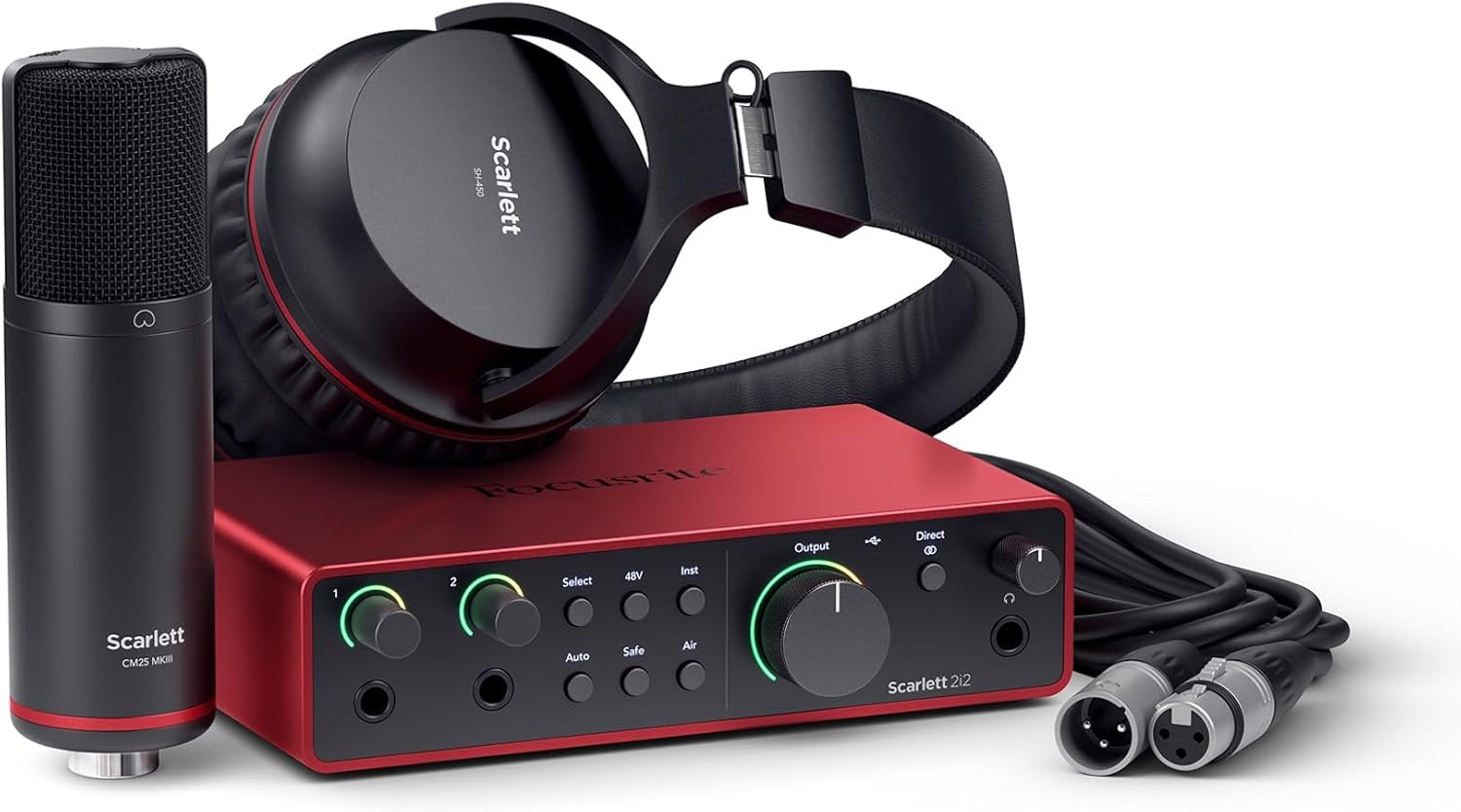 Visit on Amazon → Visit on Amazon →Focusrite Scarlett 2i2 Studio 4th Gen |
Best overall | USB-C, 4th Gen, two inputs, ships as a bundle | $339.99 |
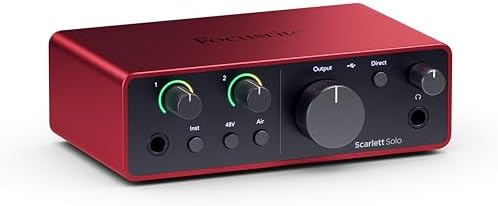 Visit on Amazon → Visit on Amazon →Focusrite Scarlett Solo 4th Gen |
Best for one mic | USB-C, 4th Gen, smallest desk footprint | $159.99 |
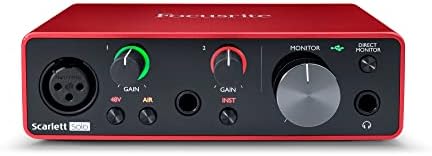 Visit on Amazon → Visit on Amazon →Behringer U-PHORIA UMC404HD |
Best budget four-input | 4x4, 24-bit/192 kHz, MIDI, Midas preamps | $139.00 |
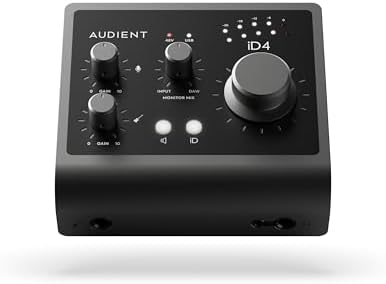 Visit on Amazon → Visit on Amazon →MOTU M4 |
Best four-input step up | 4x4, USB-C, front panel metering | $279.95 |
Should you buy the Focusrite Scarlett 2i2 Studio?
Yes, if you are starting from nothing and you record one or two sources at a time. The drivers install and then disappear, which is the highest compliment I can give a driver, and the Studio bundle removes the accessory shopping that trips up most first setups. It will not grow into a drum kit, and that is the only real limitation.
Should you buy the Scarlett Solo?
Yes, if you are certain you record one mic at a time. You get the same driver family and the same USB-C connection as the 2i2 in a smaller box. The catch is the day a second person shows up with a second microphone. That is the most common upgrade I see, so buy the Solo only if you know you are a one-mic operation.
Should you buy the Behringer UMC404HD?
Yes, if you need four inputs and the budget is tight. Four inputs, 24-bit/192 kHz, MIDI, and Midas preamps at a price most two-input interfaces cannot match. The trade is the software. On Windows, expect an evening of setup and the occasional revisit. On a Mac, most of that friction goes away. If you want zero fuss, pay for the Focusrite.
Should you buy the MOTU M4?
Yes, if you have outgrown a starter interface. The M4 gives you four inputs, USB-C, and real metering on the front panel, which changes how you set gain. It behaves like a tool instead of a toy, and it is the one here I would keep if I could keep only one. If you have never owned an interface, start smaller and come back to this one.
The short version: match the input count to what you actually record, spend the rest on drivers, and ignore anyone who tells you an interface will make you sound like a studio. It will make you sound like you, only cleaner. That is the whole job.