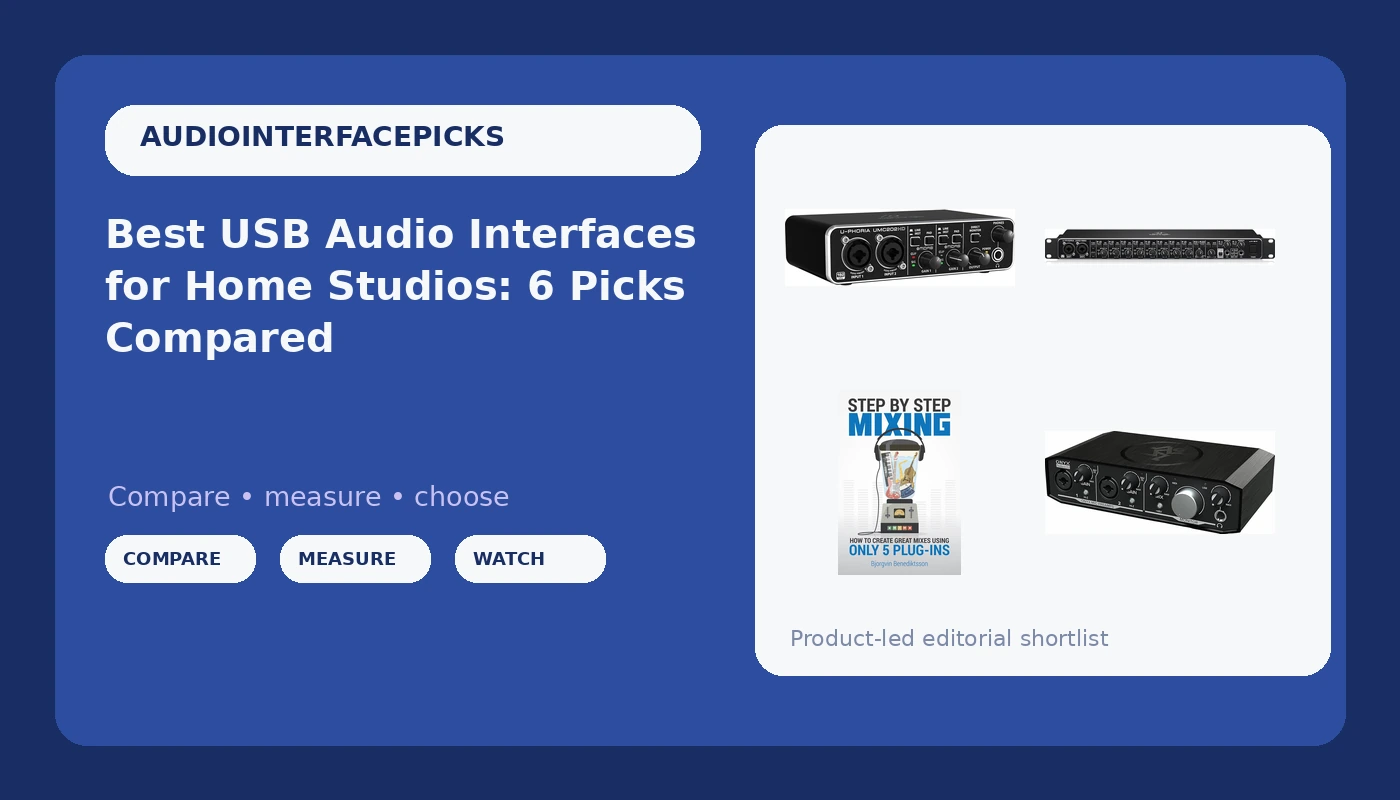
Most people shopping for the best USB audio interfaces are trying to solve one of two problems. Either they need a clean way to get a microphone into a computer, or they have run out of inputs. The interfaces that hold up over years of sessions solve both without asking you to relearn your workflow, and the difference between a good one and a frustrating one rarely shows up in the headline specs.
This guide covers six recording tools that do very different jobs: two compact two-channel interfaces, an 18-input USB and MIDI unit with ADAT expansion, a pocket adapter for recording guitar into a phone, and a mixing book for the part of the process no converter can fix. The top pick is the one that fits the widest range of home studios, and the rest earn their place by winning on a specific constraint.
Related: Best Audio Interfaces Under $200 for Podcasts and Home Studios
Quick answer
The Audient Audio Interface iD4 MKII is the strongest fit for most home studios because it pairs a Class A console microphone preamp with high speed USB-C, monitor mix and monitor panning, and two headphone outputs. Choose the Behringer UMC1820 instead when you need to track a full band at once and want ADAT I/O for adding channels later.
Audio interface features worth comparing
Channel count. Two inputs cover a vocalist and a guitar at the same time, or two microphones on a podcast. The Behringer UMC1820 goes the other direction with 18 inputs and 20 outputs, which is the channel count you want when a drum kit shows up with eight microphones attached to it.
Preamps. This is the part of the spec sheet that actually shapes a recording. The two Behringer units use Midas microphone preamplifiers, the Mackie uses its Onyx design, and the Audient iD4 MKII is built around a Class A console microphone preamp. Gain staging against a quiet dynamic or ribbon microphone is where preamp design reveals itself, because that is the point where a thin or noisy preamp stops being invisible.
Conversion and sample rate. The Behringer UMC202HD is specified at 24-bit conversion up to 192 kHz. Higher rates cost disk space and processor headroom, so 24-bit at 44.1 or 48 kHz stays the practical choice for most sessions, with the higher rates there when you want them.
Connectivity. USB-C appears on the Audient iD4 MKII and the JOYO MOMIX CAB, while the Behringer and Mackie units use USB. MIDI input and output is built into the UMC1820 and the Mackie Onyx Producer 2X2, which matters if a keyboard or hardware synth is part of your setup. ADAT I/O on the UMC1820 lets you add channels later with an external preamp. The JOYO adds Lightning alongside USB-C, so it can plug directly into a phone.
Monitoring. Direct monitoring, monitor mix, and monitor panning decide whether you can track comfortably. The Audient iD4 MKII includes monitor mix and monitor panning plus two headphone outputs, and the JOYO MOMIX CAB offers direct monitoring through a 3.5 mm headphone output.
The part that is not hardware. The Step By Step Mixing book is here because a clean capture only gets you so far. It is built around creating finished mixes with five plug-ins, which is a useful counterweight to buying another box instead of learning the one you already own.
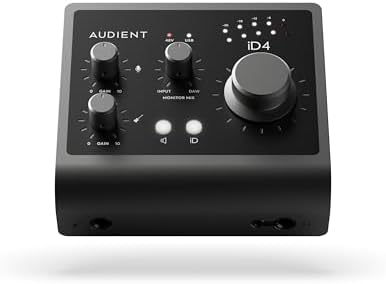
Audient Audio Interface iD4 MKII, Class A Console Microphone Preamp (High Speed USB-C, Monitor Mix and Monitor Panning Function, 2 Headphone Outputs, Mac/PC/iOS Compatible), Black
A two-input USB-C interface built around a Class A console microphone preamp, with monitor mix and monitor panning, two headphone outputs, and Mac, PC, and iOS compatibility.
Visit on Amazon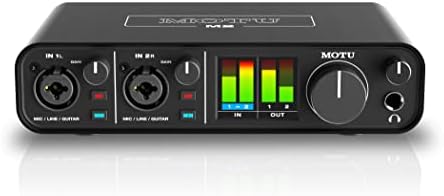
Behringer UMC202HD Audiophile 2x2, 24-Bit/192 kHz USB Audio Interface with Midas Mic Preamplifiers | For Recording Microphones and Instruments
Check current Amazon price
A 2-in, 2-out USB interface running 24-bit conversion at up to 192 kHz, with Midas microphone preamplifiers for recording microphones and instruments.
Visit on Amazon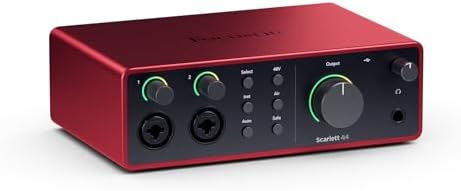
Behringer UMC1820 Audiophile 18x20 USB Audio/MIDI Interface with Midas Mic Preamplifiers and ADAT I/O | For Recording Microphones and Instruments
An 18-in, 20-out USB audio and MIDI interface with Midas microphone preamplifiers and ADAT I/O, aimed at sessions that need many channels at once.
Visit on Amazon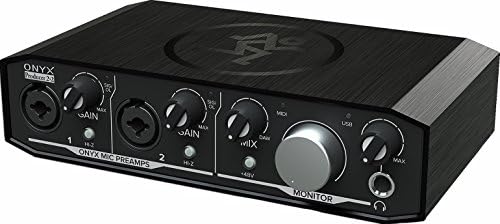
Mackie Audio Interface, Onyx Producer 2X2 USB Audio Interface with MIDI (Onyx Producer 2-2)
A 2x2 USB audio interface with MIDI input and output, designed for recording microphones and instruments into a computer.
Visit on Amazon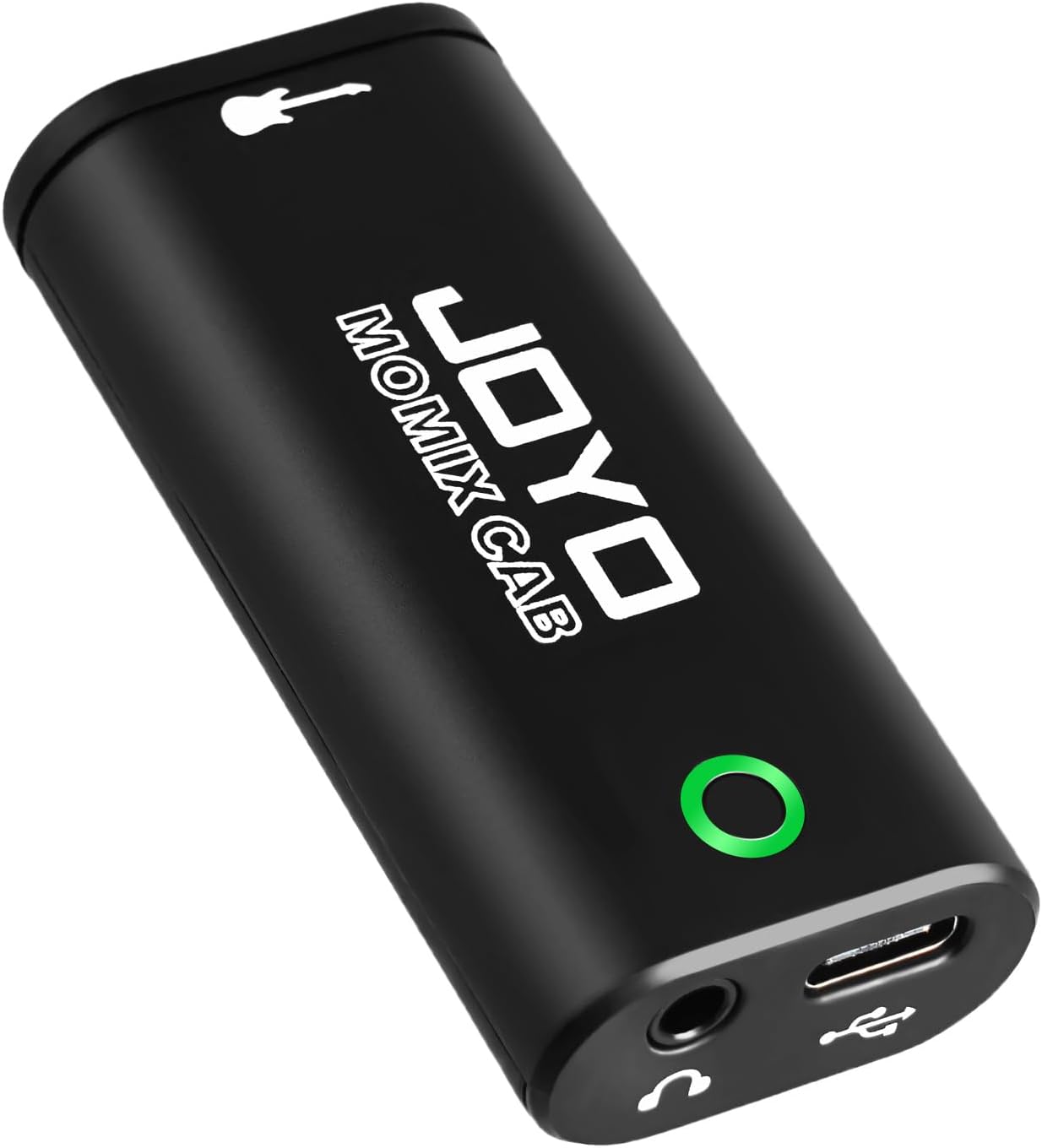
JOYO Guitar Audio Interface for Phone, Direct Monitoring with 6.35mm Input & 3.5mm Headphone Out, USB-C & Lightning Plug & Play, Portable Pocket Size (MOMIX CAB)
A pocket-sized guitar interface for phones, with a 6.35 mm input, 3.5 mm headphone out, direct monitoring, and USB-C and Lightning plug-and-play connections.
Visit on Amazon
Step By Step Mixing: How to Create Great Mixes Using Only 5 Plug-ins
A mixing guide focused on building finished mixes with only five plug-ins, useful for getting more out of whatever interface you already own.
Visit on AmazonPrices and availability may change. Check the retailer for current details.
How these products were compared
This guide compares input and output count, preamp design as stated by the manufacturer, connectivity including MIDI, ADAT, USB-C, and Lightning, monitoring features such as direct monitoring, monitor mix, and headphone outputs, and platform support across Mac, PC, and iOS. Product names, images, and retailer links are matched to the same product record so that every card points to the product shown.
The comparison is built from manufacturer specifications and the product records above rather than laboratory measurement, and it does not claim hands-on session time with every unit. Use the retailer link on each card to confirm current price and availability.
How to choose the right audio interface
Start by counting the inputs you need on a normal session day, not on your most ambitious one. If you record one voice at a time, or a voice and a guitar, two inputs is the correct answer and the extra channels on a large unit become unused hardware. If you track drums, or you record a band live in one room, the 18 inputs on the Behringer UMC1820 stop being overkill and start being the reason the session works.
Next, decide whether MIDI belongs in your setup. A keyboard player or anyone sequencing hardware synths will want the MIDI input and output found on the UMC1820 and the Mackie Onyx Producer 2X2. If your work is entirely microphones and instruments, that port is dead weight.
Then look at monitoring and platform support, because this is where day-to-day comfort lives. Direct monitoring keeps your performance in time with the track, monitor panning lets you place yourself in the headphone field, and a headphone output with enough drive keeps high-impedance headphones usable. Two headphone outputs on the Audient iD4 MKII mean a second person can listen without a splitter. On the software side, Mac, PC, and iOS support covers almost everyone, and USB-C versus USB is mostly about which cable is already in your drawer.
Finally, be honest about whether your bottleneck is the interface or the mix. If your recordings are clean but your mixes are not translating, a book like Step By Step Mixing will change your results more than another preamp will. Readers who want a narrower shortlist can start with our guide to budget interfaces for podcasts and home studios.
Audient Audio Interface iD4 MKII
The Audient iD4 MKII is the pick because its core feature is the one that shapes every recording you make: a Class A console microphone preamp. Around that preamp it adds high speed USB-C, monitor mix and monitor panning, two headphone outputs, and compatibility with Mac, PC, and iOS. For a home studio recording vocals, guitar, and the occasional keyboard, that combination covers the workflow without a rack or a separate power supply.
The trade-off is channel count and expansion. Two inputs is the ceiling here, and there is no MIDI port and no ADAT I/O, so a drummer with a full kit or a synth-heavy setup will outgrow it. If your sessions are built around one or two sources at a time, that limit will never come up.
Alternatives to consider
The Behringer UMC202HD is better suited to a first or second interface on a tight budget, since it delivers 2-in, 2-out recording with Midas microphone preamplifiers and 24-bit conversion up to 192 kHz. The Behringer UMC1820 is a stronger fit when channel count and expansion matter more than portability, with 18 inputs, 20 outputs, MIDI, and ADAT I/O for adding preamps later.
The Mackie Onyx Producer 2X2, the JOYO MOMIX CAB, and Step By Step Mixing cover the remaining cases. The Mackie is the two-channel choice when you want Onyx preamps plus MIDI input and output in the same box. The JOYO is the one to reach for when the recording device is a phone rather than a computer, with a 6.35 mm input, direct monitoring, a 3.5 mm headphone out, and both USB-C and Lightning connections. The book is the pick when the hardware is already fine and the mixes are the problem.
Day-to-day use and maintenance
Set gain so your loudest passages sit comfortably below clipping, then leave headroom for the performer who gets louder on the last take. Phantom power should be switched off when no condenser microphone is connected, and engaged only after the microphone is plugged in and the monitor level is down. That habit protects both your ears and your tweeters.
Keep cables strain-relieved rather than hanging from the connectors, and unplug USB cables by the plug, not the wire. Install the current driver for your operating system before your first session, and check for updates if settings stop behaving after an operating system upgrade. Store the unit somewhere dry and free of dust, and give the headphone jack a gentle wipe rather than a twist if it gets noisy. If a unit ever needs a separate power supply to deliver phantom power reliably, treat that as a sign to use a powered USB hub rather than a flaky laptop port.
Buying checklist
- Measure the desk or rack space you have, since an 18-input unit takes far more room than a two-channel box.
- Choose the number of inputs based on a normal session rather than the one weekend a year you track a full band.
- Confirm that the exact model includes the connection you need, whether that is MIDI, ADAT, USB-C, or Lightning.
- Read the setup and maintenance instructions that ship with the unit before your first recording.
- Verify the current retailer price, availability, and return terms before you buy.
Final recommendation
Choose the Audient Audio Interface iD4 MKII when you record one or two sources at a time and want a console-style preamp, USB-C, and flexible monitoring in a desktop footprint. Choose the Behringer UMC1820 when your sessions need many inputs at once or you want ADAT I/O to expand later. If your recordings already sound clean and your mixes do not, spend the money on the mixing book instead and leave the interface alone.