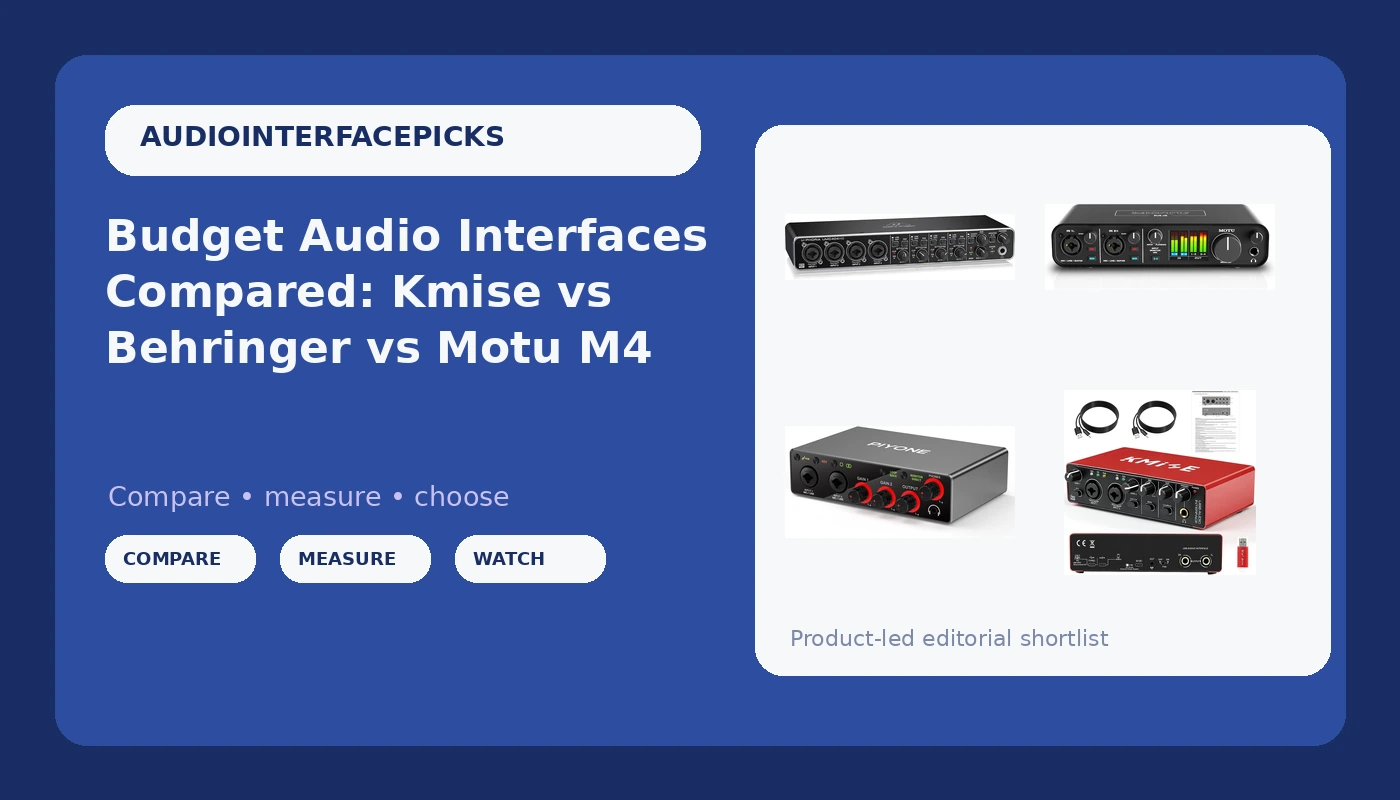
I have been recording in a small home studio in Nashville for ten years, and the question I get from friends who are starting out has not changed since I asked it myself: which cheap box do I plug my microphone into? This budget audio interface comparison covers the four units that keep landing in my inbox in 2026. Two are 2x2 boxes aimed at solo singers and guitarists, one is a four-input workhorse with Midas-designed preamps, and one is the four-input USB-C unit I would hand to a client without a second thought.
The spread here is real. A 2x2 interface with 48V phantom power and a Type-C cable is plenty for a podcast, a voiceover booth, or a bedroom songwriter. A 4x4 interface with four combo inputs is what you want the moment a second person walks in with a guitar, or the moment you decide to track a kit with a two-mic setup.
The short answer: for most people reading this, the Motu M4 is the one I would buy, the Behringer U-PHORIA UMC404HD is the value pick when you need four inputs, and the two 2x2 units make sense only if you are certain you will never need a third channel. The longer answer is about preamps, drivers, and the headphone jack, which ruins more sessions than any other spec on the box.
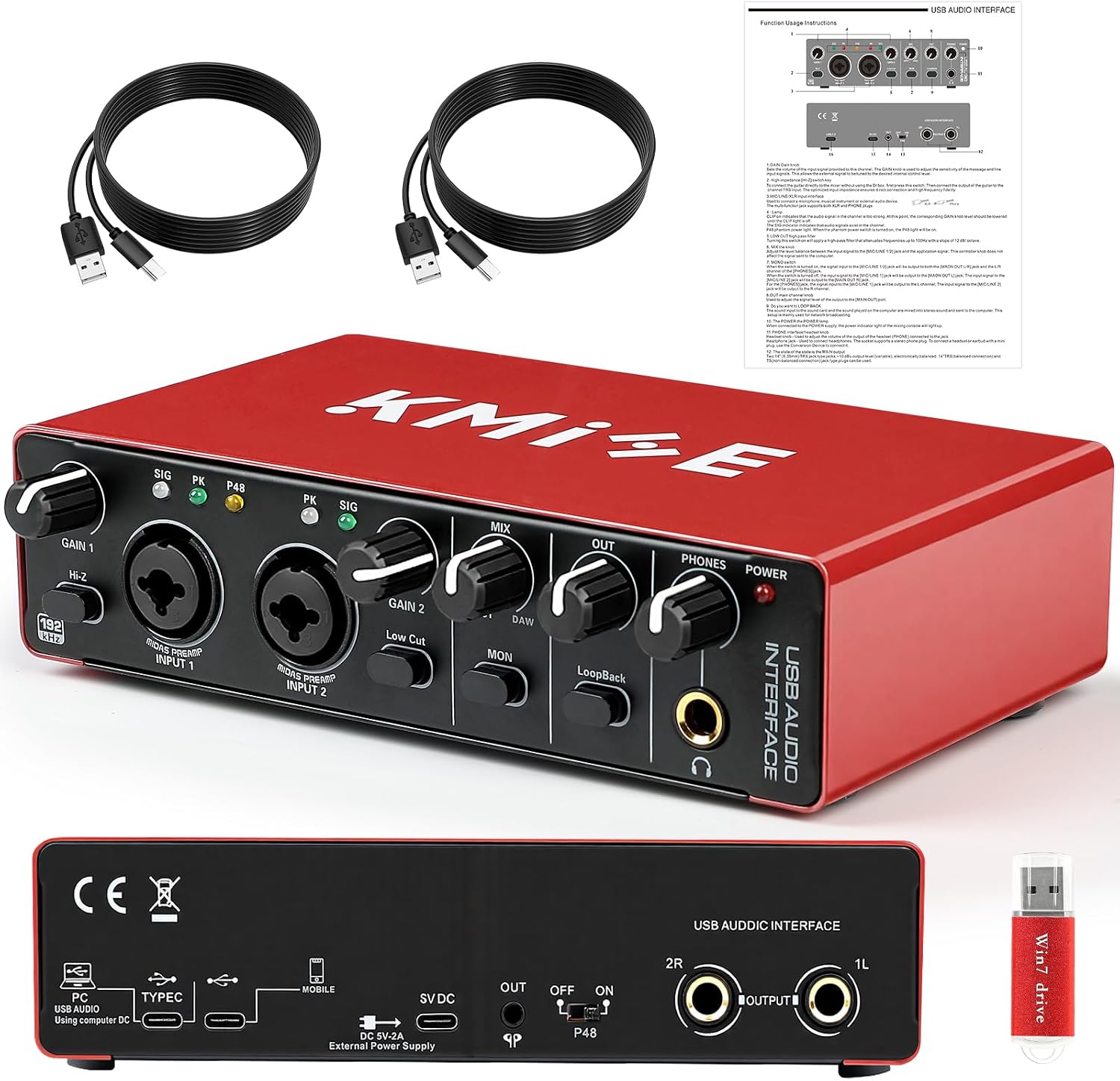
Kmise USB Audio Interface (USB Type-C)
Cheapest route to 48V phantom power and a Type-C connection, and simple enough to set up in five minutes
No loopback or monitor-mix features listed, and no sample rate leads the spec sheet
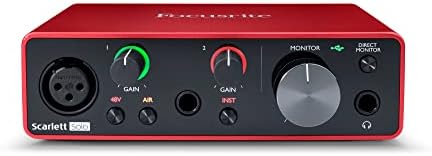
2X2 Audio Interface, 24-bit/192kHz (Alloy Grey)
Combo XLR/TRS inputs, loopback for streaming, one-cable setup, 24-bit/192 kHz conversion
Two inputs cap you at a solo or duo, and there is no MIDI here
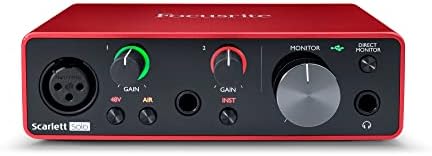
Behringer U-PHORIA UMC404HD
Four inputs, four outputs, MIDI I/O, and Midas-designed mic preamps at 24-bit/192 kHz
Behringer's Windows driver history is the known risk you accept at this price
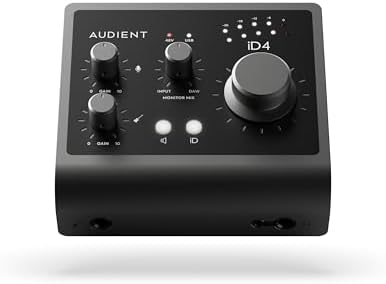
Motu M4 4x4 USB-C Audio Interface
Four combo inputs over USB-C, and the driver stability I trust most in this group
Costs the most here and is more interface than a one-mic setup needs
Prices and availability were captured from Amazon Creators API and may change.
How I judge a cheap interface
Four things, in this order: preamps that stay clean at high gain, drivers that behave after a reboot, round-trip latency under 10ms on a normal laptop, and a headphone amp that can drive a pair of 250-ohm cans without folding. Everything else, the bundled software, the marketing language, the number of LEDs, is decoration.
That order matters because the failure modes are not equal. A mediocre preamp just means you work a little harder for a clean take. A bad driver means your settings reset every time you restart, which is a session killer. And a weak headphone amp means you cannot hear what you are recording, which is worse than both.
Two of these listings print "studio quality" on the box. Ignore it. The interface is maybe 10% of how a recording sounds, and the marketing copy is 0% of that.
The 2x2 class: Kmise and the alloy-grey 2X2
These two are for the person who records one thing at a time, and they should be judged on that basis.
The Kmise USB Audio Interface is the simplest box in this comparison. It gives you 48V phantom power for a condenser, a USB Type-C connection, and a feature list that stays out of the way. For a guitarist running an amp sim, a vocalist cutting demos, or a podcaster with one dynamic mic, that is genuinely all you need. What you give up is headroom in the routing: there is no loopback and no monitor mix control listed, so if your plan involves bringing in a guest over Discord or a phone patch, you are going to be doing that work in software instead of on the front panel. Buy it if your setup is one mic, one pair of headphones, one laptop.
The alloy-grey 2X2 unit is the more interesting of the two. It lists 24-bit/192 kHz conversion, XLR/TRS combo inputs so you can plug a guitar straight in without a DI box, loopback for streaming, a monitor mix control, and a one-cable setup. That combination is the modern 2x2 template, and for a streamer or a solo creator it covers more ground than the Kmise does. The limit is structural, not a defect: two inputs means two inputs. The day you want a vocal mic and a guitar at the same time, you are already out of channels. If you know your show or your songs will never need a third source, this is the smarter 2x2 of the pair. If you are unsure, spend once and go 4x4.
The 4x4 class: Behringer UMC404HD and Motu M4
This is where the comparison gets interesting, because both boxes give you four ins and four outs, and they get there in very different ways.
The Behringer U-PHORIA UMC404HD is a 4x4, 24-bit/192 kHz USB and MIDI interface with Midas mic preamplifiers. Read that list again: four inputs, four outputs, MIDI in and out for a keyboard or a controller, and preamps designed by the people behind Midas consoles. Nothing else in this group gives you MIDI, and nothing else gives you four channels of anything. If you are tracking a small band, running a two-person podcast with room for a phone patch, or building a home setup around a hardware synth, the feature set here is the one that does not run out of road.
The catch is the software side, and it is the same catch that has followed this line for years. Behringer's Windows drivers are the part of the package that generates the most complaints, and it is the reason I tell people to budget an evening for setup rather than ten minutes. When it works, it works. When it does not, you will learn more about USB audio than you wanted to.
The Motu M4 is the other four-input box, and it is the one I would hand a client. It is a 4x4 over USB-C with combo inputs, and the thing you are paying for is the part you cannot see on a spec sheet: driver behavior. In this class, the difference between a good interface and a bad one is rarely the converter chip. It is whether the thing shows up in your DAW at the buffer size you set, every single time, without you thinking about it. That reliability is what the M4's price buys, and for anyone whose income depends on sessions starting on time, it is worth more than an extra preamp.
Preamps and gain staging
The preamp is the interface. Two boxes with identical spec sheets can sound completely different at gain three o'clock, and this is the single hardest thing to communicate in a buying guide, because the difference does not show up in a bullet point.
Here is the practical version. Plug in your quietest microphone, set the gain so the meter kisses yellow on your loudest passage, and listen. If the noise floor rises with the gain in a way you can hear in headphones, the preamp is the limiting factor. If it stays quiet and the tone holds together, you are fine. The Midas-designed preamps in the UMC404HD have a reputation in this price band for staying usable at high gain, which matters most with dynamic mics and ribbon mics, the two types that demand the most from a cheap front end.
Gain staging is 80% of a good recording, and it is free. Set your levels before you touch a plugin, leave headroom, and do not ask a cheap preamp to make up for a mic that is too far from the source.
Drivers and round-trip latency
Latency is a driver story, not a chip story. A great converter with sloppy drivers is a paperweight, and a mid-tier converter with tight drivers is a tool. The number that matters is round-trip: the full trip in and out of the interface with your plugins loaded. Under 10ms is fine for tracking. Under 5ms is invisible, and you stop thinking about it.
On Windows, the Behringer is the box where I would expect to spend the most time in settings, and the Motu is the box where I would expect to spend the least. On a modern Mac, all four of these are class compliant enough that the difference narrows, which is worth knowing if you record on a MacBook and only occasionally on a PC.
One habit that saves everyone: pick your buffer size, record a test pass, and then leave it alone. Chasing latency numbers mid-session is how takes get ruined.
The headphone amp is a spec, not an afterthought
Nobody puts the headphone output in the headline, and it is the first thing that fails on a budget interface. Mine is a drawer full of boxes with jacks that crackle at low volume.
Two checks before you commit. First, plug in your actual headphones, not earbuds, and listen at a quiet level for crackle when you move the plug. Second, set the output to a comfortable level and see how much range you have left. If you are at 90% of the knob to hear a vocal take, the amp is undersized for your cans, and you will be buying a separate headphone amp later. If you track with 250-ohm headphones, this matters more than the preamp choice.
Phantom power, bus power, and flaky laptop ports
Every unit in this comparison offers 48V phantom power for condenser mics, and that is the feature you cannot compromise on if you own a condenser. The related question is where the power comes from. Bus power over USB is convenient and it is fine on a desktop with a good port. On a thin laptop running on battery, a hungry condenser plus phantom power plus a couple of bus-powered peripherals is a gamble, and the failure mode is a dropout in the middle of a take, not a clean error message.
If you record on a laptop, plug the interface into a powered hub or a wall-powered dock and thank yourself later.
Who should buy which
Buy the Kmise USB Audio Interface if you record one source, own a condenser, and want the smallest possible spend to get a clean signal into your computer. It is a first interface, and it is honest about that.
Buy the 2X2 alloy-grey unit if you want loopback for streaming, combo inputs for a guitar, and 24-bit/192 kHz conversion in a box that sets up with one cable, and you are certain two channels is your ceiling.
Buy the Behringer U-PHORIA UMC404HD if you need four inputs and MIDI and you are willing to spend an evening on drivers. Feature for feature, nothing else here covers that much ground.
Buy the Motu M4 if you want four inputs and you want the setup to disappear. It is the box I would trust to start a paid session on time.
What I would skip
I would skip any interface whose headline feature is a bundled "pro" DAW. You are paying for a license, not for hardware, and the hardware is the part that determines whether your recordings hold up. I would also skip buying four inputs "just in case" if you have never recorded more than one person at a time. Two good channels beat four mediocre ones, and a mix-minus that works beats both.