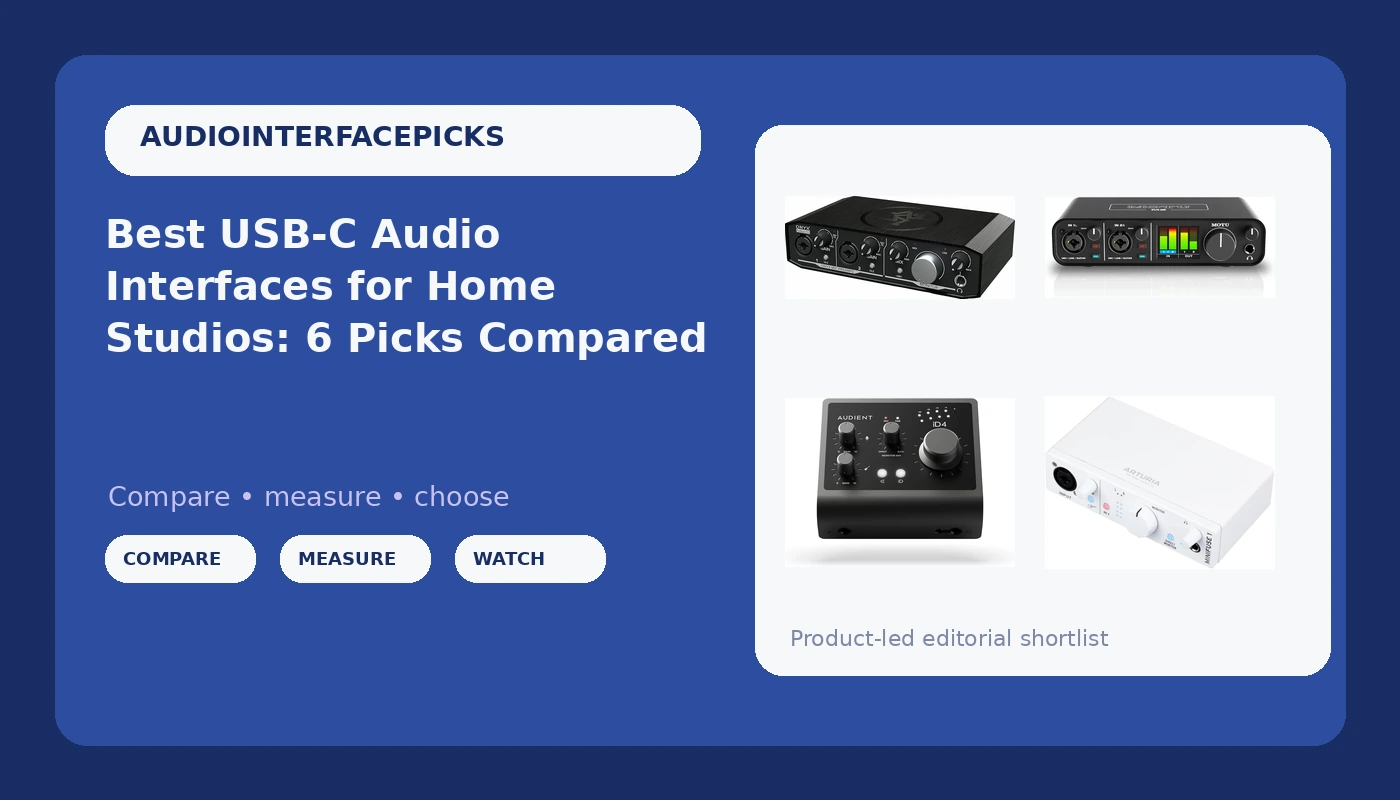
Picking a USB-C audio interface is easy right up to the moment you have to choose one. Every listing promises clean preamps, low latency, and studio sound, and almost none of them tell you whether the headphone jack will drive a pair of 250-ohm headphones or whether the drivers will remember your buffer setting after a reboot. This guide compares six current USB-C audio interfaces, from a compact starter box to a Class A console-style preamp, and matches each one to the job it actually does well.
Related: How to Set Gain Staging on a Budget Audio Interface
Quick answer
The Audient Audio Interface iD4 MKII is the strongest fit for singer-songwriters and small studios because it combines a Class A console microphone preamp with high-speed USB-C, monitor mix and monitor panning controls, two headphone outputs, and Mac, PC, and iOS compatibility. Choose the Universal Audio Volt 2 instead when you want a straightforward USB interface from a brand long associated with analog-style tone and you do not need the iD4's monitoring controls.
Audio interfaces worth comparing
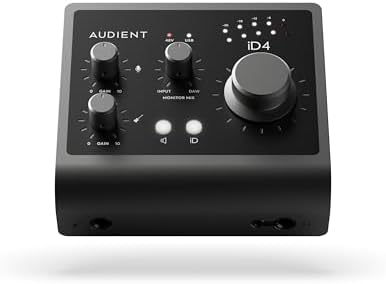
Audient Audio Interface iD4 MKII, Class A Console Microphone Preamp (High Speed USB-C, Monitor Mix and Monitor Panning Function, 2 Headphone Outputs, Mac/PC/iOS Compatible), Black
A high-speed USB-C interface built around a Class A console microphone preamp, with monitor mix and monitor panning controls, two headphone outputs, and Mac, PC, and iOS compatibility.
Visit on Amazon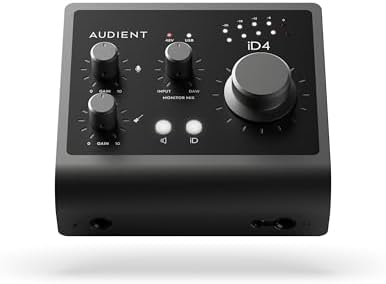
MOTU M2 USB-C Audio Interface
A compact USB-C interface for desktop recording. The listing does not spell out preamp type, MIDI support, or headphone output count, so confirm those details on the product page before you commit.
Visit on Amazon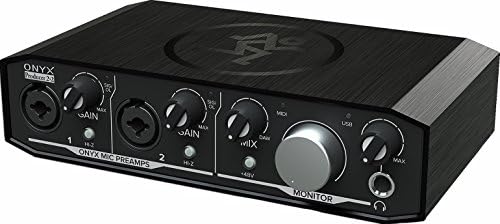
Mackie Audio Interface, Onyx Producer 2X2 USB Audio Interface with MIDI (Onyx Producer 2-2)
Check current Amazon price
A two-in, two-out USB interface with Onyx preamps and MIDI connectivity, which makes it a natural fit for a desk that also has a keyboard controller or a hardware synth.
Visit on Amazon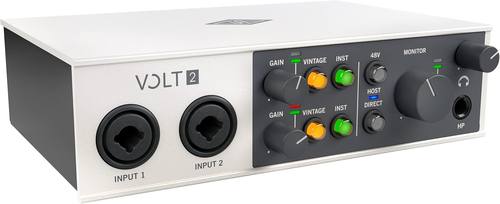
Universal Audio Volt 2 USB Audio Interface
A USB audio interface from the Universal Audio Volt line, aimed at home recordists who want a familiar name in analog-style processing without stepping up to a rack unit.
Visit on Amazon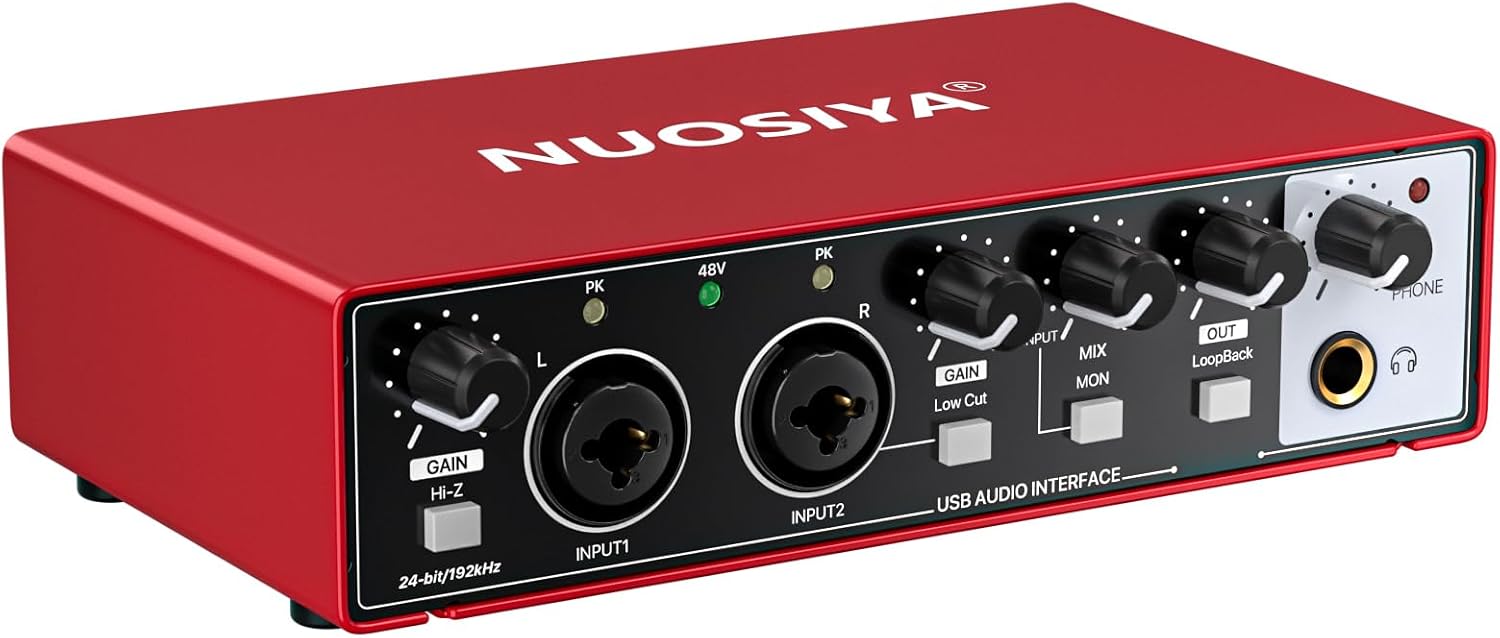
USB Audio Interface for PC Computer Recording Music, Red Guitar Audio Interface for Mac 24Bit/192kHz Podcasting Streaming for Vocalist Producer with 48V Phantom Power
A red USB interface that records at up to 24-bit/192 kHz and includes 48V phantom power, positioned for vocalists, producers, podcasters, and streamers working on PC or Mac.
Visit on Amazon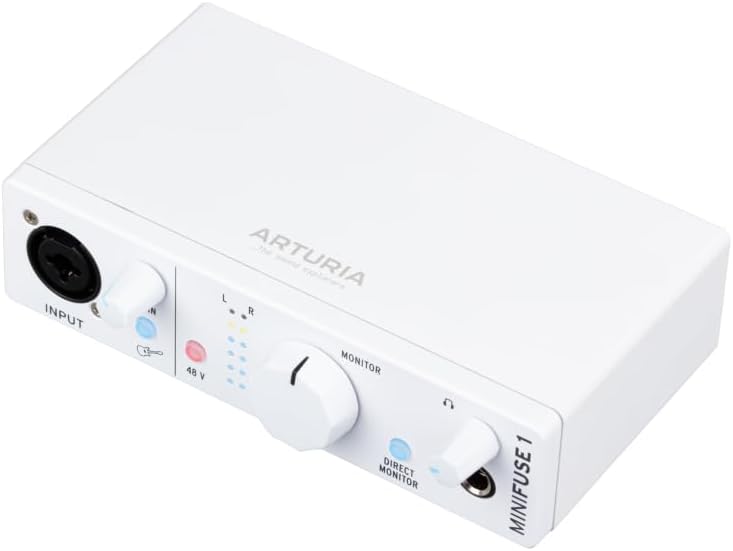
Arturia MiniFuse USB Audio & MIDI Interface, MiniFuse 1
A compact USB audio and MIDI interface for small setups that want a tidy desktop footprint plus MIDI for a controller or a synth.
Visit on AmazonPrices and availability may change. Check the retailer for current details.
How these products were compared
This guide compares preamp design and stated gain, input and output count, connection type, MIDI support, headphone outputs, and monitoring features such as monitor mixing and monitor panning. Product names, images, and retailer links are matched by ASIN so that every card points to the product shown.
The comparison is built from manufacturer specifications and published product details rather than a bench test, and it does not claim hands-on measurement for any unit here. Where a listing does not state a specification, that gap is called out instead of filled in with a guess. Because pricing moves around, no current price is printed in this article. Each card links to the retailer so you can confirm the current figure and availability yourself.
How to choose the right audio interface
Count the inputs you use on a normal Tuesday, not the inputs you might use at a birthday party. If your sessions are one microphone and one guitar, a two-input interface covers everything and costs less than a four-input box you will never fill. If you track drums or a full band, the input count is the one spec you cannot work around later, so buy for the busiest session you realistically record rather than the average one.
Then look at the preamp. The Audient iD4 MKII is the only unit in this group whose listing names a Class A console microphone preamp, and the Mackie Onyx Producer 2X2 names its Onyx preamps, which tells you where each brand put its engineering budget. Preamps matter most with quiet sources: a dynamic mic on a snare or a ribbon mic on a guitar cab will push the gain higher than a loud condenser will, and that is where a cheap front end starts to sound thin.
Connection type is the next decision. High-speed USB-C on the iD4 MKII and the MOTU M2 fits modern laptops without an adapter, while the Mackie and the Universal Audio Volt 2 use standard USB. Neither is automatically better, but you should know which cable is in the box and which one you already own, because a flaky adapter is the most common cause of a dropout that gets blamed on the interface.
Phantom power is worth checking in plain language. The red USB interface in this roundup states 48V phantom power directly in its listing, which is what you need for a condenser microphone. If your microphone is a condenser and the listing does not mention phantom power, treat that as a question to answer before you buy, not after.
Finally, think about monitoring. Two headphone outputs on the iD4 MKII solve a real problem: two people tracking or reviewing a take at once. Monitor mix and monitor panning controls let you blend your input against playback without touching software. For a solo podcaster, that is convenience. For a two-person show, it is close to essential, and it is the reason mix-minus routing shows up in every podcast setup conversation.
If you want to go deeper on power and stability, our USB bus power versus wall power notes cover when a bus-powered interface is enough and when you should reach for a powered option.
Audient Audio Interface iD4 MKII
The iD4 MKII is the top pick here because its listed feature set covers the three things that usually get cut from a budget interface: a Class A console microphone preamp, two headphone outputs, and real monitor controls. It also lists high-speed USB-C and compatibility with Mac, PC, and iOS, so the same box can move between a desktop, a laptop, and an iPad without a driver scavenger hunt on every device.
The monitoring side is what separates it from the rest of the group. Monitor mix and monitor panning let you set what you hear against what you are recording, which is the workflow that keeps a vocalist comfortable during overdubs. Two headphone outputs mean a second person can listen without a headphone amp or a splitter, and splitters are exactly where headphone monitoring usually goes wrong.
The trade-off is complexity. Those controls reward someone who will actually use them, and if you record alone with one microphone and never touch a monitoring knob, you are paying for flexibility that sits unused. The second headphone output matters most when two people track or review together, and the monitor panning matters most when you are overdubbing against a stereo mix. If neither describes your sessions, a simpler interface in this list will serve you just as well for less money.
Alternatives to consider
The MOTU M2 USB-C Audio Interface is better suited to a minimalist desktop setup where USB-C is the priority, while the Mackie Audio Interface, Onyx Producer 2X2 is a stronger fit when you need MIDI connectivity and named Onyx preamps in a two-in, two-out layout for a keyboard or synth rig.
The Universal Audio Volt 2 USB Audio Interface, the USB Audio Interface for PC Computer Recording Music with 24-bit/192 kHz conversion and 48V phantom power, and the Arturia MiniFuse USB & MIDI Interface, MiniFuse 1 cover the rest of the field. The Volt 2 appeals to recordists who want a recognizable name in analog-style processing. The red 24-bit/192 kHz unit is the entry point for podcasting, streaming, and vocal work on PC or Mac. The MiniFuse 1 is the compact choice when desk space is tight and you still want MIDI.
One caution applies to all three: where a listing does not state preamp type, headphone output count, or MIDI support, verify it on the product page. A missing spec in a title is not proof that a feature is absent, but it is a question worth answering before you click buy.
Day-to-day use and maintenance
Most interface problems are cable problems. Use the cable that shipped with the unit where you can, keep a spare USB-C cable that is rated for data rather than charging only, and avoid daisy-chaining through unpowered hubs when you are tracking. If you hear clicks or dropouts, change the buffer size before you blame the preamp, and if the dropouts continue, move the interface to a port on the machine itself.
Phantom power deserves a habit, not a lecture. Turn 48V off before you connect or disconnect a microphone, and let the interface finish powering up before you raise the headphone level. That one routine prevents the loud pop that kills headphone drivers and startles talent, and it costs you two seconds per session.
Keep gain staging boring. Set the input gain so your loudest take sits comfortably below clipping, not right at the edge, then leave it alone and fix the rest in the mix. Cleanup is simple: keep the unit out of direct sun, dust the knobs with a dry brush rather than a wet cloth, and coil cables loosely so the connector strain relief survives the year. If a headphone jack starts crackling at low volume, stop using that output and switch to the other one before the crackle becomes permanent.
Buying checklist
- Count the inputs your busiest realistic session needs, not your average one.
- Confirm the connection type, USB-C or standard USB, and that you have the right cable.
- Check whether the listing names a preamp type, since that is where the money went.
- Confirm 48V phantom power if you record with a condenser microphone.
- Count headphone outputs if two people will ever listen at once.
- Decide whether you need MIDI for a controller or synth before you buy.
- Verify the current retailer price, availability, and return terms through the product link.
Final recommendation
Choose the Audient Audio Interface iD4 MKII when you want a Class A console microphone preamp, two headphone outputs, and monitor mix and panning controls in a high-speed USB-C box that also works with Mac, PC, and iOS. Choose the Universal Audio Volt 2 when you want a USB interface from a name associated with analog-style tone and the iD4's monitoring controls are more than your sessions require. If MIDI is the deciding factor, look at the Mackie Onyx Producer 2X2 or the Arturia MiniFuse 1, and if the budget is the deciding factor, the red 24-bit/192 kHz unit with 48V phantom power is the sensible starting point.