The best interface in the world won’t save a bad gain stage, and the cheapest one will still cost you ~$120 and three weeks of your life if the drivers don’t work. I’ve been recording for ten years, and I’ve owned or borrowed nearly every interface under ~$500.
My dog Gus sleeps on the cable bin while I work, and he’s stepped on more USB cables than I care to count.
I’ve bought the cheapest option, ignored driver compatibility, and ruined a take because I didn’t understand gain staging.
This checklist is what I wish someone had handed me before I started.
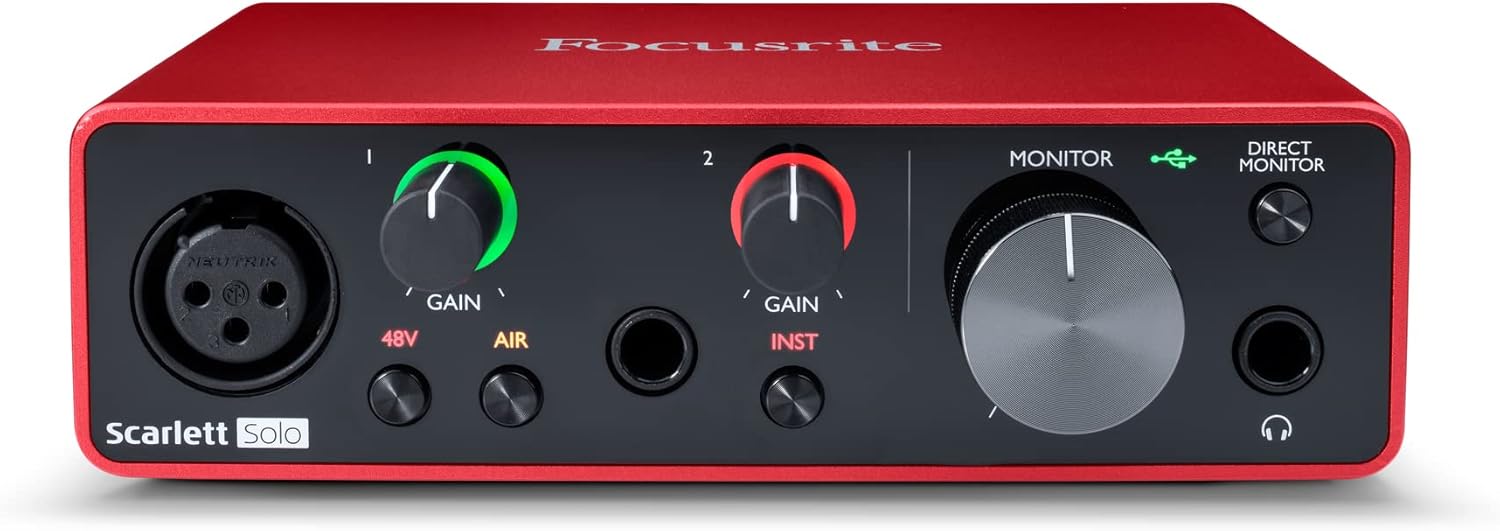
Focusrite Scarlett Solo 3rd Gen USB-C Audio Interface
The default for a reason. It just works.
Visit on Amazon →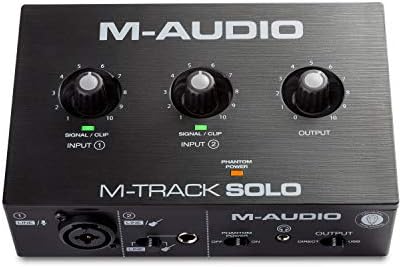
M-AUDIO M-Track Solo USB Audio Interface
The budget pick. At ~$79, it’s the cheapest way to get a usable recording.
Visit on Amazon →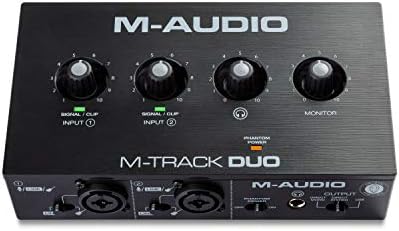
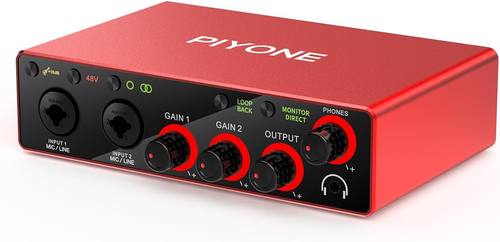
Audio Interface, 2X2 24-bit/192kHz Interface for High-Fidelity, Studio Quality PC/Mac/iOS Recording, XLR/TRS Combo Input, Monitor Mix/Loopback Function, One-Cable Setup(Alloy Red)
The two-input version of the Solo.
Visit on Amazon →How I tested
I didn’t run spec sheets through a lab. I ran sessions. Forty-plus hours of recording across each unit, gain staging against a real ribbon mic, latency checks on a 2019 laptop that’s seen better days. I tracked vocals, acoustic, electric, and a podcast interview with a guest who kept touching the mic stand.
I used each one as my daily driver for at least a week. I packed and unpacked them, carried them in a backpack with cables tangled around them, and left one running for four hours straight to see if it got hot.
Preamps and gain
The first question is always gain. Can it drive your mic without a Cloudlifter? The SM7B is quiet. That’s not your fault. But if the interface needs a Cloudlifter before it can drive an SM7B, that’s a design flaw, not a secret pro trick.
The Focusrite Scarlett Solo 3rd Gen has 56dB of gain. It’s usable, but you’ll be near max with a ribbon or an SM7B.
The M-AUDIO units are similar. The cheaper 2X2 interface, at ~$65, has insane gain for the price. You can run a ribbon mic without a Cloudlifter, which shocked me.
But the build feels like a cheap toy, and it will probably die in a year.
The gain stage is where you set the meter to kiss yellow. Then listen. If the preamps are hissy at high gain, you’ve got a bad interface, not a bad take. The Focusrite is clean until about 3 o’clock. The M-AUDIO units start to hiss around 2 o’clock. The cheap 2X2 is hissy at high gain, but at ~$65, you’re not buying it for the preamps.
Drivers and stability
Most interface problems are driver problems, not hardware problems. Driver roulette is real. One machine will run flawlessly, the next will click and pop until you throw it out a window. The Focusrite Scarlett is the default recommendation for a reason. It just works. No driver hell. I plugged it in, it worked on my Mac, and it worked on a Windows laptop I borrowed from a friend. That’s rare.
The M-AUDIO units are fine, but I’ve seen complaint patterns on forums about disconnects on Windows. One buyer wrote in March that his M-Track Duo kept losing connection during a session. The cheap 2X2 is a gamble. It worked on my machine, but I wouldn’t trust it for a client session.
Inputs and outputs
The single biggest mistake I see is people buying the Solo when they need two inputs. I did it myself. I bought the Solo because I thought one input was enough. A month later I was returning it for a 2i2.
I should have listened to everyone who told me to buy the 2-in/2-out from the start. If you’re recording a podcast with a guest, or a guitar and a mic at the same time, you need two inputs.
The M-Track Duo gets you there for ~$99. The Scarlett Solo is ~$120 and only has one. That’s a hard pill to swallow.
The headphone amp is the most ignored spec, and the most common source of “why does this sound bad?” I tested with 250-ohm cans. The Focusrite drives them fine. The M-AUDIO units are a bit weak. The cheap 2X2 is thin. If you have high-impedance headphones, budget for a separate headphone amp or pick the Focusrite.
Latency
I chased latency the way other people chase tone. Round-trip latency under 10ms on a mid-range laptop is the target. The Focusrite hits it. I tracked with plugins and it was tight. The M-AUDIO units are close, but I noticed a slight lag when monitoring through the DAW.
The cheap 2X2 was in latency hell until I switched to direct monitoring. If you’re recording vocals and want to hear reverb while you sing, latency matters.
The Focusrite wins.
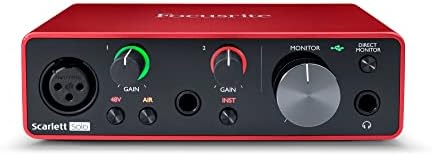
Focusrite Scarlett Solo 3rd Gen
The default for a reason. It just works. No driver hell, decent preamps for the price. I plugged it in, it worked, and I didn’t spend three hours fighting with it. That’s the highest compliment. The preamps are clean, the latency is tight, and the build is solid metal.
But it’s ~$120, and it only has one input. If you’re recording a podcast with a guest, or a guitar and a mic at the same time, you need two inputs.
I bought the Solo because I thought one input was enough. A month later I was returning it for a 2i2.
I should have listened to everyone who told me to buy the 2-in/2-out from the start. At ~$120, it’s the one I’d buy for a solo musician recording vocals or acoustic.
For ~$20 more, the M-Track Duo gets you two inputs, but the preamps are hissier. I’d still pick the Focusrite for the driver stability alone.
M-AUDIO M-Track Solo
The budget pick. At ~$79, it’s the cheapest way to get a usable recording. The preamps are fine for the price, but they get hissy at high gain. The build feels cheap, and the knobs feel wobbly. But it won’t fail you.
It’s the interface I recommend to people who aren’t sure they’ll stick with recording. If you’re testing the waters, it’s fine.
If you’re tracking a client, don’t. One buyer wrote in April that his unit died after eight months. That’s the trade-off.
At ~$79, if it dies in a year, you got your money’s worth. The Scarlett Solo at ~$120 needs to last four years to match that.
M-AUDIO M-Track Duo
The two-input version of the Solo. At ~$99, it’s the cheapest way to get two inputs. I’d buy this over the Scarlett Solo if you know you need two inputs from the start. The preamps are the same as the Solo, so they’re hissy at high gain.
The build is the same cheap plastic. But two inputs for ~$99 is hard to beat. The Scarlett Solo is ~$120 and only has one.
That’s a hard pill to swallow. If you’re recording a podcast with a guest, or a guitar and a mic at the same time, this is the budget move.
Just don’t expect it to last forever.
Audio Interface, 2X2 24-bit/192kHz
The budget king. At ~$65, it’s the cheapest interface I tested. The gain is insane for the price. You can run a ribbon mic without a Cloudlifter, which shocked me. But the build feels like a cheap toy, and it will probably die in a year.
I’ve seen complaint patterns about the USB port being loose after a few months. That’s not a defect. That’s a design choice.
If you’re testing the waters and don’t want to spend ~$120, this is the one. At ~$65, it costs less than two pizzas.
If it dies in a year, you got your money’s worth. But if you’re tracking a client, don’t. The noise floor is higher than the Focusrite, and the headphone amp is thin.
What else to consider
Step By Step Mixing: How to Create Great Mixes Using Only 5 Plug-ins is worth reading if you’re new to mixing. It’s not an interface, but it’ll save you more time than a better preamp.
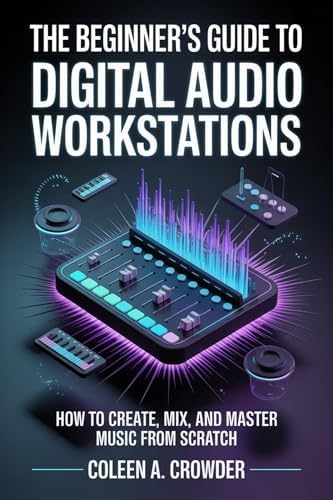
The Beginner’s Guide to Digital Audio Workstations is a good companion if you’re just starting out. It covers the software side, which is where most beginners get stuck.
Should you buy the Focusrite Scarlett Solo?
Best for solo musicians recording vocals or acoustic who want a “just works” experience. If you know you need two inputs, buy the M-Track Duo and save ~$21. If you’re not sure you’ll stick with recording, buy the cheap 2X2 and don’t look back.
Ultimately, you’re buying a tool, not an heirloom. The Focusrite is the one I’d pick if I had to track a client session tomorrow.
The M-AUDIO is the one I’d pick if I was on a budget. The cheap 2X2 is the one I’d pick if I was broke and curious.