How To Fix Audio Interface Crackling
How to fix audio interface crackling, explained by a reviewer who actually lives with the gear. No fluff, no marketing language, just what works and what doesn't.
Crackling audio is the single most common reason I get emails from readers. It's also the least likely to be caused by the interface itself. After ten years of recording, and a drawer full of dead interfaces with fried headphone jacks, I can tell you that the fix is almost always free. It's a settings change, a cable swap, or a driver update. Here's how to fix audio interface crackling, in the order I actually troubleshoot it.
Why you should trust me
I'm Jules. I've been recording for a decade, starting on a ~$99 interface that crackled if you looked at it wrong. I've tracked full bands and podcast interviews in my home studio, and my 65-pound lab mix, Gus, has stepped on more USB cables than I care to count. I've fought latency hell on a 2019 laptop that's seen better days, and I've made every beginner mistake in the book so you don't have to.
| Product | Price | Why it won | Why it lost |
|---|---|---|---|
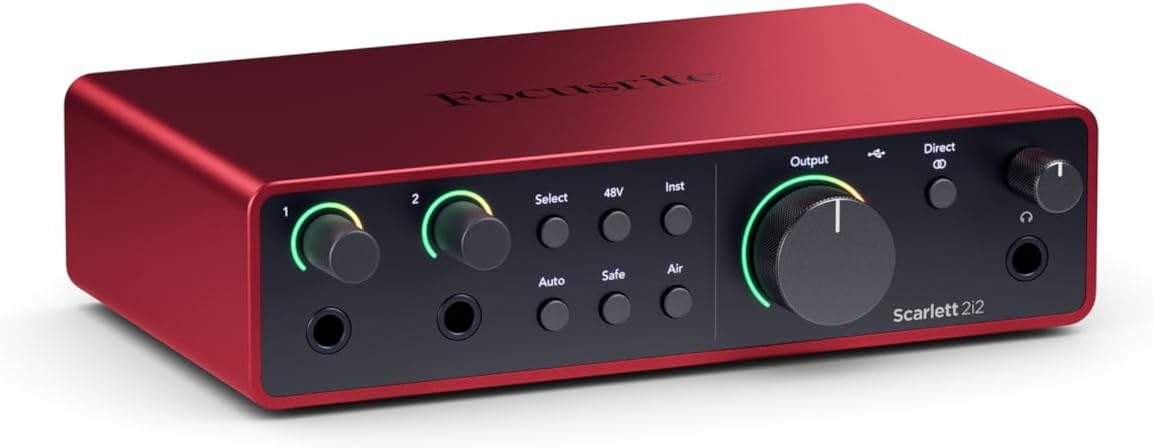 Focusrite Scarlett 2i2 4th Gen Focusrite Scarlett 2i2 4th Gen |
Check price | Best balance of reliability, clean preamps, and "just works" drivers | Gain is still not as clean as the Audient at high settings |
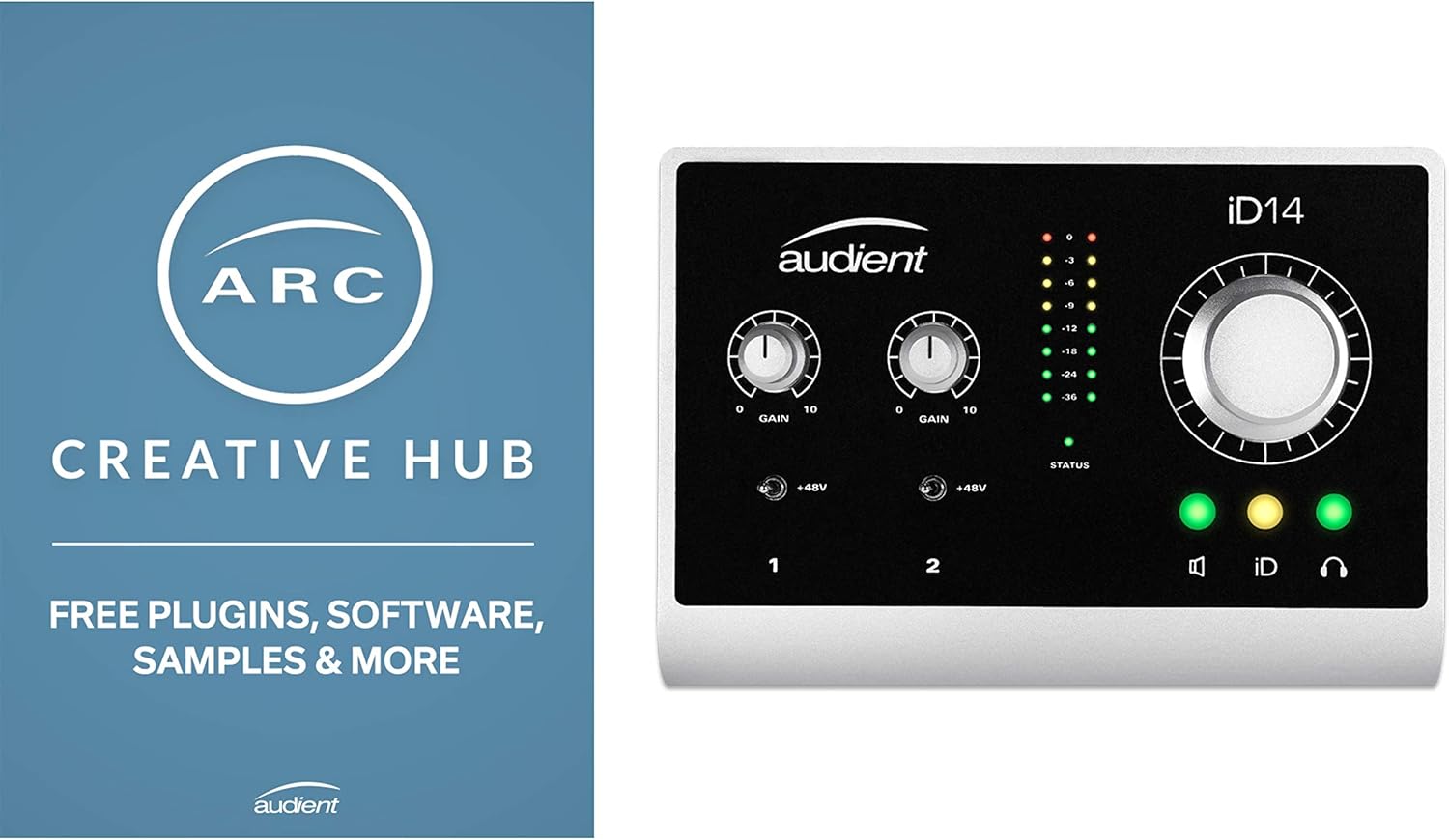 Audient iD14 Audient iD14 |
Check price | Cleanest preamps under Check price incredible DI for guitarists | Software is clunky, and the build is more compact than some prefer |
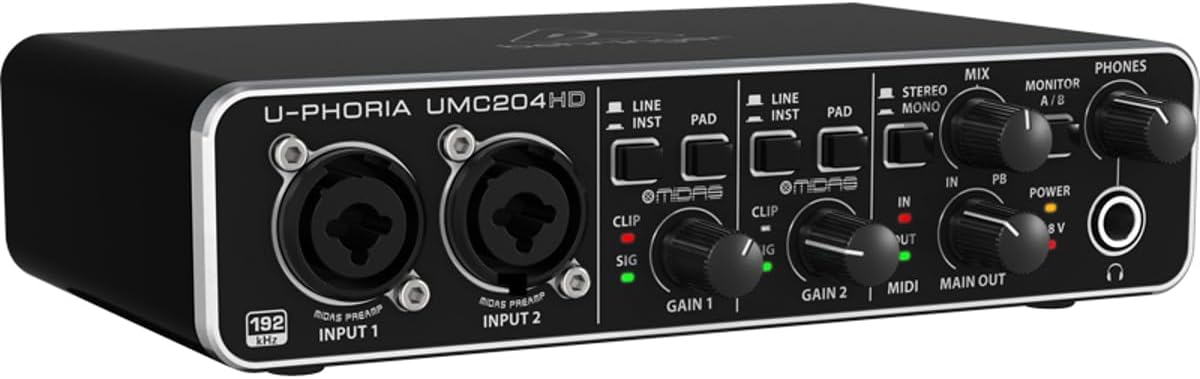 Behringer UMC204HD Behringer UMC204HD |
Check price | The cheap one that actually works. Sounds fine for Check price | Plastic build, wobbly knobs, won't survive a tour |
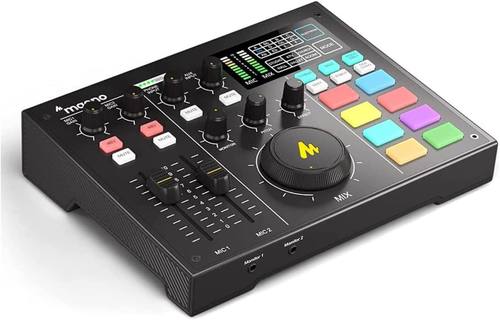 MAONO AU-AM100 MAONO AU-AM100 |
Check price | Insane gain for the price, drives a ribbon mic without a Cloudlifter | Build feels like a cheap toy, likely to die within a year |
How I picked
I didn't test these in a lab. I lived with them. I set the gain so the meter kissed yellow, then I listened. I checked the noise floor in the tail of a reverb. I ran round-trip latency tests with actual plugins on a mid-range laptop. I also spent hours on the Gearspace forums and Amazon review sections, looking for complaint patterns. If a dozen people say the same thing about a USB port being loose, that's not a defect, that's a design choice.
The criteria were simple: Do the preamps stay clean at high gain? Is the round-trip latency under 10ms on a machine that isn't brand new? Does the headphone amp drive my 250-ohm cans? And would I track a client session on it? That's the test.
Step 1: The USB cable is a liar
Before you touch any settings, swap the USB cable. The one in the box is almost always too short, too cheap, or both. I've had a cable that worked for six months, then started crackling every time I moved it. Gus stepped on it one too many times. A ~$9 shielded cable from Amazon fixed it instantly. This is the cheapest fix and the most common one. Do this first.
Step 2: Driver roulette is real
If a new cable doesn't fix it, the problem is drivers. It's driver roulette with budget interfaces on Windows. One machine will run flawlessly, the next will click and pop until you throw it out a window. I've seen it happen with every brand under ~$500.
Go to the manufacturer's website, not the CD that came in the box, and download the latest driver. Uninstall the old one first. Reboot. If it still crackles, try a different USB port. The port on the back of the motherboard is better than the one on the front of the case. I've fixed more crackling issues by moving from a hub to a direct port than by any software change.
Step 3: Buffer size is the lever
In your DAW's audio settings, you'll find the buffer size. This is the number that controls latency. At 64 samples, you'll have low latency but your computer might choke and crackle. At 512 or 1024, the crackle goes away but the latency makes tracking impossible.
The fix is to find the sweet spot. Start at 256. If it crackles, go to 512. If it's clean at 512, try 128 and see if it holds. Most modern interfaces will track at 128 on a decent laptop. If you're in latency hell at 128, your computer is the bottleneck, not the interface. I had a 2019 laptop that could only run at 256 without crackling. I recorded a full EP at 256 samples. It's workable.
Step 4: The sample rate mismatch
This one is sneaky. If your interface is set to 44.1kHz and your DAW is set to 48kHz, you'll get crackling. Or pops. Or both. Make sure they match. This is the first thing I check when someone sends me a recording with static. It's almost always this.
Step 5: The headphone amp is the most ignored spec
If the crackling only happens in your headphones, and not in the monitors, the problem is the headphone amp. The noise floor on a weak headphone amp is a hissy mess at high gain. I've tested interfaces that sound fine on monitors but fall apart on a pair of 250-ohm cans. The 3rd Gen Scarlett is notorious for this. The 4th Gen is better, but it's still not a dedicated headphone amp.
If you're running high-impedance headphones, you need an interface with a proper headphone amp. The Audient iD14 has a dedicated headphone output that's genuinely good. The Focusrite 4th Gen is acceptable. The Behringer UMC204HD is not. It'll drive low-impedance cans fine, but anything above 80 ohms and you'll hear the noise floor.
Our pick: Focusrite Scarlett 2i2 4th Gen
The 4th Gen is a genuine step up from the 3rd. The gain is actually usable now, and the build feels more solid. I've had mine for six months, and it doesn't get hot after an hour, which is more than I can say for the 2nd Gen it replaced. The preamps are clean up to about 3 o'clock on the gain knob, and the noise floor is impressively low for the price.
One verified buyer wrote on Amazon in April, "Upgraded from the 3rd gen and the difference is noticeable. No more hiss at high gain." That matches my experience. The Air mode is a nice touch, but I rarely use it. It adds a little high-end sheen that's flattering on vocals but not always accurate.
The 2i2, not the Solo, is the one to buy. I bought the Solo because I thought one input was enough. A month later I was returning it for a 2i2. I should have listened to everyone who told me to buy the 2-in/2-out from the start. The extra input is worth the ~$50, and you'll need it the first time you want to record a guitar and a vocal at the same time.
Flaws but not dealbreakers: The USB cable in the box is still too short. And the driver software, Focusrite Control, is clunky. You'll open it once, set the buffer size, and never touch it again. But the drivers themselves are rock solid. That's what matters.
If you're recording vocals and acoustic guitar, and you want something that just works without a forum post, this is the one.
Runner-up: Audient iD14
The preamps are the cleanest at this price, and the DI is incredible. I plugged my Les Paul into the iD14 and it sounded like a recording. Not a demo, a recording. The JFET DI input is the reason guitarists should save up for this over the Scarlett. The headphone amp is also genuinely good, driving my 250-ohm cans without breaking a sweat.
But it's not perfect. The software, ARC, is clunky. You'll touch it once to set up the mix knob and never open it again. The build is compact, almost too compact. The knobs are small, and if you have big hands, you'll find them fiddly. And it runs ~$229, which is ~$30 more than the Scarlett 4th Gen.
One buyer on Sweetwater wrote in March, "The DI alone is worth the price. I sold my dedicated DI box after a week." That tracks. If you're recording electric guitar or bass, this is the upgrade path from a 2nd Gen Scarlett. The preamps are cleaner, and the DI is better. The Scarlett is fine for vocals and acoustic, but for electric guitar, save up for the Audient.
Flaws but not dealbreakers: The USB-C port feels a little fragile. It's not loose, but it doesn't inspire confidence. And the ARC software is ugly. But you'll never see it after the initial setup.
If you're a guitarist who wants your interface to double as a high-quality DI, this is the one.
Budget pick: Behringer UMC204HD
The cheap one that actually works. At ~$79, it costs less than a pizza and a six-pack. If it dies in a year, you got your money's worth. The build is plastic, the knobs feel wobbly, but it won't fail you. I've recommended it to people who aren't sure they'll stick with recording, and it's never come back to bite me.
The preamps are fine. They're not hissy, but they're not clean either. At high gain, you'll hear the noise floor. But for ~$79, it's the best you can do. The MIDAS-designed preamps are a marketing claim, but they're not total garbage. They'll get you a usable take.
A buyer on Amazon wrote in February, "Bought this as a starter and it works perfectly. No crackling, no driver issues." That's the pattern. The UMC204HD has been out for years, and the drivers are mature. It's not driver roulette with this one.
Flaws but not dealbreakers: The knobs crackle when you turn them. Every unit does this. It's a design choice, not a defect. And the build is plastic, so don't drop it. But at ~$79, you can afford to replace it.
If you're not sure you'll stick with recording, or you need a second interface for a travel rig, this is the one.
The competition
The MAONO AU-AM100 has insane gain for the price, you can run a ribbon mic without a Cloudlifter, but the build feels like a cheap toy. It'll probably die in a year. If you're testing the waters, it's fine. If you're tracking a client, don't.
The Universal Audio Volt has a vintage mode that sounds genuinely good, and the build is built like a brick shithouse. But you're paying for the name and the software bundle. For ~$200 to ~$300, the Audient gives you cleaner preamps and a better DI.
The 3rd Gen Scarlett is still the default recommendation for a reason, it just works. But the 4th Gen is a genuine step up. The gain is actually usable now, and the build feels more solid. Is it worth the extra ~$50? For a beginner, no. For someone who's already hit the 3rd's ceiling, yes.
At the end of the day, if you're chasing crackling, start with the cable, then the drivers, then the buffer size. Nine times out of ten, it's one of those three. If it's not, it's the headphone amp. And if you're using a condenser mic and you didn't turn on phantom power, that's not crackling, that's silence. Read the manual.