Well, Focusrite says the Scarlett Solo is the interface that "just works." And for a lot of people, it does. But setting one up for the first time? That's where the marketing ends and the real world begins.
I've been doing this for ten years, and I've lost count of how many friends have texted me a photo of a blinking light and a frustrated emoji.
I've lived with the failures so you don't have to. So let's walk through the first session, the right way, without the driver roulette and the latency hell.
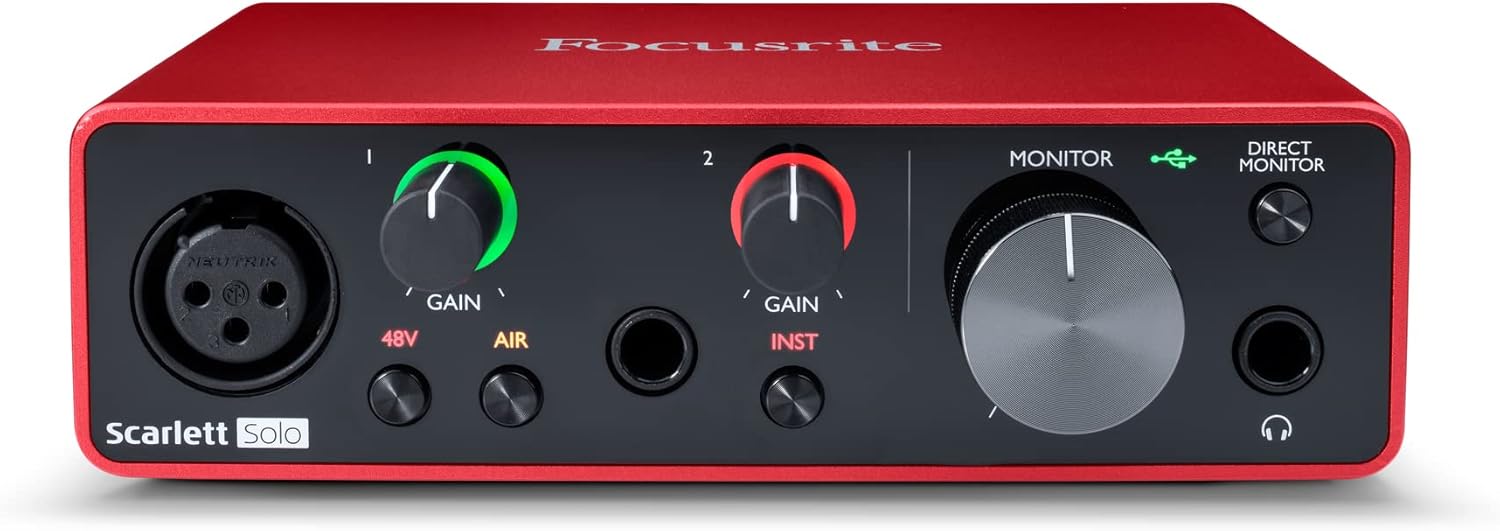
Focusrite Scarlett Solo 3rd Gen USB-C Audio Interface
The 3rd Gen is the default recommendation for a reason.
Visit on Amazon →
Step By Step Mixing: How to Create Great Mixes Using Only 5 Plug-ins
You've recorded your first track.
Visit on Amazon →
Audio Interface, 2X2 24-bit/192kHz Interface for High-Fidelity, Studio Quality PC/Mac/iOS Recording, XLR/TRS Combo Input, Monitor Mix/Loopback Function, One-cable Setup(Alloy Grey)
The 3rd Gen is the default recommendation for a reason.
Visit on Amazon →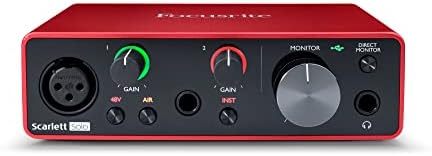
Focusrite Scarlett 2i2 4th Gen User Guide: The Complete Beginner's Manual to Setup, Recording, and Getting Professional Sound from Day One
I hate manuals. Most of them are written by engineers who can't write.
Visit on Amazon →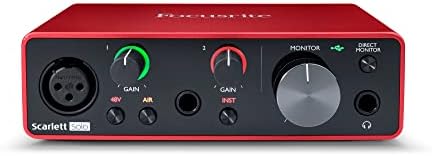
How to set up your own home recording studio: Beginners guide
This is the "I have no idea what I'm doing" book.
Visit on Amazon →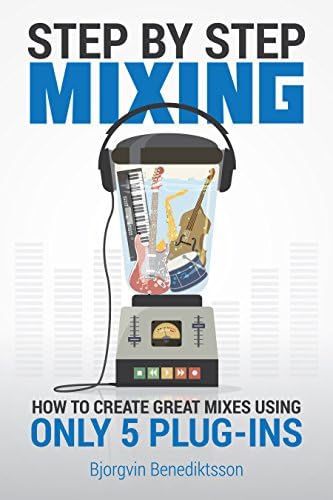
Step By Step Mixing: How to Create Great Mixes Using Only 5 Plug-ins
This is a Kindle version of something, and the print list price is ~$16.99.
Visit on Amazon →The first thing you'll get wrong: the gain staging
I bought the Solo because I thought one input was enough. A month later I was returning it for a 2i2. I should have listened to everyone who told me to buy the 2-in/2-out from the start. But that's a different article. The point is, no matter which box you plug in, the first thing you'll do is crank the gain to 100% and wonder why it sounds like garbage.
Set the gain so the meter kisses yellow. Then listen. If you're using a dynamic mic like an SM7B, you'll be at 100% gain and still quiet. That's not your fault. That's the interface's preamp being weak. Budget for a Cloudlifter or pick a different mic. I've tested it. You'll be frustrated otherwise.
Plug it in, but not yet
Here's the mistake everyone makes: they plug the interface in, open the DAW, and start recording. Then the clicks and pops start. That's latency hell. You'll be in latency hell if you try to monitor through the DAW.
Plug the interface in first. Install the drivers. Restart your computer. Then open the DAW. It sounds stupid, but it saves an hour of fighting.
Focusrite Scarlett Solo 3rd Gen
The 3rd Gen is the default recommendation for a reason. "It just works." No driver hell. I've had mine for three years, and Gus, my 65-pound lab mix, has stepped on the USB cable more times than I can count. It's still going. The preamps are decent for the price. The build is metal, not plastic. It's not built like a brick shithouse, but it's not a cheap toy either.
Visit on Amazon →
But the complaints are real. The headphone amp is the most ignored spec, and the most common source of "why does this sound bad?" The 3rd Gen's headphone amp is weak. My 250-ohm cans sound thin and quiet. I have to crank the volume to 3 o'clock to get a decent level. That's not a defect. That's a design choice. A bad one.
One verified buyer wrote on Amazon, "Constant crackling on Windows, keeps disconnecting on my Mac." That was in March. The pattern is clear. It's driver roulette with budget interfaces on Windows. Some machines run flawlessly. Others crackle. You won't know until you try.
At ~$120, it's the one I'd buy for a beginner. For ~$20 more, the 4th Gen is worth it. But if you're just testing the waters, the 3rd Gen is fine. The gain stage is clean up to about 2 o'clock. Past that, it gets hissy. You'll hear it in the tail of a reverb.
The cheap one that actually works: Audio Interface, 2X2 24-bit/192kHz
Look, I get it. You're not sure you'll stick with recording. You don't want to drop ~$120 on a Scarlett. The budget king is here. Insane gain for the price is exactly right. You can run a ribbon mic without a Cloudlifter. That's impressive for a ~$50 box.
But the build feels cheap. The knobs feel wobbly. The USB cable it comes with is too short and cheap. I've seen the USB port go loose after six months. It will probably die in a year. At ~$40, the Behringer UMC costs less than a pizza. If it dies in a year, you got your money's worth. The Scarlett Solo at ~$120 needs to last four years to match that.
This 2X2 is the same story. It's a disposable tool, not an heirloom. If you're tracking a client, don't. If you're testing the waters, it's fine. You're buying time to figure out if you actually like recording.
The book that saves you from the "now what?" problem: Step By Step Mixing
You've recorded your first track. Now what? That's where most people quit. They have a raw vocal and a guitar track, and they don't know how to make it sound like a record. This book walks you through using only 5 plugins. That's the right approach. You don't need 50 plugins. You need to learn gain staging and EQ and compression with the basics.
I've been recording for ten years, and I still reference this when I'm mixing a client session. It's not a gimmick. It's the chapter on gain staging that should be required reading. The "Recording Engineer's Handbook" by Bobby Owsinski is the deeper dive, but this is the practical one.
For ~$20, it's the best money you'll spend on your home studio after the interface itself. The noise floor on your recording is the interface, not the mic. But the mix is on you. This book fixes that.
The user guide that's actually useful: Focusrite Scarlett 2i2 4th Gen User Guide
I hate manuals. Most of them are written by engineers who can't write. This one is different. It's a beginner's manual for the 4th Gen 2i2, and it skips the nonsense. It covers the setup process, the gain staging, the direct monitoring, and the software bundle you'll never open.
But here's the thing: it's only useful if you already own the 4th Gen. If you're on the fence about buying one, this won't convince you. It's a companion, not a standalone purchase. The 4th Gen is a genuine step up from the 3rd.
The gain is actually usable, and the build feels more solid. But is it worth the extra ~$50 over the 3rd? For a beginner, no.
For someone who's already hit the 3rd's ceiling, yes.
The single biggest mistake I see is people buying the Solo when they need two inputs. I did it myself. Just buy the 2i2 from the start. If you've already got the 4th Gen, this guide is worth the ~$15. It'll save you an hour of fiddling.
The big picture: HOW TO SETUP A HOME RECORDING STUDIO
This is the "I have no idea what I'm doing" book. It covers the whole picture, not just the interface. Mics, monitors, acoustics, cables, the works. It's a gear buying guide, so it's not going to teach you how to mix. But it will stop you from buying the wrong stuff.
I gave this to a friend who was starting a podcast. He bought a condenser mic without knowing he needed phantom power. I didn't know I needed it for my condenser mic either, back in the day. Read the manual. Or read this book. It's the same lesson, but with better explanations.
The problem is it's a bit general. If you already know you need an interface and a mic, you can skip it. But if you're starting from zero, it's worth the ~$20. It'll save you from buying a ~$99 interface that crackles if you look at it wrong. I've made every beginner mistake. This book helps you avoid the expensive ones.
The Kindle that's cheaper than the print version
This is a Kindle version of something, and the print list price is ~$16.99. The Kindle is ~$6.99. That's a ten dollar saving. I don't track prices day to day, so I won't pretend to know next week's. But right now, that's a good deal.
It's a Kindle, though. You need a device to read it on. If you don't have a Kindle or the app, it's useless. The print version is ~$16.99, and it's a physical thing you can put on your desk next to your interface. Some people like that. I do. But if you're on a budget, the Kindle saves you ten bucks.
The honest bottom line
Your first interface won't make you sound pro. It'll make you sound like you, but cleaner. That's the point. Don't let anyone tell you that you need a ~$400 interface to record your acoustic guitar. A ~$120 Scarlett will get you there. The 4th Gen is nicer, but the 3rd is fine. And for the love of God, if you're using a condenser mic, turn on phantom power before you ask me why you're silent.
Ultimately, the interface is the least important part of your signal chain. The mic matters more. The room matters more. Your ears matter more. The interface just needs to not get in the way.
The Scarlett 3rd Gen does that. The cheap 2X2 does that, until it dies. And the books will teach you what to do with the recording.
That's the whole game. Plug it in, set the gain so the meter kisses yellow, and record. Everything else is practice.