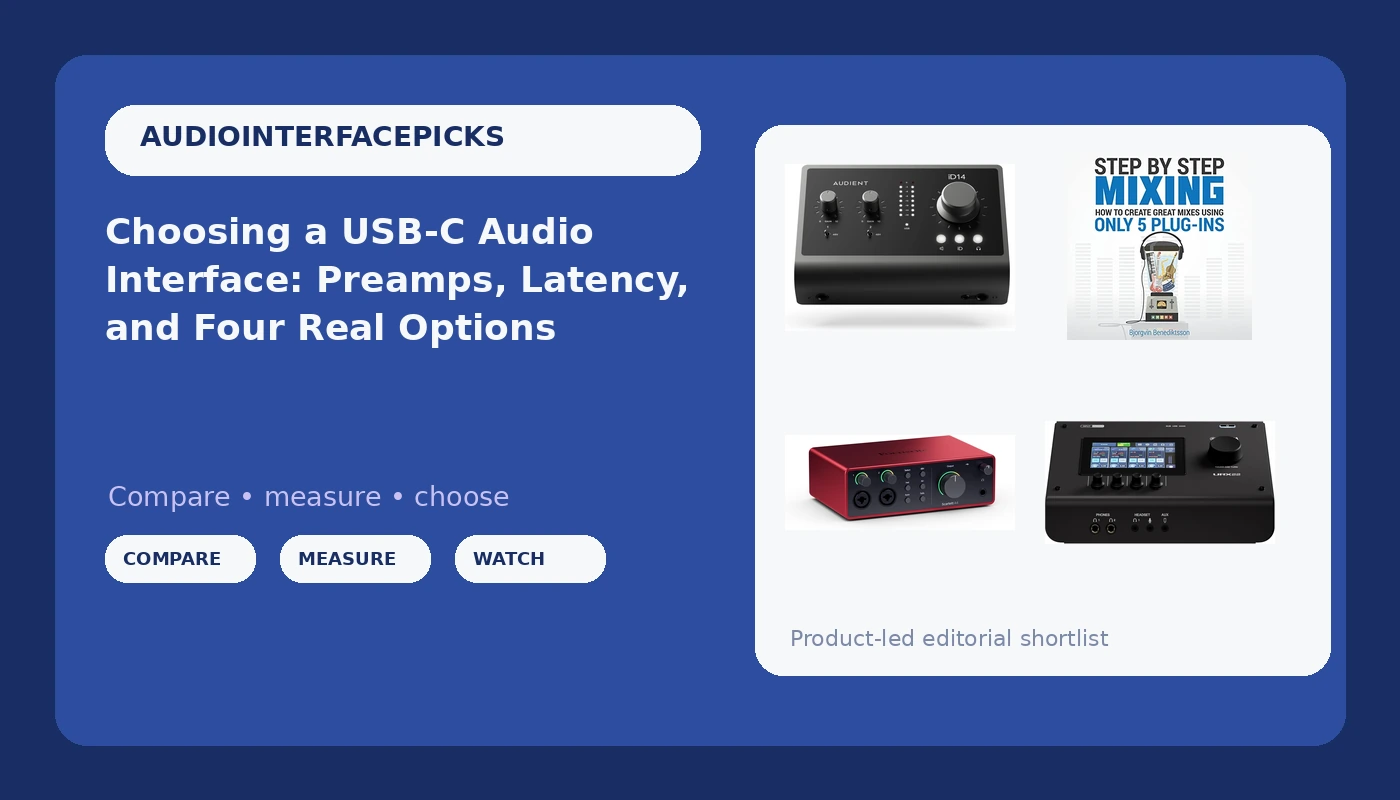
A USB-C audio interface is the box that turns a microphone or an instrument into something your computer can record, and it is the last piece of gear in the chain that gets to change your tone before any plugin touches it. That is why the shopping question is harder than it looks. Four very different products all claim the same job: the Yamaha URX22 with its onboard touchscreen, the Audient iD14 MKII with its Class-A microphone preamps, the Focusrite Scarlett 4i4 4th Gen, and a mixing book that assumes you already own one of them. This explainer walks through what each listing actually describes, what the spec language means, and how to decide without buying twice.
Related: How to Set Gain Staging on a USB-C Interface →
Quick answer
Match the interface to the job you actually do, not the job you imagine doing. If you want hands-on control and a software bundle to start with, the Yamaha URX22 is the option here with a touchscreen and a Steinberg bundle. If preamp design is your priority, the Audient iD14 MKII lists two Class-A microphone preamps plus two headphone outputs. If you want the shortest path into a workflow you probably already know, the Focusrite Scarlett 4i4 4th Gen is the direct fit. And if your recordings are fine but your mixes are not, the Step By Step Mixing book addresses the part of the chain no interface can fix.
Four useful options
| Model | Best fit | What stands out |
|---|---|---|
| Yamaha URX22 | Hands-on control with a software starting point | Touchscreen control with dual USB-C and a Cubase AI, WaveLab Cast, Basic FX Suite, and Steinberg Plus bundle |
| Audient iD14 MKII | Preamp-first tracking | Two Class-A microphone preamps, monitor mix and monitor panning, two headphone outputs |
| Focusrite Scarlett 4i4 4th Gen | Familiar Scarlett workflow | The 4i4 position in Focusrite's 4th-generation Scarlett line with USB-C connectivity |
| Step By Step Mixing | Building mixes with a small plugin set | A book built around creating mixes with only five plugins |
The touchscreen option: Yamaha URX22
A touchscreen on an interface is a genuine workflow decision, not a gimmick, and it is also the thing most likely to divide people. If you track alone and you are constantly reaching for the mouse to check a level or switch a monitor source, having that control sitting on the hardware means fewer context switches while the click track runs. If you work fast with keyboard shortcuts and never look at your interface, the screen is a feature you paid for and never use.
The bundle is worth reading carefully. Cubase AI, WaveLab Cast, Basic FX Suite, and Steinberg Plus give you a recording path and an editing path out of the box, which matters if you are starting from nothing. It matters much less if you already own a DAW you like. Treat bundled software as a convenience that shortens your setup day, not as the reason to buy the hardware. The reason to buy this one is the four inputs and the on-box control surface.
The preamp-first option: Audient iD14 MKII
The preamp is the interface. Two boxes with near-identical spec sheets can behave completely differently when you push the gain to three o'clock on a ribbon mic or a quiet dynamic, and the listing language here points straight at that part of the circuit. Class-A describes a circuit topology rather than a quality ranking, so read it as a design choice the manufacturer chose to highlight, then judge it with your own ears on your own mics.
The more quietly useful details are the two headphone outputs and the monitor mix and monitor panning controls. A second headphone out is the difference between tracking a vocalist who wants a different balance than you do and handing someone a splitter cable. Monitor panning lets you place a mono source in the stereo field while you monitor, which is a small thing that saves a plugin. If your sessions are two channels and a lot of care, this is the shape of interface that rewards that.
The familiar-workflow option: Focusrite Scarlett 4i4 4th Gen
There is a real argument for buying the boring choice. Focusrite's Scarlett line is the interface most people encounter first, which means the driver quirks are documented, the forum answers already exist, and the setup steps are the ones your collaborator will recognize when you send them a session. Boring drivers are the highest compliment you can pay a piece of studio gear, because the alternative is spending a Saturday troubleshooting instead of recording.
The 4i4 sits above the two-input models in the range, which is the practical distinction. Two inputs cover a solo vocal, a guitar, or a podcast with one host. More than that and you are either tracking a small kit, running a stereo pair plus a scratch vocal, or wiring a guest in. Buy the input count for your worst normal session, not your best imaginary one. If you have never needed more than two at once, the extra channels are money sitting in a rack.
The skill-building companion: Step By Step Mixing
This is the odd one out in a list of interfaces, and it belongs here anyway. The interface is maybe ten percent of how a recording sounds. The room, the mic placement, the performance, and the mix decisions account for the rest, and none of those improve when you upgrade your converter. If you have ever bought a better preamp hoping it would fix a muddy mix, this book is the cheaper correction.
The five-plugin constraint is the useful part. Limiting yourself to a small toolkit forces you to learn what each processor actually does instead of stacking options until something sounds acceptable. It pairs naturally with any of the three interfaces above: record through the one that fits your sessions, then learn to mix what you captured. Buying gear and buying skill are different purchases, and most home studios over-invest in the first one.
Prices and availability may change. Product images, names, and retailer links are matched to verified listings. No current price, rating, stock status, or measured result is stated here without current evidence.
What the spec language actually tells you
Class-A preamps, touchscreens, dual USB-C, and bundled software are the four phrases doing the most work in these listings, and each one means something narrower than it sounds.
Class-A is a circuit topology. It says something about how the gain stage is built, not how it will sound with your specific microphone in your specific room. The honest test is gain staging: set your level so the meter kisses yellow on the loudest part of the performance, then listen for whether the preamp stays clean or starts to smear. That test costs you nothing and tells you more than any spec sheet.
A touchscreen is a control-surface decision. It moves functions that normally live in a software mixer onto the hardware. That is a genuine improvement for some workflows and dead weight for others. Dual USB-C connectivity is a routing and flexibility feature, useful if you want the interface to serve two roles or two machines, and irrelevant if you plug into one laptop and never move it.
Bundled software is the easiest feature to overvalue. Cubase AI, WaveLab Cast, and the rest of a Steinberg bundle shorten the distance between unboxing and recording, which is real value on day one. It is not a reason to choose hardware you would not otherwise want. If you already have a DAW you know well, weigh the bundle at close to zero and decide on the inputs, the preamps, and the headphone amp.
How to match an interface to the way you record
- Count the inputs you need for your worst normal session, not your most ambitious idea. Two covers most solo work; four covers a small ensemble or a two-host show with a guest.
- Decide whether you want preamp character or preamp transparency, then listen at high gain with the mic you actually own before you commit.
- Check the headphone situation. A second output and a monitor mix control solve problems that a splitter cable only postpones.
- Think about drivers and stability on your specific computer, because a great converter with unstable drivers is a paperweight.
- Budget for the room and the skill, not just the box. Acoustic treatment and a mixing book will change your results more than a converter upgrade will.
Practical guidance before you buy
- Record a test take at high gain with your quietest microphone before you decide a preamp is clean enough.
- Write down your input count from your last five sessions and buy for that number.
- Set a buffer size and confirm the round-trip feels playable before you trust an interface for tracking.
- Check that phantom power works the way you expect on your laptop's USB port, since bus-powered interfaces vary.
- Keep the bundled software in the decision, but never let it be the headline reason.
- Buy the interface you can still use in three years, not the one that solves this week's session.
Which option should you choose?
Choose the Yamaha URX22 when you want four inputs, on-box control, and a software bundle that gets you recording on day one. Choose the Audient iD14 MKII when your priority is preamp design and you need two headphone outputs and monitor panning for real sessions. Choose the Focusrite Scarlett 4i4 4th Gen when you want the familiar Scarlett workflow and enough channels to grow into. Choose Step By Step Mixing when your recordings are already clean and the weak link is what happens after the tracking stops.
None of these listings states a measured latency figure, a preamp noise measurement, or a headphone output impedance, so nothing here should be read as a claim about how any of them will perform on your machine. What the listings do establish is the feature set: input and output counts, preamp type, connectivity, headphone outputs, and bundled software. Everything beyond that is a decision you make with your own ears, your own mics, and your own laptop.
The bottom line
The right USB-C audio interface is the one that matches your input count, stays clean at the gain you actually use, and does not fight your computer. The Yamaha URX22 is the option here for hands-on control and a bundled starting point, the Audient iD14 MKII is the option built around its two Class-A preamps, and the Focusrite Scarlett 4i4 4th Gen is the low-drama path into a workflow most collaborators already share. Whichever you pick, the Step By Step Mixing book covers the half of the job the interface cannot do, which is turning a clean recording into a finished mix.