
Most people shopping for their first real recording setup start by comparing the best audio interfaces on paper, and most of them get stuck in the same place: the spec sheets all look identical. Two inputs, 24-bit conversion, phantom power, a headphone jack. The differences that actually matter show up later, when you have a ribbon mic at gain three o'clock, or a guest on a call who hears their own voice twice, or a pair of 250-ohm headphones that never quite get loud enough. This guide compares six products that sit at different points in that conversation: a pro-grade compact interface, a two-channel Class-A workhorse, a hybrid unit that talks to phones and tablets as easily as it talks to a laptop, an inexpensive 2x2 box, a streaming mixer, and one book about mixing that answers the question of what to do after the interface is plugged in.
Related: How to Set Gain Staging on a Budget Interface
Quick answer
The Audient iD14 MKII is the strongest fit for two-channel home and project studio recording because it pairs two Class-A microphone preamps with a USB-C connection, monitor mix and monitor panning, and two separate headphone outputs in a desktop format. Choose the RME Babyface Pro FS instead when you want a pro-oriented compact interface with a reputation for long-lived drivers and expandability beyond the two inputs you start with.
Audio interfaces and studio tools worth comparing
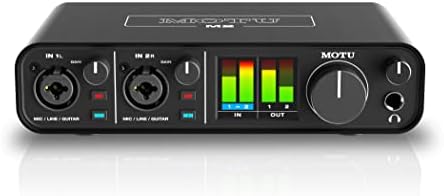
Audient Audio Interface iD14 MKII, 2 Class-A Microphone Preamps (High Performance USB Audio Interface, USB-C Connector, Monitor Mix and Monitor Panning Function, 2 Headphone Outputs), Black
Two Class-A microphone preamps, a USB-C connection, monitor mix and monitor panning controls, and two headphone outputs, all in a desktop black chassis built for two-channel recording.
Visit on Amazon
RME Babyface Pro FS USB Audio Interface
A compact USB audio interface from RME's Babyface line, aimed at engineers and project studios that want a road-ready unit with room to grow as the setup expands.
Visit on Amazon
MAONO P2 Hybrid USB Audio Interface Dual XLR for PC Phone iPad Guitar
A hybrid USB interface with dual XLR inputs that also works with phones, tablets, and iPads, plus an instrument path for direct guitar recording without a separate DI box.
Visit on Amazon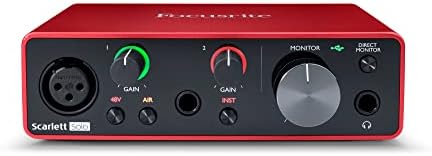
Audio Interface, 2X2 24-bit/192kHz Interface for High-Fidelity, Studio Quality PC/Mac/iOS Recording, XLR/TRS Combo Input, Monitor Mix/Loopback Function, One-cable Setup(Alloy Grey)
A 2-in, 2-out interface rated at 24-bit/192kHz with XLR/TRS combo inputs, monitor mix and loopback routing, and a one-cable setup for PC, Mac, or iOS recording in an alloy grey shell.
Visit on Amazon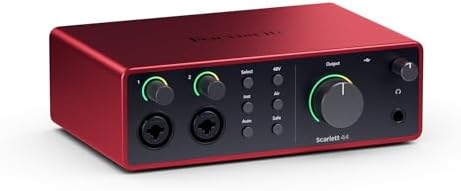
FIFINE Ampligame SC3 Gaming Audio Mixer with Indi-Fader and Volume Control
A gaming and streaming oriented audio mixer with an independent fader and volume control, built for balancing game audio, chat, and microphone levels by hand instead of through software.
Visit on Amazon
Step By Step Mixing: How to Create Great Mixes Using Only 5 Plug-ins
A mixing guide built around finishing real mixes with a deliberately small plug-in set, useful once the interface is working and the raw tracks need to become a song.
Visit on AmazonPrices and availability may change. Check the retailer for current details.
How these products were compared
This guide compares preamp type and input count, connection type and computer compatibility, monitoring and routing features such as monitor mix and loopback, headphone output count, and the overall feature set relative to the job each product is designed to do. Product names, images, and retailer links are matched by product identifier so that every card points to the product shown, and nothing in the grid is carried over from a different listing.
The comparison is based on manufacturer feature descriptions and published specifications, not on bench measurements, because measurements taken in one room with one set of microphones do not transfer cleanly to another. That matters most for the two claims buyers lean on hardest: preamp noise at high gain and round-trip latency. Both depend on the microphone, the gain setting, the driver version, and the computer, so treat any single number as a starting point rather than a verdict. Do not treat price as a shortcut for quality either. A two-input interface can cost more than a four-input interface and still be the right purchase, because the money went into preamp design and drivers instead of channel count.
How to choose the right audio interface
Start with the number of inputs you will use at the same time, not the number you might use someday. A two-channel interface with two good preamps covers a solo vocal plus a guitar, a two-person podcast, or a stereo pair for an acoustic instrument. Buying four or eight inputs for a two-person show usually means paying for preamps you never turn up, and the money is better spent on the two channels you actually track.
Then decide how the interface connects. A USB-C connection is now the common standard on laptops and desktops, and it keeps the interface on a single cable for both data and power on most models in this range. If you also record to a phone or tablet, look specifically for a unit that lists phone, iPad, or iOS support, because that is a different compatibility claim than PC and Mac support and it is not always included. Our USB-C interface buying checklist walks through the compatibility questions worth asking before you buy.
After connectivity, look at two features that separate a usable interface from a frustrating one. Monitor mix lets you blend what you are recording with what is already playing back, which is what makes overdubbing possible without a delay in your ears. Loopback routes the computer's playback back into a recording channel, which is how you capture a call, a stream, or a software synth in the same take. If your work involves guests on a call, mix-minus routing is the feature that determines whether the session sounds professional or chaotic.
Finally, check the headphone outputs, plural. One headphone jack is enough for a solo session. Two jacks means the vocalist and the engineer are not fighting over a splitter, and they also let you keep a second pair of headphones patched for reference. Headphone amplifier quality is the spec nobody reads until their 250-ohm cans sound thin and quiet, at which point it becomes the only spec that matters.
Audient Audio Interface iD14 MKII
The iD14 MKII is the pick here because its feature list lines up with how two-channel sessions actually run. Two Class-A microphone preamps cover vocals and instruments, the USB-C connector keeps the cable situation simple, and monitor mix with monitor panning gives you control over what you hear while tracking. Two headphone outputs are the detail that pushes it ahead of similar-looking two-input boxes, since a second set of cans is the difference between a session that flows and a session spent passing headphones back and forth.
The trade-off is expandability. This is a two-input interface, and no amount of preamp quality changes that. If your sessions regularly involve a drum kit, a full band tracked live, or three or more microphones at once, you will outgrow the input count before you outgrow the sound. The other consideration is that the iD14 MKII sits above the entry tier, so if you are still deciding whether home recording is a hobby you will keep, a less expensive two-channel interface gets you recording for less while you find out.
Alternatives to consider
The RME Babyface Pro FS is better suited to engineers and project studios that want a compact, pro-oriented interface and a long upgrade path, while the MAONO P2 Hybrid USB Audio Interface Dual XLR for PC Phone iPad Guitar is a stronger fit when your recording happens across devices and you need dual XLR inputs plus a direct guitar path on a phone, tablet, or iPad as well as a computer.
The Audio Interface, 2X2 24-bit/192kHz Interface for High-Fidelity, Studio Quality PC/Mac/iOS Recording, XLR/TRS Combo Input, Monitor Mix/Loopback Function, One-cable Setup(Alloy Grey), the FIFINE Ampligame SC3 Gaming Audio Mixer with Indi-Fader and Volume Control, and Step By Step Mixing: How to Create Great Mixes Using Only 5 Plug-ins cover three different jobs. The 2x2 unit is the straightforward entry point with combo inputs, loopback, and a one-cable setup for PC, Mac, or iOS. The FIFINE mixer is for streamers who want physical faders in front of them instead of a software mixer window. The mixing book is not hardware at all; it answers the question that follows the purchase, which is what to do with the tracks once they exist.
Day-to-day use and maintenance
Set gain so the loudest part of a performance peaks with headroom to spare rather than sitting at the top of the meter. If phantom power is engaged, mute or disconnect the input before plugging or unplugging a microphone, and keep condenser mics off the input when phantom power is on and the mic does not need it. Ribbon microphones in particular deserve a careful look at the manufacturer's guidance before you send phantom power down the line.
Leave breathing room around the unit. Interfaces run warm, and stacking one under a laptop, a hard drive, and a pile of cables is how headphone jacks and input connectors take damage over time. Coil cables loosely instead of wrapping them tight around the chassis, and give the headphone jack a straight pull rather than a sideways tug. Update drivers when the manufacturer publishes a new version, and note your settings after a firmware change, since some updates reset input and monitoring preferences.
Buying checklist
- Measure the space on your desk where the interface will live, including clearance for cables at the back and a headphone plug at the front.
- Choose input count based on what you record at one time rather than an occasional edge case.
- Confirm that the exact model includes the connection type your computer uses, whether that is USB-C, USB-A, or a phone and tablet path.
- Check whether the monitoring features you need, such as monitor mix, monitor panning, or loopback, are listed for that specific model.
- Read the maintenance and setup instructions, including any phantom power warnings for ribbon microphones.
- Verify the current retailer price, availability, and return terms through the product link before ordering.
Final recommendation
Choose the Audient Audio Interface iD14 MKII when you record one or two sources at a time and want Class-A preamps, USB-C connectivity, monitor mix and panning, and two headphone outputs in a single desktop box. Choose the RME Babyface Pro FS when you want a compact pro-oriented interface and are planning for a longer upgrade path. If your sessions move between a computer and a phone or tablet, the MAONO P2 is the more natural fit, and if the goal is simply to start recording with combo inputs and loopback on a single cable, the 2x2 interface covers that job. For streamers, the FIFINE mixer puts the faders under your hands, and for anyone who has the interface working and no idea what to do next, the mixing guide is the honest answer to that problem.